
Security Breach at His Majesty’s Prison Raises Concerns Over Safety and Contraband Smuggling

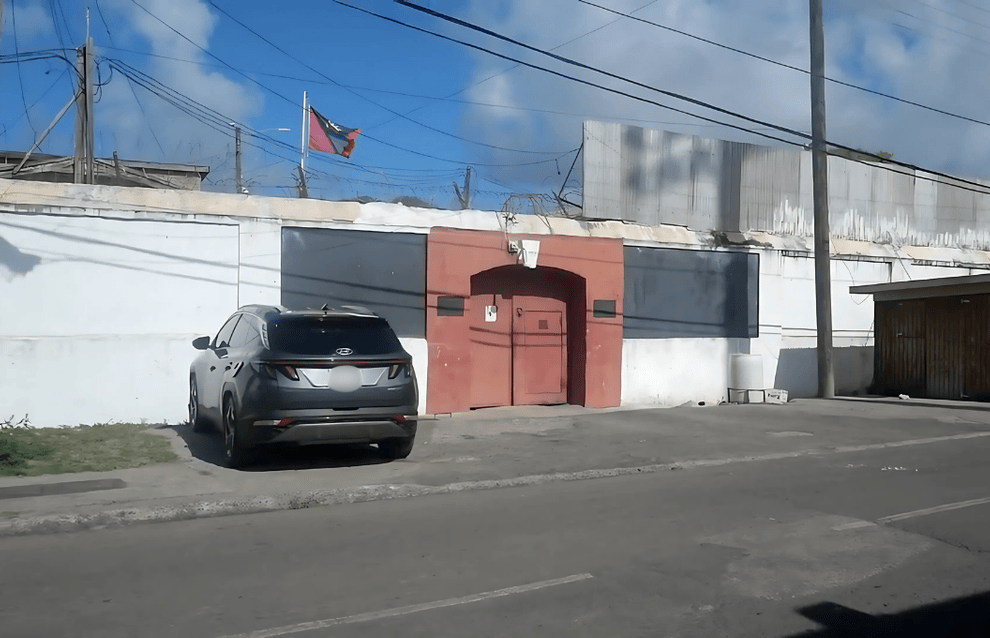
Authorities are currently looking into a significant security incident at His Majesty’s Prison after a man was spotted scaling the facility’s outer fence in the early hours of Thursday morning.
The breach occurred around 5:00 AM on July 3rd, when a vigilant security officer witnessed an unidentified male climbing the eastern side of the prison perimeter, particularly close to TN Kirnon Primary School. The individual quickly escaped the scene after breaching the prison’s boundary.
In response to the alarming report, police mobile patrol units quickly arrived on the scene and combed the area adjacent to the eastern side of the prison. As part of their search, they discovered a blue shopping bag that contained several intriguing articles.

Among the recovered items were a striking red jacket and pantsuit, along with two plastic bags filled with what appeared to be compressed plant material, suspected to be cannabis. Additional plastic storage bags and a sales receipt were also found.
These items have been handed over to the officials at the Criminal Investigations Department, who are set to analyze them as part of their ongoing investigation. This incident raises critical concerns regarding prison security measures and the possibility of attempts to smuggle contraband into the facility.
Meanwhile, prison officials have yet to announce any potential enhancements to security protocols.
The investigation remains active, and authorities are urging anyone with relevant information to reach out to law enforcement.
This story was first published by Antigua News on : antigua.news/2025/07/05/security-breach-at-his-majestys-prison-raises-concerns-over-safety-and-contraband-smuggling. © 2025 Antigua News. Republication without permission is not allowed.

About the author
Shermain Bique-Charles is an accomplished journalist with over 24 years of dynamic experience in the industry. Renowned for her exceptional storytelling and investigative skills, she has garnered numerous awards that highlight her commitment to journalistic integrity and excellence. Her work not only informs but also inspires, making her a respected voice in the field.
Read our editorial standards and corrections policy. Spotted an error? Contact the newsroom.
More from Antigua and Barbuda
View section
Chase Supermarket to Host Two-Day Job Fair for Full-Time Positions
Applicants are invited to explore vacancies across several departments on October 31 and November 1 at the supermarket’s Herbert’s location.
By Editorial Staff

Dwayne George Demands Accountability in Management of New Arts Centre
The Creative Industries Minister says responsible spending, maintenance and professional management must protect the national investment.
By Shermain Bique-Charles

Maria Browne: Culture Deserves Infrastructure and Creatives Deserve Opportunity
The Housing and Works Minister says the new performing arts centre places artistic ambition firmly within national development.
By Shermain Bique-Charles

Turner Reveals Team Feared Arts Centre Could Not Be Completed in Time
The minister credits National Housing workers with overcoming setbacks and an imposing workload to deliver the cultural landmark.
By Shermain Bique-Charles
Comments (6)
Run July 5, 2025, 4:08 PM
Apex Jones July 5, 2025, 5:38 PM
Antigua Surf July 6, 2025, 10:39 AM
Food4thought July 6, 2025, 10:43 AM
informed Citizen July 6, 2025, 9:09 PM
Stone July 7, 2025, 6:58 AM