
Antigua and Barbuda Advances Financial Oversight with FATF Training

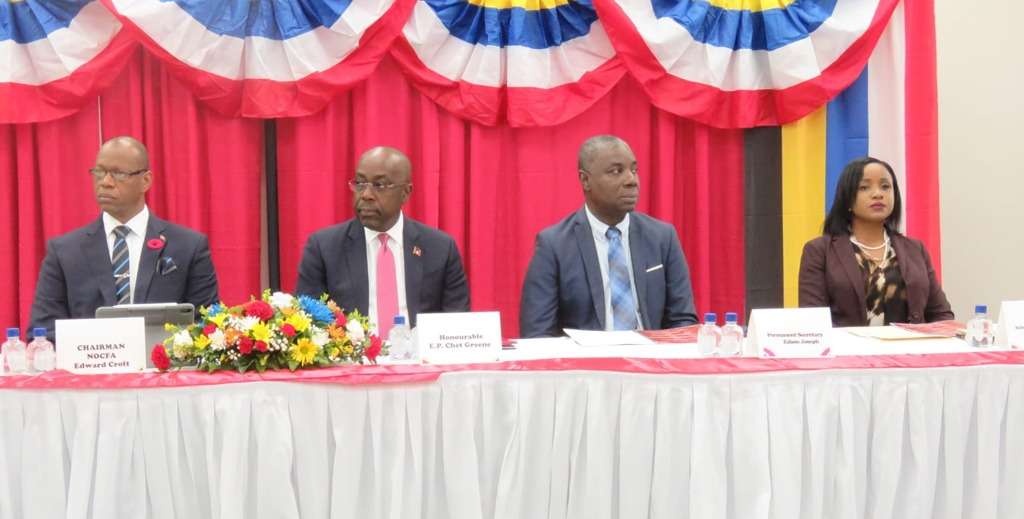
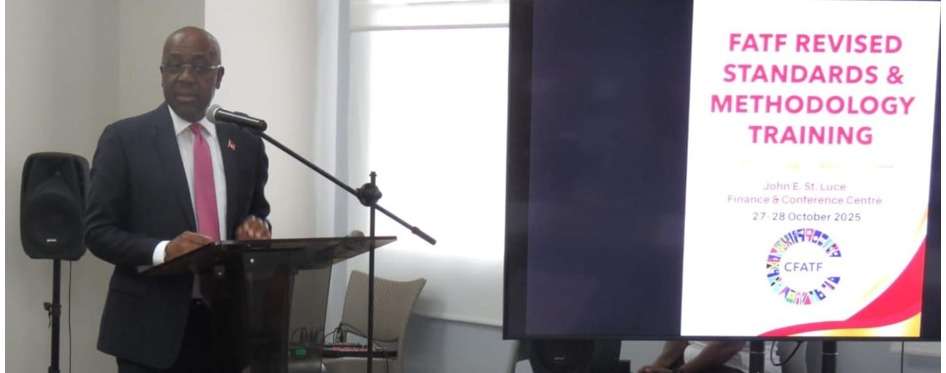
Antigua and Barbuda has taken another significant step in strengthening its financial integrity framework with the successful completion of a two-day training workshop on the FATF Revised Standards and Methodology, hosted by the National Oversight Committee on Financial Action (NOCFA).
Held on October 27–28 at the John E. St. Luce Finance & Conference Centre, the workshop brought together 71 officials from key national agencies including the Attorney General’s Chambers, ONDCP, FSRC, ECCB, Police, Customs, Immigration, and Defence Force. Experts from the Caribbean Financial Action Task Force (CFATF) led the sessions, which focused on the latest updates to international standards for Anti-Money Laundering (AML), Countering the Financing of Terrorism (CFT), and Counter-Proliferation Financing (CPF).
Delivering the keynote address, Minister of Foreign Affairs Hon. E.P. Chet Greene praised the initiative as vital to maintaining a transparent and trustworthy financial system. “The resilience of our financial architecture depends on our collective will to learn, adapt, and lead with integrity,” he said.
Lt. Col. Edward Croft, NOCFA Chairman, highlighted the workshop’s role in preparing for the 5th Round Mutual Evaluation, calling it “a strategic step in strengthening national coordination and translating global standards into practical national policies.”
Participants engaged in technical sessions, case studies, and risk-based exercises aimed at improving national oversight and inter-agency collaboration.
This workshop underscores Antigua and Barbuda’s continued commitment to meeting international compliance obligations and safeguarding its financial system against misuse.
This story was first published by Antigua News on : antigua.news/2025/10/30/antigua-and-barbuda-advances-financial-oversight-with-fatf-training. © 2025 Antigua News. Republication without permission is not allowed.

About the author
The Editorial Staff refers to all reporters employed by Antigua.news. When an article is not an original creation of Antigua.news—such as when it is based on a press release, other media articles, letters to the editor, or court decisions—one of our staff members is responsible for overseeing its publication.
Read our editorial standards and corrections policy. Spotted an error? Contact the newsroom.
More from Antigua and Barbuda
View section
Royal Visit Ends After Week of Independence Celebrations and Commonwealth Engagements
King Charles III and Queen Camilla departed Antigua and Barbuda this morning following national, community and diplomatic events.
By Shermain Bique-Charles

Samoa Urges Climate Finance That Does Not Deepen Vulnerable Nations’ Debt
Outgoing Commonwealth chair calls for accessible and predictable support as climate losses mount.
By Shermain Bique-Charles

Missing Man Ackly Roberts, 92, Found Dead by Police
Roberts had been reported missing after he was last seen on November 2.
By Shermain Bique-Charles

Commonwealth Plans Trade and Investment Conference to Advance US$2 Trillion Goal
Botchwey says ministers and business leaders will meet next year to tackle barriers and support investment.
By Shermain Bique-Charles
Comments (3)
Apex Jones October 30, 2025, 1:29 PM
Tromos October 30, 2025, 4:38 PM
Informed citizen October 30, 2025, 9:47 PM