
Barbuda Accelerates Infrastructure Upgrades as New Projects Take Shape

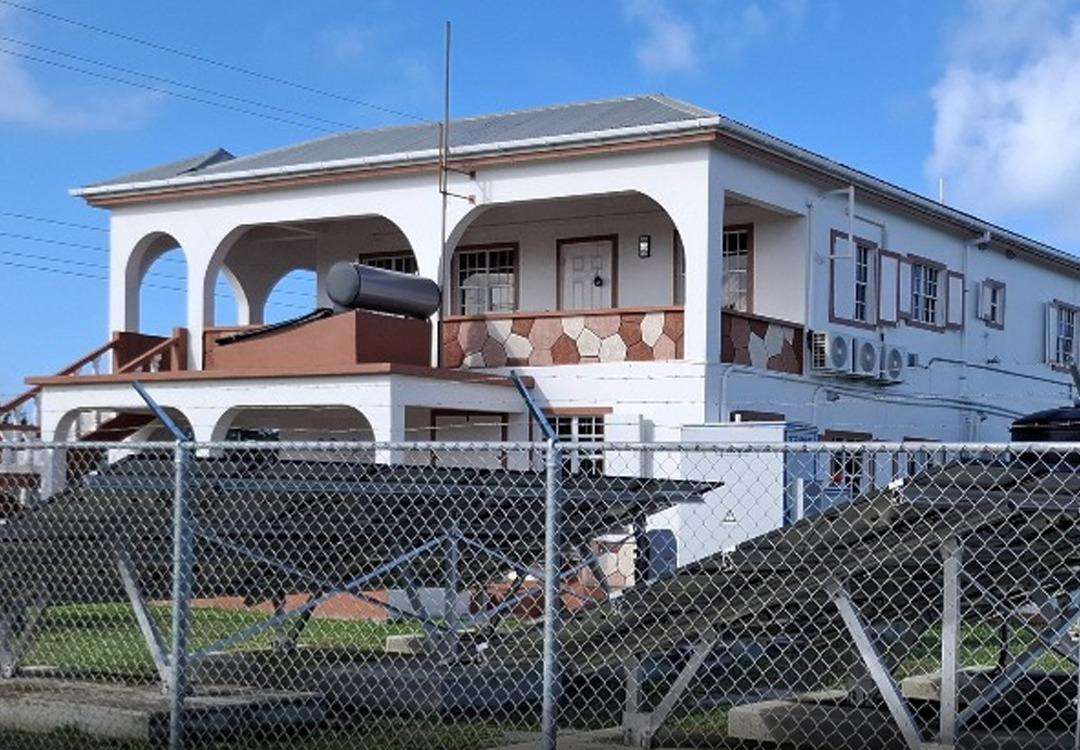
Barbuda is moving through one of its most active phases of redevelopment in years as several major public infrastructure projects near completion. The works are part of a US $31 million Caribbean Development Bank loan package supplemented by government funding.
According to state media, the island’s newly renovated Barbuda Council Administrative Building is now fully operational, offering modern facilities designed to strengthen governance and enhance public service delivery for residents.
Disaster resilience remains a central pillar of the investment. Earlier this year, the National Office of Disaster Services (NODS) completed its new building on Barbuda, bolstering the island’s readiness for hurricane season and improving coordination capabilities during emergencies. The upgrade comes in the wake of Hurricane Irma’s destructive impact in 2017, which exposed gaps in local response infrastructure.
Community life is also receiving attention through the rehabilitation and retrofitting of the Barbuda Community Centre. The improved facility has been certified to function as an emergency shelter while continuing to host public meetings, cultural events, and celebrations.
Looking ahead, the Ministry of Works is finalizing design plans for a new multi-purpose center that will also double as an emergency shelter, further expanding safe spaces available during severe weather events.
These projects are being overseen by the Project Implementation Management Unit within the Ministry of Works, supported by the United Nations Development Programme (UNDP), the Caribbean Development Bank, and the European Union. Officials say the upgrades mark an important step toward building long-term resilience and improving essential services across Barbuda
This story was first published by Antigua News on : antigua.news/2025/11/27/barbuda-accelerates-infrastructure-upgrades-as-new-projects-take-shape. © 2025 Antigua News. Republication without permission is not allowed.

About the author
The Editorial Staff refers to all reporters employed by Antigua.news. When an article is not an original creation of Antigua.news—such as when it is based on a press release, other media articles, letters to the editor, or court decisions—one of our staff members is responsible for overseeing its publication.
Read our editorial standards and corrections policy. Spotted an error? Contact the newsroom.
More from Antigua and Barbuda
View section
Chase Supermarket to Host Two-Day Job Fair for Full-Time Positions
Applicants are invited to explore vacancies across several departments on October 31 and November 1 at the supermarket’s Herbert’s location.
By Editorial Staff

Dwayne George Demands Accountability in Management of New Arts Centre
The Creative Industries Minister says responsible spending, maintenance and professional management must protect the national investment.
By Shermain Bique-Charles

Maria Browne: Culture Deserves Infrastructure and Creatives Deserve Opportunity
The Housing and Works Minister says the new performing arts centre places artistic ambition firmly within national development.
By Shermain Bique-Charles

Turner Reveals Team Feared Arts Centre Could Not Be Completed in Time
The minister credits National Housing workers with overcoming setbacks and an imposing workload to deliver the cultural landmark.
By Shermain Bique-Charles
Comments (2)
Informed citizen November 27, 2025, 9:27 PM
Ruth November 28, 2025, 11:35 AM