
Antiguan Scholar Earns PhD in Materials Science and Engineering from University of North Texas

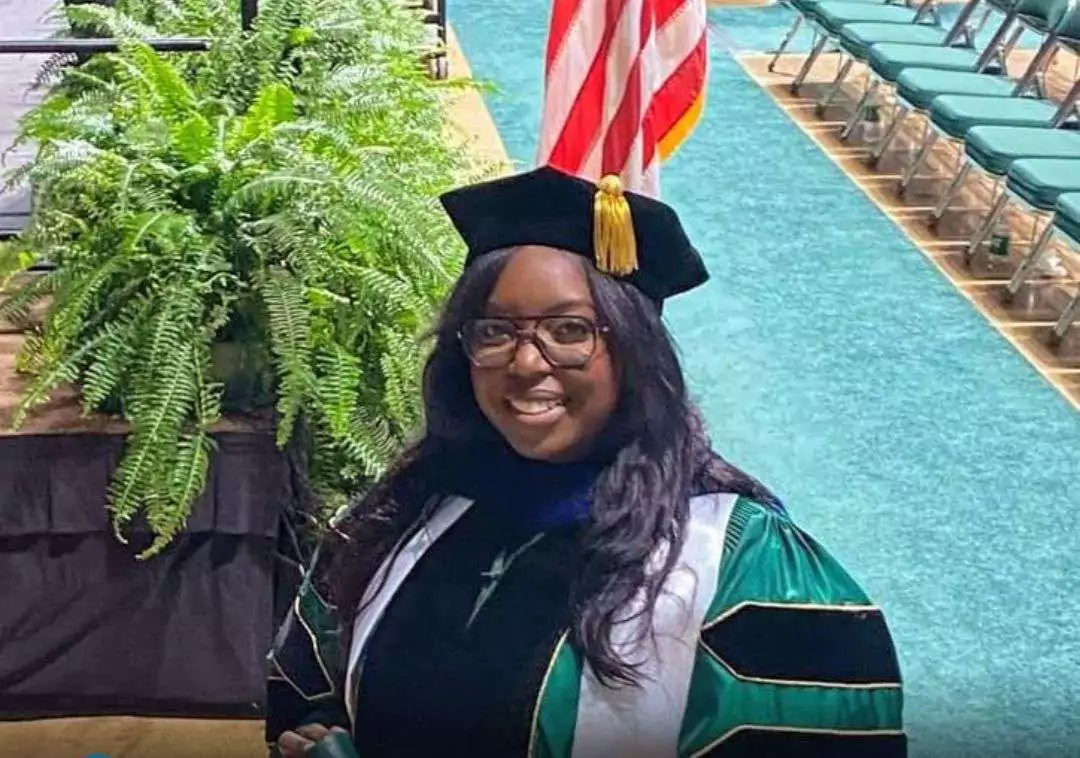
An Antiguan student has added another remarkable achievement to her academic journey, graduating with a Doctor of Philosophy in Materials Science and Engineering from the University of North Texas on Saturday, December 13, 2025.
Dr. J. Najwa Oliver earned her doctorate with a concentration in Biomedical Engineering, completing the programme with a final cumulative graduate GPA of 3.835. Her academic excellence and leadership were further recognised with the presentation of a Leadership Award at graduation.
Dr. Oliver is no stranger to high achievement. In 2021, she completed a Master of Science degree in Biomedical Engineering, graduating with distinction and earning a GPA of 3.823. Her continued academic success reflects years of dedication to research, innovation, and professional growth in the field of biomedical science.
Her doctoral research focused on interdisciplinary work at the intersection of materials science, biomedical engineering, and implant technology. Dr. Oliver’s dissertation examined the use of bioactive glass coatings for dental and orthopedic implants, addressing critical challenges such as implant biocompatibility, inflammation, and antimicrobial performance.
The research contributes to ongoing efforts to improve implant longevity and patient outcomes, offering promising solutions that could enhance the safety and effectiveness of medical implants used worldwide.
Dr. Oliver’s achievement stands as a source of pride for Antigua and Barbuda and highlights the growing impact of Caribbean scholars in advanced scientific research and biomedical innovation.
This story was first published by Antigua News on : antigua.news/2025/12/19/antiguan-scholar-earns-phd-in-materials-science-and-engineering-from-university-of-north-texas. © 2025 Antigua News. Republication without permission is not allowed.

About the author
The Editorial Staff refers to all reporters employed by Antigua.news. When an article is not an original creation of Antigua.news—such as when it is based on a press release, other media articles, letters to the editor, or court decisions—one of our staff members is responsible for overseeing its publication.
Read our editorial standards and corrections policy. Spotted an error? Contact the newsroom.
More from Antigua and Barbuda
View section
Popcaan to Return to Antigua After 13 Years for One Nation Festival
The Jamaican dancehall star is the first headliner announced for the January 9, 2027 festival at the Antigua Recreation Grounds.
By Shermain Bique-Charles

CDB Approves US$56.2 Million Loan for Education Upgrades in Antigua and Barbuda
Four schools will be expanded and rehabilitated under a project supporting resilient classrooms, mathematics instruction and teacher training.
By Shermain Bique-Charles

Police Assure Travellers Airport Will Remain Accessible During CHOGM
Traffic checkpoints near the Business Forum will guide vehicles rather than prevent passengers from reaching the terminal.
By Shermain Bique-Charles

More Than 400 Drivers Registered for CHOGM Transport Operation
Taxi operators and school bus drivers will help move thousands of participants between accommodation and conference venues.
By Shermain Bique-Charles
Comments (2)
Informed citizen December 19, 2025, 12:14 PM
Juju Bee December 19, 2025, 5:25 PM