
Antigua Carnival 2026 Registration Now Open Across All Categories

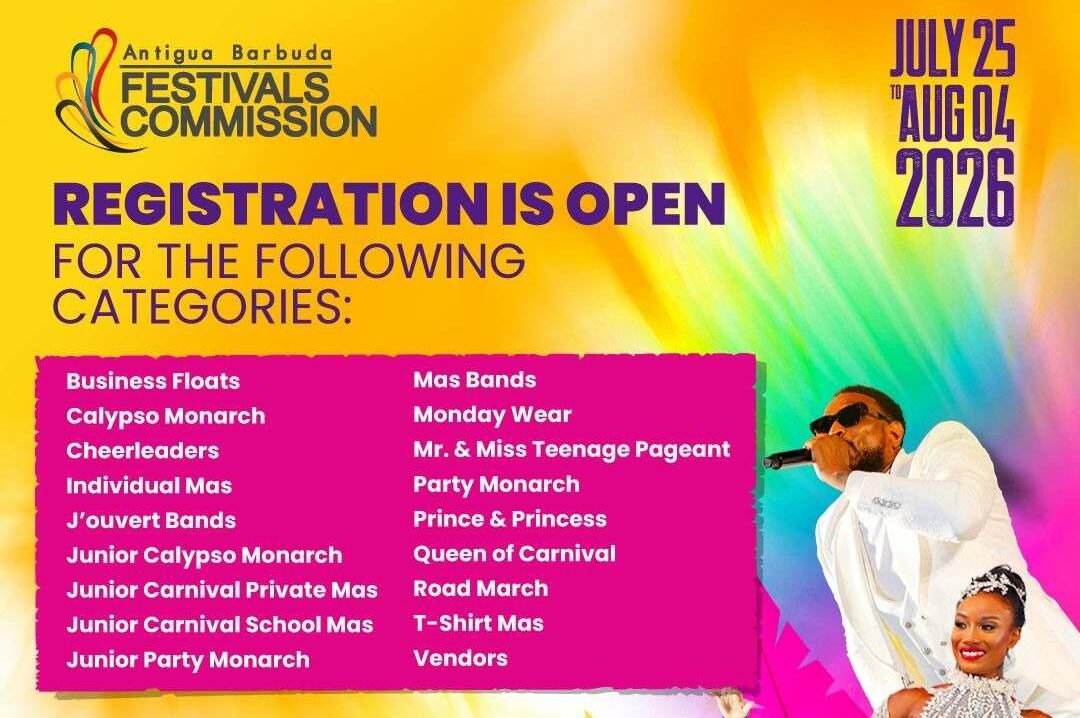
Registration is now officially open for Antigua Carnival 2026, the Antigua Barbuda Festivals Commission has announced.
In a statement issued this week, the Commission confirmed that applications are being accepted across all major competitive and participation categories ahead of next year’s festival, one of the country’s largest cultural events.
Categories open for registration include Business Floats, Calypso Monarch, Cheerleaders, Individual Mas, J’ouvert Troupes Band, Junior Calypso Monarch, Junior Carnival Private Mas, Junior Carnival School Mas, Junior Party Monarch, Mas Band, Monday Wear, Mr. & Miss Teenage Pageant, Party Monarch, Prince & Princess, Queen of Carnival, Road March, T-Shirt Mas, and Vendors.
Registration forms can be collected at the National Festivals Office, located on the first floor of the Cecil George-John Building at the corner of Corn Alley and Redcliffe Street, as well as at the Ministry of Creative Industries on Old Parham Road, upstairs the KFC/INET building.
The offices will facilitate collections Monday to Thursday from 10:00 a.m. to 2:00 p.m., and on Fridays from 10:00 a.m. to 1:00 p.m.
Persons seeking to request registration forms electronically may do so by emailing [email protected] or via WhatsApp at (268) 727-9201. Further inquiries can be made by calling (268) 462-4707.
Completed registration forms must be returned to the National Festivals Office at the Cecil George-John Building.
Antigua Carnival 2026 is expected to once again bring together calypsonians, mas bands, designers, performers, and vendors as preparations intensify for the annual celebration of music, culture, and national pride.
This story was first published by Antigua News on : antigua.news/2026/01/05/antigua-carnival-2026-registration-now-open-across-all-categories. © 2026 Antigua News. Republication without permission is not allowed.

About the author
The Editorial Staff refers to all reporters employed by Antigua.news. When an article is not an original creation of Antigua.news—such as when it is based on a press release, other media articles, letters to the editor, or court decisions—one of our staff members is responsible for overseeing its publication.
Read our editorial standards and corrections policy. Spotted an error? Contact the newsroom.
More from Antigua and Barbuda
View section
Baptist Academy Takes Two of Antigua and Barbuda’s Top Three CSEC Spots
Jhordyn Jacobs Jonas leads the 2026 rankings with 21 Grade I passes, followed by Kayden Lewis and Aliane Challenger.
By Cory Wayland

Antigua and Barbuda Uses CHOGM to Showcase Conference Tourism Potential
Tourism Minister Charles Fernandez welcomes Commonwealth delegates as Antigua and Barbuda showcases its conference facilities, culture and visitor experiences.
By Shermain Bique-Charles

Liat Air Urges Passengers To Arrive Three Hours Early As CHOGM Security Could Disrupt Travel
The airline warns that enhanced security, official movements and possible road restrictions could affect airport access and flight schedules from November 1 to 4.
By Cory Wayland

UPP To Host Town Hall On Environment Democracy And Women’s Rights Ahead Of CHOGM
The meeting, titled “The People’s Message to the CHOGM Delegates,” is scheduled for Friday at Freedom Hall.
By Cory Wayland
Comments (1)
Juju Bee January 5, 2026, 11:23 AM