
Malaka Parker Unveils Canvassing Schedule, Undaunted by Snap Elections

PRESS STATEMENT
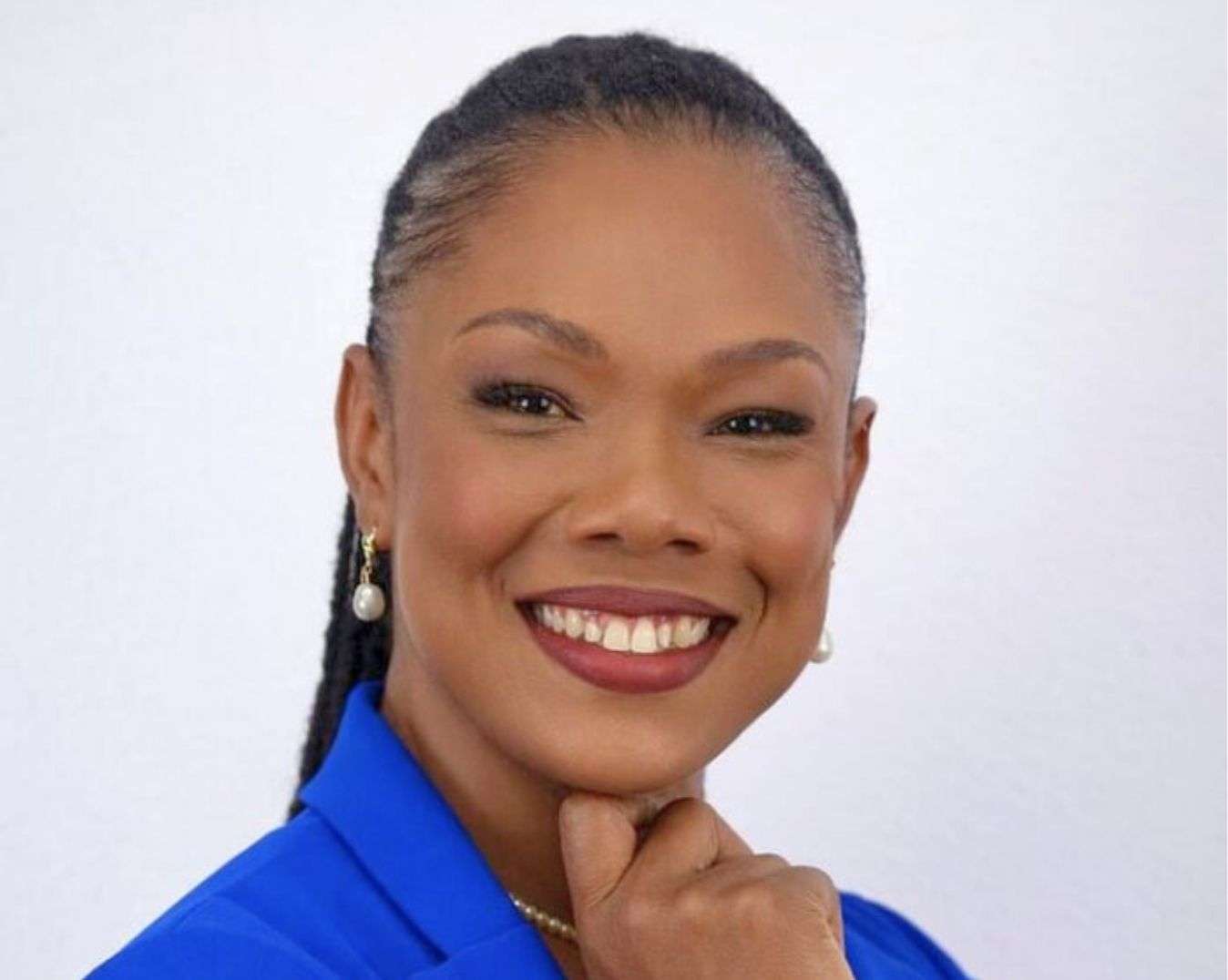
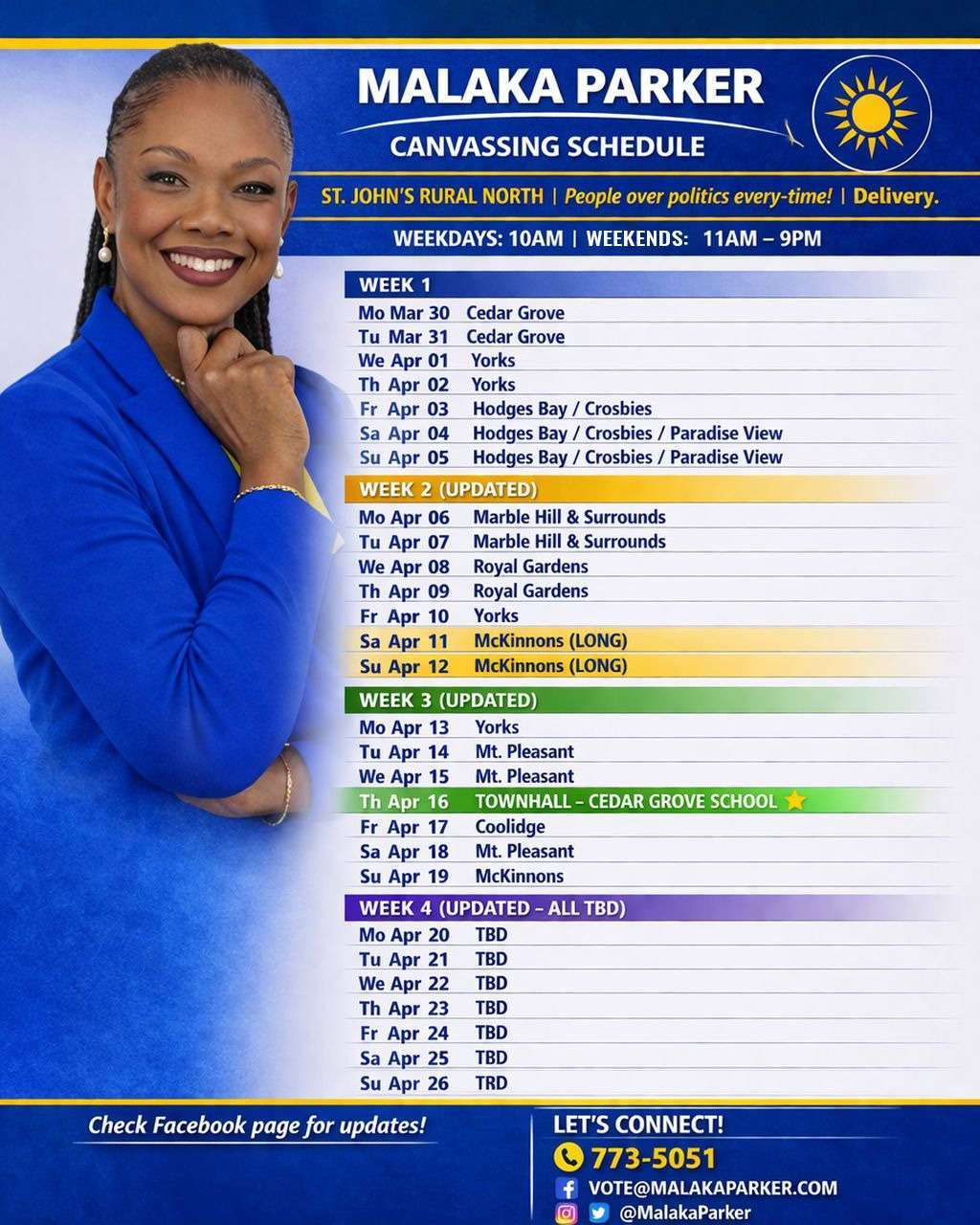
In the face of impending snap elections, Malaka Parker, United Progressive Party candidate for St. John’s Rural North, has released her full constituency canvassing schedule, signaling a bold and unrelenting commitment to reaching voters across every community.
Parker’s schedule—spanning daily engagements from morning to night—reflects a campaign driven not by political convenience, but by purpose, people, and presence.
“Snap Elections are not about you. It’s about them and a thirst for power and total domination,” Parker stated.
“This election should be about the issues—about policies, about plans to structurally ease the cost of living on your families, or ease the pressure of our dilapidated roads on your vehicles and your pocket.”
Despite the compressed timeline created by the snap election call, Parker has made it clear that she will not be deterred. Her campaign has mobilized to ensure sustained, visible engagement across Rural North, with a focus on listening, accountability, and real solutions.
“They do not care for you to assess your potential representatives and make an informed decision,” Parker continued.
“Still, I will do my best to reach as many homes in Rural North as I am able. I will be on the trail day and night. I am undaunted. I am committed. I am yours.”
Widely regarded as a dynamic and community-rooted leader, Parker’s approach has been marked by fearless advocacy, accessibility, and a deep understanding of the everyday struggles facing residents—from rising costs of living to long-neglected infrastructure.
Her published schedule is not just a campaign tool—it is a declaration of intent: to meet the people where they are, to hear their concerns firsthand, and to build a platform grounded in real experiences and practical change.
As the election approaches, Parker is urging constituents to remain focused on substance over spectacle.
“This moment calls for clarity, courage, and community,” she said. “Not gimmicks. Not distractions. But real leadership that puts people first.”
This story was first published by Antigua News on : antigua.news/2026/03/31/press-statement-malaka-parker-unveils-canvassing-schedule-undaunted-by-snap-elections. © 2026 Antigua News. Republication without permission is not allowed.

About the author
The Editorial Staff refers to all reporters employed by Antigua.news. When an article is not an original creation of Antigua.news—such as when it is based on a press release, other media articles, letters to the editor, or court decisions—one of our staff members is responsible for overseeing its publication.
Read our editorial standards and corrections policy. Spotted an error? Contact the newsroom.
More from Antigua and Barbuda
View section
Browne Places Youth and Women’s Opportunities at Centre of Commonwealth Agenda
Scholarships, research partnerships and digital access feature in the Prime Minister’s call for inclusive growth.
By Shermain Bique-Charles

Greenaway to Represent Antigua and Barbuda on UN Governance Panel in Baku
The Permanent Secretary will discuss partnerships to improve public service delivery at the UN Governance Innovation Summit.
By Shermain Bique-Charles

OPINION: From Commonwealth connections to economic opportunity: Expanding
Commonwealth, Afreximbank and ITC leaders call for stronger transport links, accessible finance and simpler payments to unlock Africa–Caribbean trade.
By Editorial Staff

Royal Visit Ends After Week of Independence Celebrations and Commonwealth Engagements
King Charles III and Queen Camilla departed Antigua and Barbuda this morning following national, community and diplomatic events.
By Shermain Bique-Charles
Comments (4)
Antiguan to the bone March 31, 2026, 1:54 PM
From Antigua March 31, 2026, 4:19 PM
Oh No March 31, 2026, 2:32 PM
Apex Jones March 31, 2026, 5:10 PM