
Aircraft Vanishes Over Caribbean Sea After Departing St. Vincent for Tobago


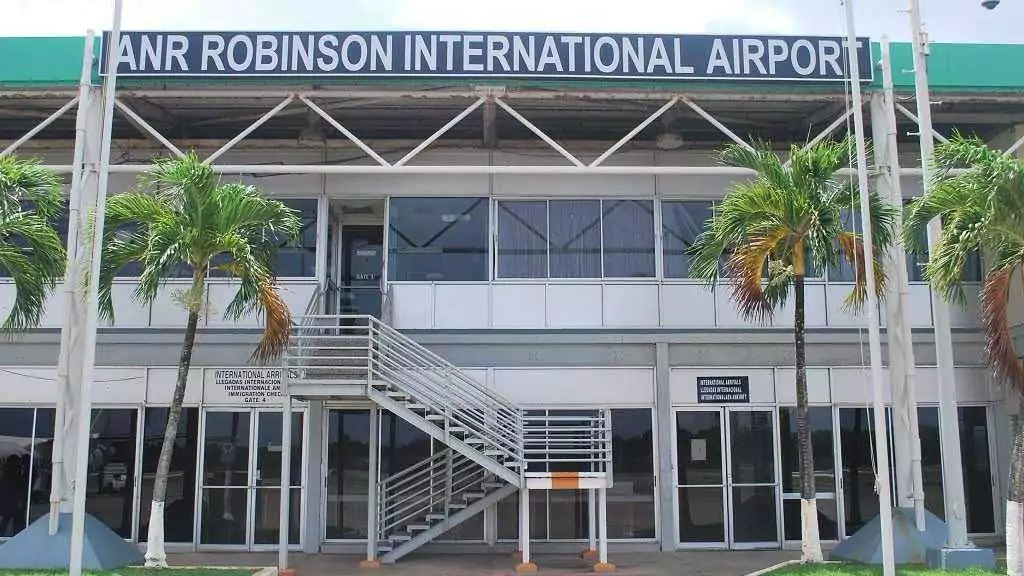
Authorities in Trinidad and Tobago and St. Vincent and the Grenadines are investigating after an aircraft travelling between the two Caribbean nations failed to arrive at its destination and was reported missing.
The aircraft departed Argyle International Airport in St. Vincent and the Grenadines bound for Tobago’s ANR Robinson International Airport. However, air traffic controllers reportedly lost communication with the aircraft during the journey, prompting concerns about its whereabouts.
According to preliminary information, the aircraft was operating under Visual Flight Rules (VFR) and was flying below 4,000 feet at the time contact was lost.
Additional flight-tracking data has since identified the aircraft as a Beechcraft 58P Baron, registration HI-1145. The twin-engine aircraft reportedly departed St. Vincent at approximately 11:52 a.m. on Friday and was heading south toward Tobago when tracking information suddenly disappeared.
Data from Flightradar24 showed the aircraft flying at approximately 4,025 feet and travelling at around 142 knots before all signals were lost.
The aircraft’s last recorded position was reportedly about 47 miles south of St. Vincent on a 170-degree heading. Based on those coordinates, the aircraft was over the southern Caribbean Sea, in an area near Grenadian or Venezuelan territorial waters, when contact was lost.
At this stage, authorities have not confirmed that the aircraft crashed. No wreckage has been found, and there has been no official information released regarding the number of people on board.
Officials are currently treating the aircraft as overdue while efforts continue to determine what happened.
Authorities in St. Vincent and the Grenadines have so far remained tight-lipped about the situation. The incident remains under investigation, and further updates are expected as officials gather more information.
This story was first published by Antigua News on : antigua.news/2026/06/14/aircraft-vanishes-over-caribbean-sea-after-departing-st-vincent-for-tobago. © 2026 Antigua News. Republication without permission is not allowed.

About the author
The Editorial Staff refers to all reporters employed by Antigua.news. When an article is not an original creation of Antigua.news—such as when it is based on a press release, other media articles, letters to the editor, or court decisions—one of our staff members is responsible for overseeing its publication.
Read our editorial standards and corrections policy. Spotted an error? Contact the newsroom.
More from Caribbean
View section
VIDEO: Doctors at Dominica China Friendship Hospital Stage Protest Outside Medical Facility
Healthcare professionals at the Dominica China Friendship Hospital gather outside the medical facility in an apparent protest, raising concerns over issues yet to be officially confirmed.
By Cory Wayland

St. Kitts DPP Seeks Antigua’s Help in Outstanding Case Involving Former Resort Clerk
By Shermain Bique-Charles

Royal Caribbean in Talks to Buy Half of Sandals in Reported $3 Billion Deal
By Shermain Bique-Charles

Four Killed in Latest US Military Strike on Suspected Drug Vessel in Caribbean
By Shermain Bique-Charles
Comments (1)
Juju Bee June 15, 2026, 9:43 AM