
Antigua and Barbuda Rallies Commonwealth Leaders and Investors in London Ahead of CHOGM 2026

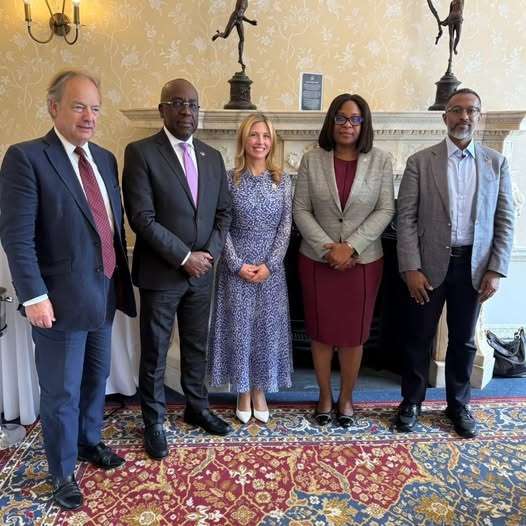
Antigua and Barbuda has intensified international engagement ahead of hosting the 28th Commonwealth Heads of Government Meeting (CHOGM 2026), using a high-level gathering in London to promote investment opportunities and strengthen partnerships across the Commonwealth.
The Commonwealth Leaders Lunch, held on 29 June 2026, brought together senior Commonwealth officials, business leaders, investors and development partners to discuss Antigua and Barbuda’s preparations for CHOGM, which will take place in St. John’s from 1–4 November 2026.
The event was hosted by the Antigua and Barbuda High Commission in London in collaboration with the Commonwealth Enterprise and Investment Council (CWEIC) and the Sustainable Markets Initiative (SMI).
Discussions centred on Antigua and Barbuda’s CHOGM 2026 theme, “Accelerating Partnerships and Investment for a Prosperous Commonwealth,” with particular emphasis on the Commonwealth Business Forum, which is expected to serve as a major platform for attracting investment, expanding trade opportunities and advancing sustainable development across member states.
Addressing the gathering, Antigua and Barbuda’s High Commissioner to the United Kingdom, Her Excellency Karen-Mae Hill, highlighted the country’s commitment to delivering a successful summit and creating meaningful outcomes for Commonwealth nations.
Minister for Foreign Affairs, Trade and Immigration, Hon. E. Paul Chet Greene, who also chairs the CHOGM 2026 Task Force, outlined Antigua and Barbuda’s vision for the meeting and encouraged stronger collaboration between governments and the private sector to drive economic growth throughout the Commonwealth.
The London engagement forms part of a broader international campaign to build support for CHOGM 2026 and position Antigua and Barbuda as a destination for investment, innovation and strategic partnerships.
As the smallest country ever selected to host the Commonwealth Heads of Government Meeting, Antigua and Barbuda is preparing to welcome heads of government, ministers, business executives, youth representatives, civil society organisations, women leaders and faith-based groups from across the 56-member Commonwealth in November.
This story was first published by Antigua News on : antigua.news/2026/06/30/antigua-and-barbuda-rallies-commonwealth-leaders-and-investors-in-london-ahead-of-chogm-2026. © 2026 Antigua News. Republication without permission is not allowed.

About the author
The Editorial Staff refers to all reporters employed by Antigua.news. When an article is not an original creation of Antigua.news—such as when it is based on a press release, other media articles, letters to the editor, or court decisions—one of our staff members is responsible for overseeing its publication.
Read our editorial standards and corrections policy. Spotted an error? Contact the newsroom.
More from Antigua and Barbuda
View section
Chinese Embassy Welcomes Caribbean Youth Parliamentarians for Cultural Exchange
Ambassador Jiang Wei calls for greater understanding through dialogue, while House Speaker Osbert Frederick praises the young leaders.
By Shermain Bique-Charles

LETTER: A Safe Reunion Should Not End Questions About a Child’s Welfare
Delores Harris calls for greater accountability and child protection measures following the safe reunion of a young child found wandering alone.
By Editorial Staff

Browne Demands Climate Finance and Action to Protect Small Island States
Speaking in Australia, the Prime Minister urged major emitters and financial institutions to turn climate commitments into practical support for vulnerable nations.
By Shermain Bique-Charles

Three-Year-Old Girl Found in Nut Grove Safely Reunited with Family
Police thank the public for responding to an appeal and urge parents and guardians to remain vigilant.
By Shermain Bique-Charles
Comments (1)
Juju Bee June 30, 2026, 2:56 PM