
Motorists Urged to Plan Ahead as CHOGM Security Exercise Causes Traffic Disruptions

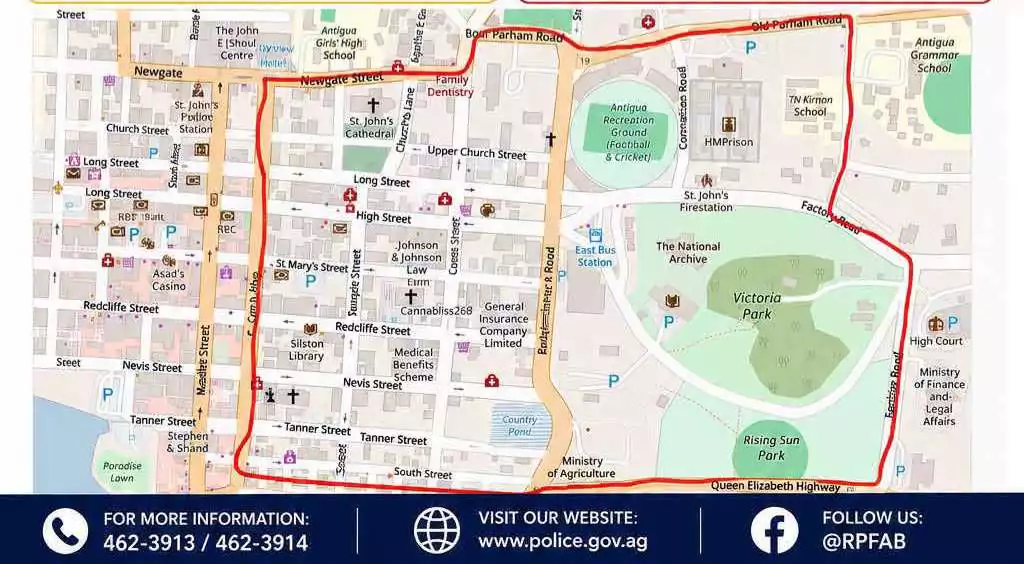
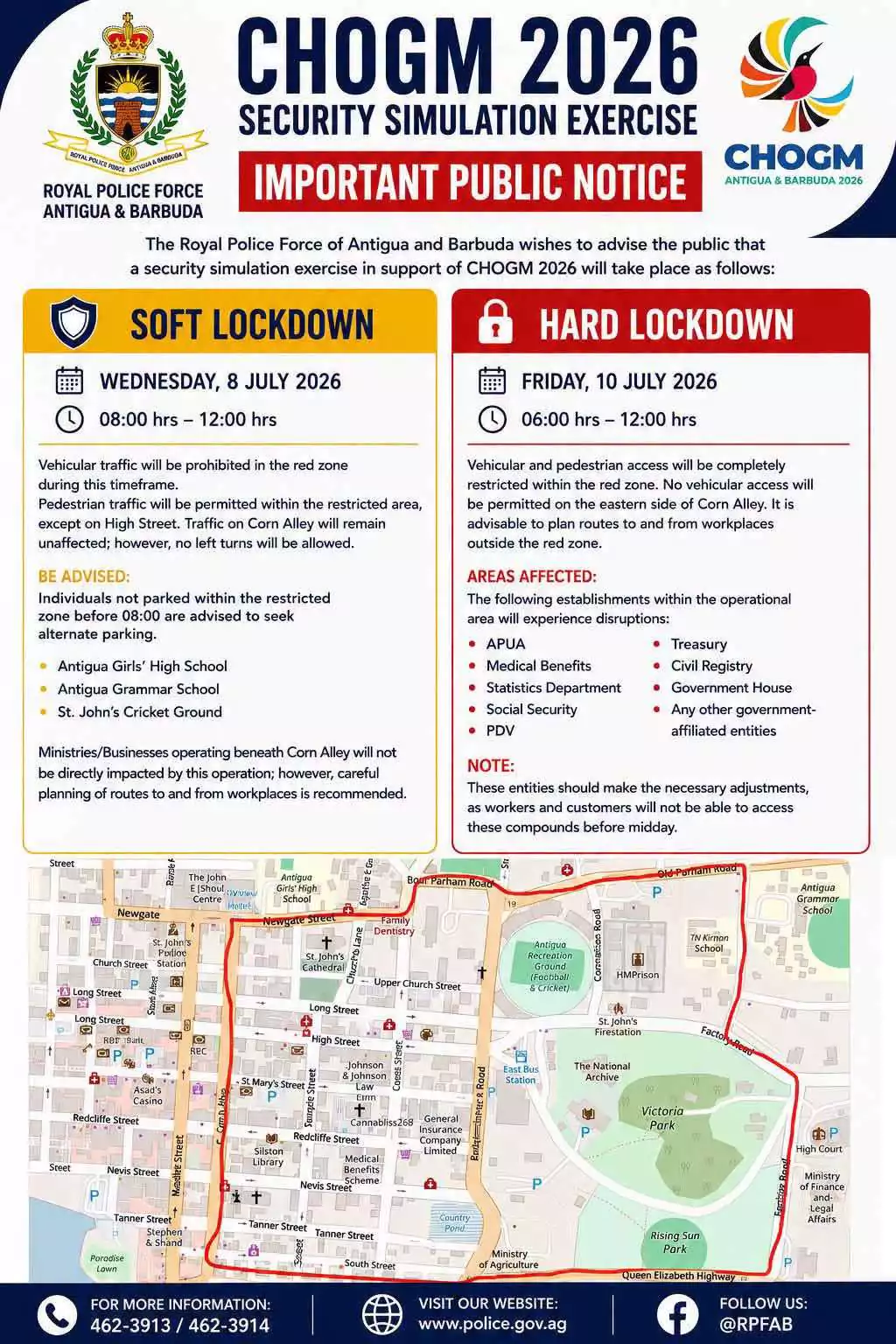
Motorists are being urged to prepare for delays this morning as security forces carry out Exercise STRONGHOLD, a major national security exercise designed to test Antigua and Barbuda’s readiness for the upcoming Commonwealth Heads of Government Meeting (CHOGM).
The exercise, organised by the CHOGM National Security Planning Committee, is scheduled to run from 8:00 a.m. until 12:00 p.m. and will involve coordinated convoy movements, temporary road closures, and traffic diversions across key sections of the island.
Authorities have advised that traffic will be affected along several major routes, including Sir George Walter Highway, Sir Sydney Walling Highway, Old Parham Road, Friars Hill Road, and the northern corridors leading to the American University of Antigua (AUA) and nearby hotels.
Additional restrictions are in place within the capital, where a designated security zone has been established in St. John’s. The restricted area stretches from Newgate Street to the north, New Street to the south, Parliament Drive to the east, and Corn Alley to the west. Vehicular access within this zone has been suspended for the duration of the exercise.
Police and security officials are encouraging members of the public to cooperate fully by following traffic signs, complying with directions from officers on the ground, and allowing extra time to reach their destinations.
Exercise STRONGHOLD is one of several planned security drills aimed at testing emergency response procedures, traffic management, and inter-agency coordination ahead of Antigua and Barbuda’s hosting of CHOGM later this year.
Officials say the temporary inconvenience is necessary to ensure the country is fully prepared to safely host regional and international delegates during the high-profile summit.
This story was first published by Antigua News on : antigua.news/2026/07/08/motorists-urged-to-plan-ahead-as-chogm-security-exercise-causes-traffic-disruptions. © 2026 Antigua News. Republication without permission is not allowed.

About the author
The Editorial Staff refers to all reporters employed by Antigua.news. When an article is not an original creation of Antigua.news—such as when it is based on a press release, other media articles, letters to the editor, or court decisions—one of our staff members is responsible for overseeing its publication.
Read our editorial standards and corrections policy. Spotted an error? Contact the newsroom.
More from Antigua and Barbuda
View section
Former Booby Alley Homeowners to Receive EC$350,000 Condos Without Extra Payment
Browne outlines replacement-home arrangements and subsidised mortgages as Pelican Court prepares for occupancy.
By Shermain Bique-Charles

Chinese Ambassador to Take Perry Bay Housing Request to Beijing
Jiang Wei promises to convey Browne’s proposal for 300 homes while confirming preparations for another 100 units are underway.
By Shermain Bique-Charles

“Transformational Leadership”: Maria Browne Praises PM’s Pelican Court Vision
Housing Minister says the completed development reflects years of work and a commitment to improving the circumstances of vulnerable residents.
By Shermain Bique-Charles

Maria Browne: China Has Never Been a “Fair-Weather Friend”
Housing Minister says the Pelican Court grant demonstrates a partnership built on reliability, respect and support for Antigua and Barbuda.
By Shermain Bique-Charles
Comments (1)
Juju Bee July 8, 2026, 2:55 PM