
UNWTO and Netflix Partner to Rethink Screen Tourism
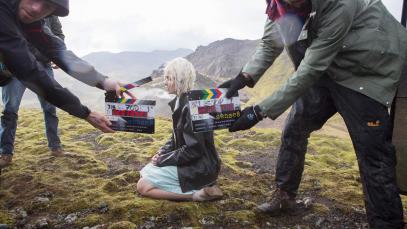
UNWTO and Netflix have partnered on the publication of a report which looks at the role of film and series as drivers for tourism and cultural affinity. The Global Report on Cultural Affinity and Screen Tourism explores the growing affection one has towards a particular country or culture displayed on the screen.


The findings of the research were presented in Madrid against the backdrop of the Iberseries Platino Industria – the largest international event for professionals linked to the audiovisual industry in Spanish and Portuguese.
The report’s ultimate goal is to support policymakers and key stakeholders within the tourism sector to implement policies that make their destinations attractive for audio-visual producers. At the same time, it aims to help in the building of focused strategies to promote tourism and consumption of local culture, investing in skills and training to develop the local film and creative sectors to ensure a high level of talent, infrastructure and production capacity and integrating tourism and showcasing culture at film festivals to deepen the global audiences’ knowledge.
UNWTO Secretary General Zurab Pololikashvili says: “Both tourism and the audiovisual sectors celebrate and promote culture, support jobs and provide opportunities in diverse locations. The joint work of UNWTO and Netflix will help destinations realize the potential benefits of screen tourism.
Dean Garfield, Vice-President, Public Policy, Netflix: “As highlighted in this research, we have been able to demonstrate conclusively what we instinctively already believed, which is that alongside the desire to travel and visit destinations, exposure to screen content also leads to greater interest in heritage, culture, language, and developing interpersonal relationships. This truly demonstrates that the creative industries, cultural exchange, storytelling, and tourism are all interlinked and can transform the way communities perceive and connect with each other.”
Following the presentation of the Global Report, experts on tourism and the audio-visual industry shared their knowledge and insights into changing trends in screen tourism, its positive impacts on strengthening cultural affinity and the role of online streaming services in promoting tourism and cultural affinity between people, cultures and countries in line with the 2030 Agenda. The event also served to underline how public-private partnerships can support destinations to promote themselves as attractive locations for audio-visual producers.


This story was first published by Antigua News on : antigua.news/2021/10/01/unwto-and-netflix-partner-to-rethink-screen-tourism. © 2021 Antigua News. Republication without permission is not allowed.

About the author
The Editorial Staff refers to all reporters employed by Antigua.news. When an article is not an original creation of Antigua.news—such as when it is based on a press release, other media articles, letters to the editor, or court decisions—one of our staff members is responsible for overseeing its publication.
Read our editorial standards and corrections policy. Spotted an error? Contact the newsroom.
More from Tourism
View section
Antigua Eyes New Air Routes but Sees Hotel Capacity as a Hurdle
Turkish Airlines, Qatar Airways and Emirates are among the carriers the government would like to attract.
By Shermain Bique-Charles

Government Forms Beach Access Committee and Seeks Routes Wide Enough for Ambulances
Public parking and easier routes to the shoreline are under discussion at beaches across Antigua.
By Shermain Bique-Charles

‘A Beautiful Soul’: St. John’s Taxi Association Remembers Denyse Hamilton’s Kindness and Service
Leroy John-Baptiste remembers Denyse Hamilton as a colleague who always made time to help and says the St. John’s Taxi Association will reach out to support her family.
By Shermain Bique-Charles

Tourism Week 2026 Opens with Thanksgiving at Spring Gardens Moravian Church
Tourism Minister Charles Fernandez called for investment in the skills of Antiguans and Barbudans as AI reshapes the industry, while Michael Freeland thanked the workers who make the visitor experience possible.
By Shermain Bique-Charles
Comments
Be the first to comment.