
24th General Assembly to Put Innovation and Education at Heart of Tourism’s Restart
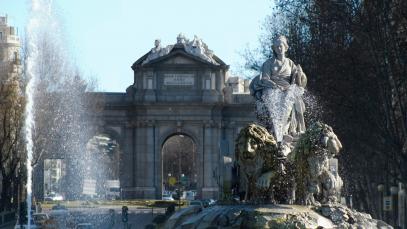
The World Tourism Organization (UNWTO) will hold the 24th General Assembly in Madrid, Spain, from 30 November to 3 December 2021. The General Assembly is UNWTO’s main gathering and the platform for Member States to approve UNWTO’s programme of work and budget for the coming biennium (2022-2023).

The 2021 General Assembly will place a special emphasis on the importance of innovation, education and rural development, as well as tourism’s role in inclusive growth, the theme of World Tourism Day 2021. Additionally, delegates will be presented with the International Code for the Protection of Tourists, a landmark legal instrument designed to restore trust in international travel.
Other key items on the agenda for the General Assembly include proposed reforms to the UNWTO Affiliate Membership Legal Framework, the finals of the UNWTO Students’ League and appointment of the UNWTO Secretary-General for the period 2022-2025. The General Assembly will also see the winners of the UNWTO Best Tourism Villages competition named.
Alongside this, and in line with UNWTO’s heightened emphasis on digital communications and visual storytelling, winners of the 2021 UNWTO Tourism Video Competition, aimed at recognizing promotional videos of Member States and Affiliate Members that highlight the sector’s resilience and its contributions to the Sustainable Development Goals (SDGs) will also be announced in Madrid.
Restarting tourism together
Following protocol, the Secretary-General will present his report to the General Assembly on the implementation of UNWTO’s Programme of Work, actions and new initiatives since it last met in 2019. The agenda includes the selection of the UNWTO Executive Council Members for 2022, the World Committee of Tourism Ethics, as well as choosing the location and dates of the next session of the General Assembly, with Egypt, Portugal and Uzbekistan all set to submit bids. The Kingdom of Morocco had been scheduled to host this year’s General Assembly but subsequently confirmed that changing public health considerations meant it was unable to do so. In accordance with the Statutes and the rules of the Organization, the 24th session will take place at its Headquarters in Madrid, Spain.
Members will also be provided with updates on the opening of Regional Offices, including a first Regional Office for the Middle East, to work alongside the UNWTO Secretariat in Madrid, Spain, and planned themes for World Tourism Day in both 2022 and 2023.
This story was first published by Antigua News on : antigua.news/2021/10/25/24th-general-assembly-to-put-innovation-and-education-at-heart-of-tourisms-restart. © 2021 Antigua News. Republication without permission is not allowed.

About the author
The Editorial Staff refers to all reporters employed by Antigua.news. When an article is not an original creation of Antigua.news—such as when it is based on a press release, other media articles, letters to the editor, or court decisions—one of our staff members is responsible for overseeing its publication.
Read our editorial standards and corrections policy. Spotted an error? Contact the newsroom.
More from Tourism
View section
Government Forms Beach Access Committee and Seeks Routes Wide Enough for Ambulances
Public parking and easier routes to the shoreline are under discussion at beaches across Antigua.
By Shermain Bique-Charles

‘A Beautiful Soul’: St. John’s Taxi Association Remembers Denyse Hamilton’s Kindness and Service
Leroy John-Baptiste remembers Denyse Hamilton as a colleague who always made time to help and says the St. John’s Taxi Association will reach out to support her family.
By Shermain Bique-Charles

Tourism Week 2026 Opens with Thanksgiving at Spring Gardens Moravian Church
Tourism Minister Charles Fernandez called for investment in the skills of Antiguans and Barbudans as AI reshapes the industry, while Michael Freeland thanked the workers who make the visitor experience possible.
By Shermain Bique-Charles

Antigua and Barbuda Art Week Wraps Up After Eight Days of Exhibitions and Performances
Antigua and Barbuda Art Week Wraps Up After Eight Days of Exhibitions and Performances
By Shermain Bique-Charles
Comments
Be the first to comment.