
UNWTO and the Council of Europe to Promote Cultural Routes
United Nations World Tourism Organization (UNWTO) and the Council of Europe will work together to develop the opportunities tourism offers to local communities and to enhance the tourist experience along the European region’s Cultural Routes.

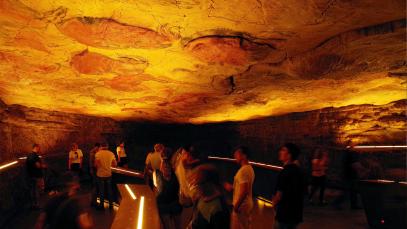
The joint actions will be aimed at recognizing the added value that cultural routes offer for sustainable tourism development, cultural heritage safeguarding and intercultural dialogue. The collaboration will also further highlight the routes’ potential for advancing social, economic and cultural development, benefitting both Europe and its partner countries by strengthening cultural and historical ties.
International Year of Creative Economy 2021
The two organizations will be collaborating first in the sphere of creative tourism, to showcase good practices in line with the International Year of Creative Economy 2021, and further promote destinations encompassed by the Enlarged Partial Agreement on Cultural Routes (EPA) of the Council of Europe.
UNWTO Secretary-General Zurab Pololikashvili said: “All along the Cultural Routes, tourism has the power to support jobs and create other development opportunities for communities. It is also a chance to protect and promote cultural heritage and to celebrate creativity.”
Council of Europe Secretary General Marija Pejčinović Burić adds: “The Cultural Routes programme plays an important role in the promotion of Europe’s rich cultural heritage, in addition to being an effective tool for fostering intercultural dialogue and transnational co-operation.
We are delighted that the UN’s World Tourism Organisation will contribute its expertise to the Cultural Routes programme on the basis of this Memorandum of Understanding.”
Enhancing accessibility
The partnership will also see UNWTO and the Council of Europe harness their individual expertise and technical capabilities to further develop Cultural Routes, through research, training and policymaking. Special attention will be paid to the mapping of Cultural Routes and to promoting greater accessibility for persons with disabilities and specific access requirements.


This story was first published by Antigua News on : antigua.news/2021/11/23/unwto-and-the-council-of-europe-to-promote-cultural-routes. © 2021 Antigua News. Republication without permission is not allowed.

About the author
The Editorial Staff refers to all reporters employed by Antigua.news. When an article is not an original creation of Antigua.news—such as when it is based on a press release, other media articles, letters to the editor, or court decisions—one of our staff members is responsible for overseeing its publication.
Read our editorial standards and corrections policy. Spotted an error? Contact the newsroom.
More from Tourism
View section
Government Forms Beach Access Committee and Seeks Routes Wide Enough for Ambulances
Public parking and easier routes to the shoreline are under discussion at beaches across Antigua.
By Shermain Bique-Charles

‘A Beautiful Soul’: St. John’s Taxi Association Remembers Denyse Hamilton’s Kindness and Service
Leroy John-Baptiste remembers Denyse Hamilton as a colleague who always made time to help and says the St. John’s Taxi Association will reach out to support her family.
By Shermain Bique-Charles

Tourism Week 2026 Opens with Thanksgiving at Spring Gardens Moravian Church
Tourism Minister Charles Fernandez called for investment in the skills of Antiguans and Barbudans as AI reshapes the industry, while Michael Freeland thanked the workers who make the visitor experience possible.
By Shermain Bique-Charles

Antigua and Barbuda Art Week Wraps Up After Eight Days of Exhibitions and Performances
Antigua and Barbuda Art Week Wraps Up After Eight Days of Exhibitions and Performances
By Shermain Bique-Charles
Comments
Be the first to comment.