
UNWTO announces the results on the election of the Board of Directors of the Affiliate Members
UNWTO is pleased to announce the successful completion of the election process for the Board of Directors of Affiliate Members for the period 2022-2025.

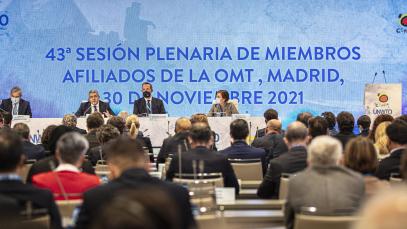
UNWTO expresses its satisfaction with the active participation of the Affiliate Members in the voting process and its full conviction that UNWTO and the new Board will continue to deepen their joint work to foster the partnership between the Organization and the private sector, through the Affiliate Membership, in order to accelerate tourism recovery in the current context.
The 20 elected Members of the Board of Affiliate Members 2022-2025 are as follows:
- AEHM – Asociación Empresarial Hotelera de Madrid (Spain)
- BASQUETOUR- Basque Tourism Agency (Spain)
- CAT – Cámara Argentina de Turismo (Argentina)
- Chameleon Strategies (Thailand)
- CONPEHT – Confederación Panamericana de Escuelas de Hotelería, Gastronomía y Turismo (Mexico)
- Croatian National Tourist Board (Croatia)
- Facility Concept (Côte d’Ivoire)
- Universidad Complutense de Madrid (Spain)
- Universidad de Málaga (Spain)
- FITUR – Feria Internacional de Turismo (Spain)
- George Washington University (United States)
- IATA – International Air Transport Association (Switzerland)
- JTB Corporation (Japan)
- KITTS- Kerala Institute of Tourism and Travel Studies (India)
- NECSTOUR – The Network of European Regions for a Sustainable and Competitive Tourism (Belgium)
- Pacific Area Travel Writers Association (India)
- Red Estable (Spain)
- The Red Sea Development Company (Saudi Arabia)
- Tripadvisor (United States)
- World Federation of Tourist Guide Associations (Austria)
It is also informed that, in accordance with the procedure established by the regulations applicable in this matter – Article 4.6 of the Rules of Procedure of the Committee of the Affiliate Members – the Secretary-General of UNWTO will proceed to appoint three additional members of the Board, which will be announced soon.
The formal constitution and start of the activity of the new Board of the Affiliate Members 2022 – 2025 will take place in January 2022, date and format to be defined soon. On the same occasion the members of the Board will also proceed to elect the Chair and two Vice-Chairs of the Board.
This story was first published by Antigua News on : antigua.news/2021/12/22/unwto-announces-the-results-on-the-election-of-the-board-of-directors-of-the-affiliate-members. © 2021 Antigua News. Republication without permission is not allowed.

About the author
The Editorial Staff refers to all reporters employed by Antigua.news. When an article is not an original creation of Antigua.news—such as when it is based on a press release, other media articles, letters to the editor, or court decisions—one of our staff members is responsible for overseeing its publication.
Read our editorial standards and corrections policy. Spotted an error? Contact the newsroom.
More from Tourism
View section
Government Forms Beach Access Committee and Seeks Routes Wide Enough for Ambulances
Public parking and easier routes to the shoreline are under discussion at beaches across Antigua.
By Shermain Bique-Charles

‘A Beautiful Soul’: St. John’s Taxi Association Remembers Denyse Hamilton’s Kindness and Service
Leroy John-Baptiste remembers Denyse Hamilton as a colleague who always made time to help and says the St. John’s Taxi Association will reach out to support her family.
By Shermain Bique-Charles

Tourism Week 2026 Opens with Thanksgiving at Spring Gardens Moravian Church
Tourism Minister Charles Fernandez called for investment in the skills of Antiguans and Barbudans as AI reshapes the industry, while Michael Freeland thanked the workers who make the visitor experience possible.
By Shermain Bique-Charles

Antigua and Barbuda Art Week Wraps Up After Eight Days of Exhibitions and Performances
Antigua and Barbuda Art Week Wraps Up After Eight Days of Exhibitions and Performances
By Shermain Bique-Charles
Comments
Be the first to comment.