
UNWTO Launches Digital Futures Programme for SMEs
UNWTO has announced the launch of the Digital Futures Programme, designed to accelerate the adoption of new technology among tourism enterprises.

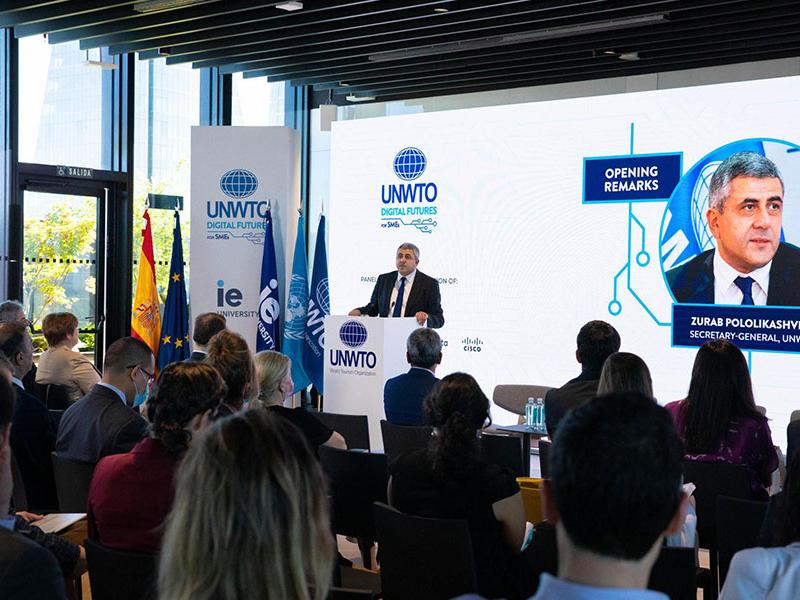
Developed in collaboration with some of the world’s leading technology, finance and business companies as Mastercard the initiative is focused on small and medium-sized enterprises (SMEs), which make up 80% of all tourism businesses. UNWTO aims to reach at least 1 million tourism SMEs over the lifetime of the Programme, providing them with the foundational skills and knowledge needed to harness the power of new and emerging technologies.
UNWTO Secretary-General Zurab Pololikashvili says: “Small businesses are the backbone of tourism. The Digital Futures Programme will help them to recover from the impacts of the pandemic and drive the sector forward, powered by innovation and new technology.”
In order to provide SMEs with tailored guidance and and tools, the Programme is built on a Digital Readiness Diagnostic Tool that benchmarks SMEs across five key digital dimensions – Connectivity, Business Growth, E-Commerce, Big Data and Analytics, and Payments and Security. The launch event, held at IE Tower in Madrid, was attened by around 200 participants including the Ambassadors to Spain of UNWTO’s Member States, as well as invstement and promotion Agencies, and SMEs themselves.


This story was first published by Antigua News on : antigua.news/2022/05/17/unwto-launches-digital-futures-programme-for-smes. © 2022 Antigua News. Republication without permission is not allowed.

About the author
The Editorial Staff refers to all reporters employed by Antigua.news. When an article is not an original creation of Antigua.news—such as when it is based on a press release, other media articles, letters to the editor, or court decisions—one of our staff members is responsible for overseeing its publication.
Read our editorial standards and corrections policy. Spotted an error? Contact the newsroom.
More from Tourism
View section
Government Forms Beach Access Committee and Seeks Routes Wide Enough for Ambulances
Public parking and easier routes to the shoreline are under discussion at beaches across Antigua.
By Shermain Bique-Charles

‘A Beautiful Soul’: St. John’s Taxi Association Remembers Denyse Hamilton’s Kindness and Service
Leroy John-Baptiste remembers Denyse Hamilton as a colleague who always made time to help and says the St. John’s Taxi Association will reach out to support her family.
By Shermain Bique-Charles

Tourism Week 2026 Opens with Thanksgiving at Spring Gardens Moravian Church
Tourism Minister Charles Fernandez called for investment in the skills of Antiguans and Barbudans as AI reshapes the industry, while Michael Freeland thanked the workers who make the visitor experience possible.
By Shermain Bique-Charles

Antigua and Barbuda Art Week Wraps Up After Eight Days of Exhibitions and Performances
Antigua and Barbuda Art Week Wraps Up After Eight Days of Exhibitions and Performances
By Shermain Bique-Charles
Comments
Be the first to comment.