
Antigua Government Move to Block Prisoner’s Access to Unauthorized Items
By Tata
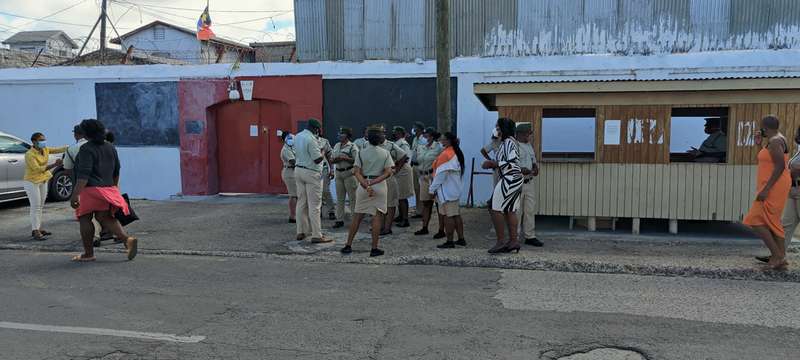
Despite the security in the Her Majesty’s Prison, recent activities reveal that prisoners now have more freedom than they should have. During a recent unannounced search, officials found more than 60 cell phones with prisoners, an indication that some prison officials could be involved in smuggling disallowed items into the prison.
“More than 60 cellphones were recently discovered in the cells occupied by prisoners during a surprise search and raid,” Prime Minister Brown said in a statement on Facebook.
To clarify issues, Cabinet invited the Prison’s Superintendent and five other Prison officials to address their challenges and suggest how the government should tackle them.
At the end of the meeting, both sides agreed that there was a need to prevent further occurrences, rather than focusing on how to punish erring prison officials.
“Although the Cabinet may make rules for discipline and training at the Prison, the Officials have repeated that prevention is superior to punishment. Screening of those entering the Prison compound, including Officers, should not be left to the Prison authorities,” the statement added.
To ensure a safer Prison and to prevent prisoners from having access to unauthorized items, the following recommendations were made to Cabinet.
Frequent Change of Officials
It was recommended that prison officials responsible for checking people entering and going out of the prison should be changed frequently. They added that the officials should also use metal detectors and other security items in discharging their duties.
The completion of the Prison’s Towers
Another proposal is the completion of the two towers that will be high enough to deter people from throwing the prohibited items over the prison walls.
Training and Deployment of more officials
Insufficient Prison officials could be another factor responsible for the movement of unauthorized items into the Prison. At the meeting, the officials recommended the training and deployment of 40 more officers as that will help meet the one officer to seven inmates ratio.
Finally, the officials recommended the provision of one additional vehicle and other safety equipment for the movement of prisoners and the immediate construction of an internal buffer fence at the eastern border of the Prison.
This story was first published by Antigua News on : antigua.news/2022/08/19/antigua-government-move-to-block-prisoners-access-to-unauthorized-items. © 2022 Antigua News. Republication without permission is not allowed.
Read our editorial standards and corrections policy. Spotted an error? Contact the newsroom.
More from World
View section
Powerful Earthquake Strikes China Leaving 16 Dead And Hundreds Of Homes Destroyed
Rescue teams race against time in Tibet after a magnitude 7 earthquake leaves dozens injured, displaces thousands and triggers widespread destruction.
By Cory Wayland

Kenyan Preacher Paul Mackenzie Convicted of Murdering 191 People in Shakahola Massacre
Former church leader found guilty alongside 28 others in a case involving the deaths of 190 children and one adult who were allegedly subjected to deadly religious fasting.
By Cory Wayland

Priest Speaks About Life and Death in Final Sermon Before Falling Crucifix Kills Him During Mass
Father Patricio Sánchez urged worshippers to cherish their time with God and loved ones before a large wooden crucifix fell and fatally struck him during a church service in Ecuador.
By Cory Wayland

Florida Attorney General James Uthmeier Announces Arrest Warrant for Former Cuban Leader Raúl Castro Over 1996 Aircraft Shootdown
James Uthmeier confirms murder conspiracy charge against the 95-year-old former president over the 1996 shootdown of two civilian aircraft that killed four men.
By Cory Wayland
Comments
Be the first to comment.