
Department of Environment and NODS hosts shelter management workshop for EDA grant awardees

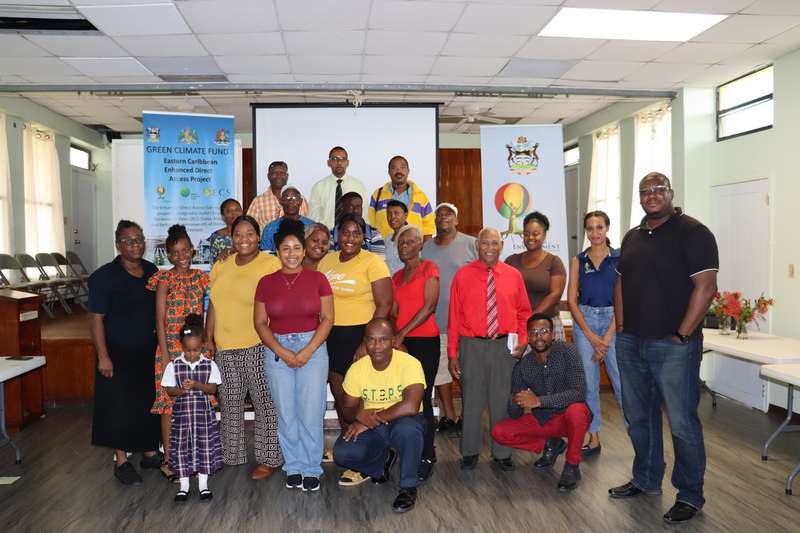
The Department of Environment (DOE), in collaboration with the National Office of Disaster Services (NODS), recently completed the hosting of a five-day Shelter Management Workshop.
Over twenty participants from faith-based organizations who have received grant funding from the Department of Environment under the Green Climate Fund (GCF) Enhanced Direct Access (EDA) Project, along with other interested community members within the Cashew Hill area, participated in the training.
The main objectives of the workshop were; to provide disaster response and shelter management training for climate adaptation, provide stakeholders with an overview of the shelter registration process; and train and certify 15-20 persons in shelter management, specifically the members of the grant awardees’ voluntary shelter management teams.
The 5-day workshop, which was held at the Cashew Hill Moravian Church, featured presentations from DOE staff, officers from the NODS and the Directorate of Gender Affairs, and representatives from the Red Cross.
Additional presentations were on Environmental Social Safeguards, Gender, and Complaints Mechanisms.
The workshop is one of the output goals of the Enhanced Direct Access (EDA) project titled: ‘Integrated physical adaptation and community resilience through an enhanced direct access pilot in the public, private, and civil society sectors of three Eastern Caribbean small island developing states.”
The objective of this project is to strengthen institutional capacities and increase the resilience of at least 5% of the population in the Eastern Caribbean pilot countries to climate variability and change, of which 50% are women, through adaptation in infrastructure, strengthened buildings and enhanced ecosystem services.
This story was first published by Antigua News on : antigua.news/2022/10/03/department-of-environment-and-nods-hosts-shelter-management-workshop-for-eda-grant-awardees. © 2022 Antigua News. Republication without permission is not allowed.

About the author
Shermain Bique-Charles is an accomplished journalist with over 24 years of dynamic experience in the industry. Renowned for her exceptional storytelling and investigative skills, she has garnered numerous awards that highlight her commitment to journalistic integrity and excellence. Her work not only informs but also inspires, making her a respected voice in the field.
Read our editorial standards and corrections policy. Spotted an error? Contact the newsroom.
More from Antigua and Barbuda
View section
HIGH SCHOOL STUDENTS CONTINUE TO BENEFIT FROM SANDALS FOUNDATION’S CARE FOR KIDS SCHOLARSHIP PROGRAMME
Kyrah Edwards and Erwin Christopher receive third annual scholarship payments, supporting their education while encouraging community service.
By Shermain Bique-Charles

Chinese Embassy Welcomes Caribbean Youth Parliamentarians for Cultural Exchange
Ambassador Jiang Wei calls for greater understanding through dialogue, while House Speaker Osbert Frederick praises the young leaders.
By Shermain Bique-Charles

LETTER: A Safe Reunion Should Not End Questions About a Child’s Welfare
Delores Harris calls for greater accountability and child protection measures following the safe reunion of a young child found wandering alone.
By Editorial Staff

Browne Demands Climate Finance and Action to Protect Small Island States
Speaking in Australia, the Prime Minister urged major emitters and financial institutions to turn climate commitments into practical support for vulnerable nations.
By Shermain Bique-Charles
Comments
Be the first to comment.