
New hotel to add value to the tourism product

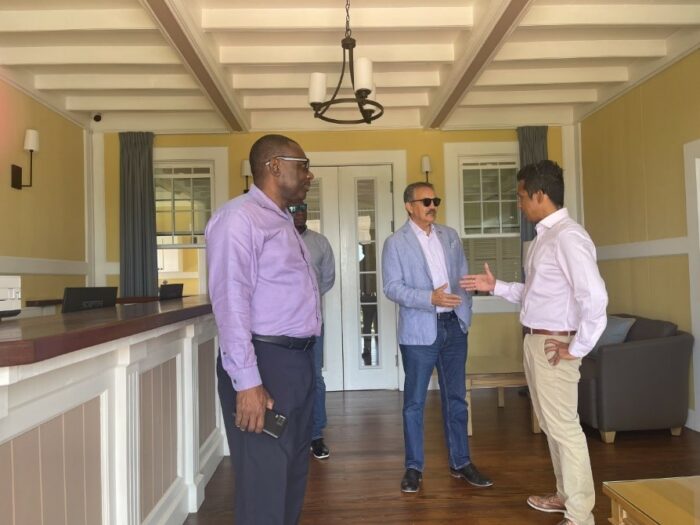
Tourism Minister Charles Max Fernandez says the new Weatherill’s Hotel located in Marble Hill Antigua will add significant value to the country’s tourism product.
The property which opened its restaurant facility in August will see its bed and breakfast operations coming on stream next Monday.
The operators are focusing on consistent, excellent customer service to build their brand; however, the historical value of the property will take it even further.
The 40-acre property was once an active plantation (one of the largest on the island) that has been immaculately restored. Four of the bedrooms are in the 140-year-old main house while a further three suites have been created in the adjacent 17th-century former carriage rooms.
“There are tourists who select vacation destinations based on their historical value, and the addition of this property to our product offering adds a unique touch where visitors can not only tour the property but stay and have a full experience”, he said
Already, the seven-room accommodation employs over 30 locals with hotel management seeking to employ additional staff.
“Training commenced in August, and it is currently ongoing because we want staff to understand the importance of our brand, the history, architecture… and of course excellent food and service’, said Manager Navin Sukumaran.
Weatherill’s is owned by Antiguan Victor Michael and the tourism minister is elated at this fact.
“I am pleased when Antiguans invest in our industry as it signals ownership and continuity. It is also indicative of the confidence that exists in the local tourism economy”, noted Minister Fernandez.
Tourism executives were given an official tour of the property recently ahead of the October 17th opening of the accommodation section.
This story was first published by Antigua News on : antigua.news/2022/10/11/new-hotel-to-add-value-to-the-tourism-product. © 2022 Antigua News. Republication without permission is not allowed.

About the author
Shermain Bique-Charles is an accomplished journalist with over 24 years of dynamic experience in the industry. Renowned for her exceptional storytelling and investigative skills, she has garnered numerous awards that highlight her commitment to journalistic integrity and excellence. Her work not only informs but also inspires, making her a respected voice in the field.
Read our editorial standards and corrections policy. Spotted an error? Contact the newsroom.
More from Antigua and Barbuda
View section
Antigua-Filmed Love Link Caribbean Reaches Jamaican TV After 2.3 Million Digital Views
The reality dating series is expanding its regional audience while showcasing Antigua and Barbuda to potential visitors.
By Shermain Bique-Charles

Airport Authority Announces Temporary Traffic and Parking Changes Ahead of CHOGM
Travellers using V.C. Bird International Airport are being urged to prepare for delays, with the heaviest traffic disruptions expected between November 2 and 4.
By Cory Wayland

Cuban Ambassador Praises Caribbean Support Against US Embargo as Antigua and Barbuda Records No Vote
Sergio Martínez Gonzalez thanks nations that supported Cuba, accusing Washington of pressuring countries ahead of the UN vote.
By Shermain Bique-Charles

Hurst Tips PM Browne for Future National Hero Recognition
Ambassador Lionel Hurst points to economic development and expanded access to university education as reasons he believes Browne could receive the honour.
By Shermain Bique-Charles
Comments
Be the first to comment.