
Adidas cut ties with Kanye West over hate speech
By Tata
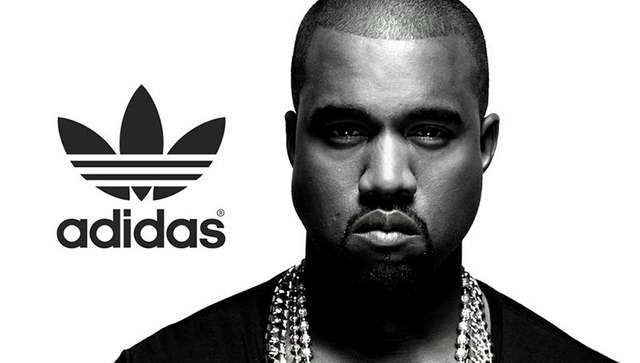
Adidas has cut ties with American artist Kanye West, now known as Ye, over his anti-semitic comments earlier this month. The German company has been facing severe pressure in the past few weeks to cut connections with the artist after his tweet was regarded as an insult to the Jewish people.
“Adidas does not tolerate antisemitism and any other sort of hate speech,” Adidas said in a statement on Tuesday. “Ye’s recent comments and actions have been unacceptable, hateful, and dangerous, and they violate the company’s values of diversity and inclusion, mutual respect and fairness.”
The company said after a thorough review, it has decided to “terminate the partnership with Ye immediately.”
Earlier this month, Ye tweeted that he was going death con 3 on Jewish people.
“I’m a bit sleepy tonight but when I wake up I’m going death con 3 On JEWISH PEOPLE,” the singer wrote.
Although the 45-year-old later denied that his statement was not “Anti Semitic,” he failed to apologize, further increasing the backlash on the singer, especially from the Jewish community. He was restricted on Instagram and Twitter after his comments.
What “death con 3” means
Kanye’s usage of “death con 3” in his tweet refers to Defcon, the military term used by the US military to describe its readiness to respond to national security threats. The Defcon has five levels, with 5 being the lowest and 1 the highest.
West’s controversial tweet suggests that he was preparing for some sort of attack from the Jews, or he was preparing to attack the Jewish people in some way.
Other brands cut ties
Adidas is not the first brand to cut ties with the singer. Last week, Balenciaga and Vogue publicly distanced themselves from West. On Monday, talent agency CAA also announced that it was dropping West as a client.
Other companies that have cut ties with Kanye West include production company MRC and clothing company Gap.
Adidas said the decision to cut ties with West will adversely affect the company’s income in the last quarter of 2022 given the “high seasonality of the fourth quarter.”
This story was first published by Antigua News on : antigua.news/2022/10/26/adidas-cut-ties-with-kanye-west-over-hate-speech. © 2022 Antigua News. Republication without permission is not allowed.
Read our editorial standards and corrections policy. Spotted an error? Contact the newsroom.
More from Culture, Science and Tech
View section
VIDEO: As School Reopens, Simon Bolivar Pre-School’s Garden serves as a Model for teaching Agriculture in Early Childhood
By Editorial Staff

CUB Hells Gate Crowned 2026 Panorama Champions After Electrifying Carnival Showdown
By Cory Wayland

Five Female Chefs Wow Diners With Multi-Course Dinner at Hodges Bay Resort
By Shermain Bique-Charles

North Europe and the Arctic 2026: The Race for Power, Resources and New Trade Routes
By Dario Item
Comments
Be the first to comment.