
Apple threatened to ban Twitter from the App Store, says Elon Musk
By Tata
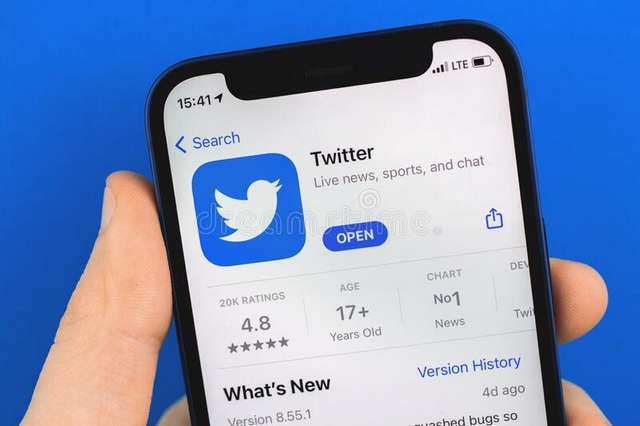
Elon Musk on Monday fired a barrage of combative tweets at Apple, alleging that the tech giant had threatened to yank the Twitter app from the Apple App Store without giving an explanation.
“Apple has also threatened to withhold Twitter from its App Store, but won’t tell us why,” tweeted Musk, the billionaire CEO of Twitter and Tesla.
Musk also asserted that Apple had ceased advertising on the social media platform.
“Apple has mostly stopped advertising on Twitter. Do they hate free speech in America?” one of his tweets read. Later, in another tweet, he asked: “what’s going on here?” tagging the Twitter handle of Apple CEO Tim Cook.
According to data reports, one of Twitter’s biggest advertisers in 2022 has been Apple. Pathmatics, – an ad measurement firm – Apple spent less on Twitter ads between Nov. 10 and Nov. 16, spending an estimated $131,600 as opposed to $220,800 in the week before Musk finalized the Twitter transaction.
The Washington Post cited an internal Twitter document in reporting that Apple was the largest advertiser on Twitter in the first quarter of 2022, spending $48 million and contributing to more than 4% of overall revenue for the quarter.
The up to 30% fee Apple charges software developers for in-app purchases was also among the complaints Musk listed in his sequence of tweets.
The tech tycoon further suggested that Apple had “censored” some apps by quoting a post from the blockchain-based file-sharing and payment network LBRY, which stated, “During Covid, Apple insisted our apps limit some search terms from being returned. Our apps would not be accepted in the store without the words filtering. “Who else has Apple censored,” Musk commented.
Developers must abide by a long list of rules published by Apple in order for their apps to be uploaded to the App Store. According to Apple, apps that feature user-generated content, such as social media services and other apps must include “A method for filtering objectionable material from being posted to the app”; “A mechanism to report offensive content and timely responses to concerns”; and “The ability to block abusive users from the service.”
Liberal and civil rights organizations might exert pressure on Apple and Google to ensure Musk’s Twitter complies with their rules.
“I think that both Apple and Google should not give an exception to Twitter when it comes to their terms of service and this is something that I’ve been saying since May, which is that it’s going to be advertisers and the app stores that are the fulcrum,” said Angelo Carusone, president of Media Matters, a left-leaning media watchdog organization that was one of the groups behind the Twitter advertiser boycott
Parler, a social app marketed as a “free speech” alternative to mainstream services, was removed from Apple’s App Store last year due to threats of violence made on the app following the attack on the U.S. Capitol on January 6, 2021. Three months later, it reinstated Parler (now owned by Kanye West), stating that the business has enhanced its capacity to eliminate hate speech and messages encouraging violence.
Meanwhile, Musk previously said that if Apple and/or Google removed Twitter from their respective app stores, he would create his own smartphone.
Liz Wheeler, a former host of OANN and a right-wing podcaster, tweeted on Friday, “If Apple & Google boot Twitter from their app stores, [Elon Musk] should produce his own smartphone. Half the country would happily ditch the biased, snooping iPhone & Android. The man builds rockets to Mars, a silly little smartphone should be easy, right?”
In response to the tweet, Musk said: “I certainly hope it does not come to that, but, yes, if there is no other choice, I will make an alternative phone.”
This story was first published by Antigua News on : antigua.news/2022/11/29/apple-threatened-to-ban-twitter-from-the-app-store-says-elon-musk. © 2022 Antigua News. Republication without permission is not allowed.
Read our editorial standards and corrections policy. Spotted an error? Contact the newsroom.
More from Style
View section
The Best TV Shows of the 21st Century Didn’t Stay on Screen
Breaking Bad leads the New York Times’ new ranking. But from Mad Men’s tailoring to Fleabag’s confessions, the real story is what these series left behind
By Dario Item
Giorgio Armani Remembered for Contributions to Antigua and Barbuda
By Shermain Bique-Charles

‘BB Service’ Claims Road March Victory
By Editorial Staff
LETTER: Swag or Sag? Boy, Pull Your Pants Up!
By Editorial Staff
Comments (1)
Fear life 😈👹 November 29, 2022, 7:55 AM