
PM Mottley wants Barbados to be world-class by 2030

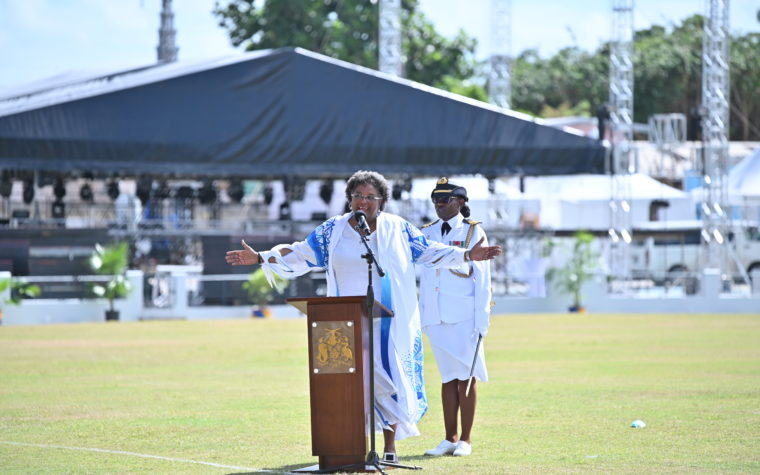
Bajans celebrated Independence Day Wednesday with their Prime Minister Mia Mottley is aiming to make Barbados a world-class nation by 2030.
She believes that can be achieved through several targets which she is hoping to discuss with the social partnership and civil society in the coming weeks.
“Like with life there are obstacles, and when we have obstacles, we refocus and reset the mission. Now that we are out it is time to ensure that the COVID comatose mindset is put behind us and that we refocus and reset the mission,” she said in her Independence Day address
Several hundreds of people gathered at the Kensington Oval on Wednesday to mark the annual Independence Day celebrations and the island’s first anniversary of becoming a parliamentary republic state.
Mottley said prior to the COVID-19 pandemic, which started to affect the island in early 2020, the hope was to achieve the goals of the mission by 2027, but that had to be adjusted.
“Against this backdrop, I hope to be shortly meeting with the social partners and with civil society for us to set a series of missions that should unite all Barbadians in the effort of allowing us to become world-class by 2030. Against the backdrop of a climate crisis and a world that is losing biodiversity and where … almost a million animals and insects can become extinct a, therefore, can threaten our food supply, the first goal must be to green Barbados, and to ensure greening Barbados, that we protect our food supply,”, Mottley said.
Mottley told the gathering at the Kensington Oval they should reflect on what they wanted Barbados to look like going forward, as she urged them to avoid violence and unite and help each other in tough times, and be strong and courageous.
This story was first published by Antigua News on : antigua.news/2022/12/01/pm-mottley-wants-barbados-to-be-world-class-by-2030. © 2022 Antigua News. Republication without permission is not allowed.

About the author
The Editorial Staff refers to all reporters employed by Antigua.news. When an article is not an original creation of Antigua.news—such as when it is based on a press release, other media articles, letters to the editor, or court decisions—one of our staff members is responsible for overseeing its publication.
Read our editorial standards and corrections policy. Spotted an error? Contact the newsroom.
More from Caribbean
View section
VIDEO: Doctors at Dominica China Friendship Hospital Stage Protest Outside Medical Facility
Healthcare professionals at the Dominica China Friendship Hospital gather outside the medical facility in an apparent protest, raising concerns over issues yet to be officially confirmed.
By Cory Wayland

St. Kitts DPP Seeks Antigua’s Help in Outstanding Case Involving Former Resort Clerk
By Shermain Bique-Charles

Royal Caribbean in Talks to Buy Half of Sandals in Reported $3 Billion Deal
By Shermain Bique-Charles

Four Killed in Latest US Military Strike on Suspected Drug Vessel in Caribbean
By Shermain Bique-Charles
Comments
Be the first to comment.