
UPP promises more entry-level jobs for youth

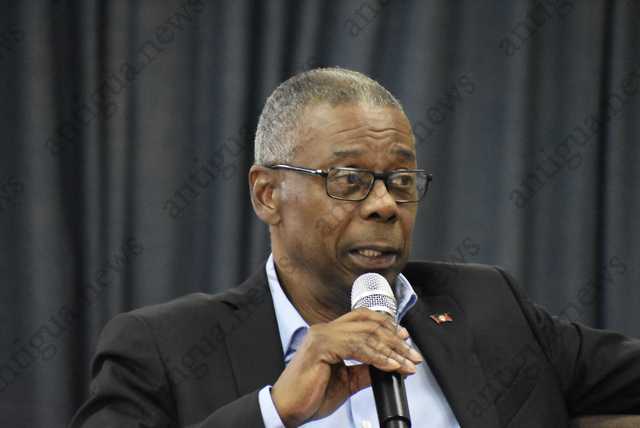
The main opposition, the United Progressive Party (UPP) says should it form the next government, it will incentivize businesses to create more entry-level jobs for young people in Antigua and Barbuda
According to a press statement, the aim is to ensure that young job seekers are more easily able to find gainful employment, especially those who do not require previous work experience or postgraduate qualifications.
The new tax incentives will reward the creation of jobs in two categories including jobs requiring a maximum first degree and no previous work experience and jobs with only CXC or TVET entry requirements and with no previous work experience.
UPP Political Leader Harold Lovell says young job seekers often complain that employers prefer to hire people with previous work experience, creating a challenge for hundreds of new high school and university graduates.
“It is only right that a caring government intervenes to make it easier for school leavers to find gainful employment. The resulting tax savings will provide additional benefits to the economy, as companies will likely use tax savings for business expansion, including the hiring of more workers and increasing their purchases from suppliers, which ultimately creates even more new jobs,” he said
The UPP, according to the statement will relentlessly continue its efforts “to create a supportive environment that facilitates steady job growth, as our economy rebounds from years of Gaston Browne’s maladministration”.
Adding, “the goal of our job creation strategies is to stimulate healthy economic growth, where all job seekers are empowered. This is consistent with our focus on delivering “Relief, Recovery and Shared Prosperity.”
This story was first published by Antigua News on : antigua.news/2022/12/07/upp-promises-more-entry-level-jobs-for-youth. © 2022 Antigua News. Republication without permission is not allowed.

About the author
The Editorial Staff refers to all reporters employed by Antigua.news. When an article is not an original creation of Antigua.news—such as when it is based on a press release, other media articles, letters to the editor, or court decisions—one of our staff members is responsible for overseeing its publication.
Read our editorial standards and corrections policy. Spotted an error? Contact the newsroom.
More from Antigua and Barbuda
View section
Family Appeals for Help Finding 13-Year-Old Daniel Donawa
Family seeks public’s help after Daniel Donawa, 13, failed to return from a youth rally
By Shermain Bique-Charles

Justin “Jus Bus” Nation Designs Winning Logo for National Performing Arts Centre
Cabinet approves a design inspired by Antigua and Barbuda’s flag, cultural heritage and performing arts.
By Shermain Bique-Charles

Chinese Partners Join Social Protection Board in Successful Food Distribution
Donated meals and hands-on support bring assistance to members of the public, with Operations Manager Emily Baltimore praising the partnership.
By Shermain Bique-Charles

Residents Inside CHOGM Security Zone Warned About Temporary Re-entry Restrictions
Police say people may leave their homes during the opening ceremony restrictions but could face difficulty returning before controls are lifted.
By Shermain Bique-Charles
Comments
Be the first to comment.