
‘Emily in Paris’ actor, Lucien Laviscount, has Antiguan roots


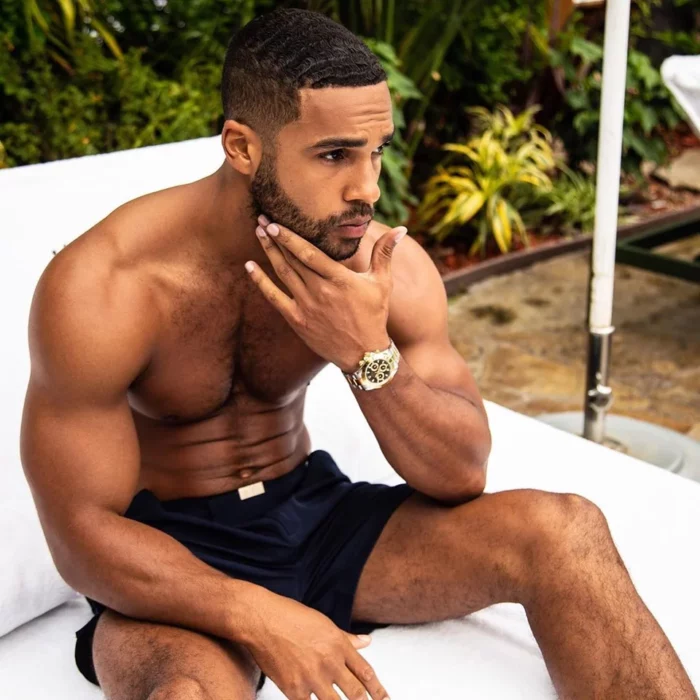
If you are the typical Netflix and Chill kind-a person you may have stumbled upon Emily in Paris.
It’s a romantic television series created by Netflix where this marketing executive Emily Cooper, an American, moves to France to provide an American point of view to a French marketing firm.
But if you made it past Season 3-like me-then you would have noticed a stuff muffin-looking British actor named Lucien Laviscount.
He is playing the role of Alfie in the series. Guys come on…Who could have missed him? He has been there since Season two.
Well, guess what? This hunk of a dude has Antiguan roots. No kidding! No wonder the fella looks so…ok. Ok.
Anyway, Laviscount, the British actor was born in England to a mom of English descent and a dad of Antiguan descent.
In an interview with Nadia Dyson of Luxury Locations Real Estate Antigua, Laviscount said Antigua is a place he also calls home.

“My father’s from here… we used to come back every year when we were kids… No matter what was going on. My mom and dad made sure we came back to the roots of it all. And yeah, this is it now… this is home since 2020.”
He started showing his love for the twin island state since 2020 when he shared with his thousands of Instagram followers’ beautiful scenes from the land of sea and sun-Antigua and Barbuda.
“5 of the best months of my life…Antigua…it’s been a trip! New perspectives…New friendships…Ready for the next adventure! Yeaaah Mann 🌴” he wrote
Laviscount also told an interview with Luxury Locations Real Estate Antigua, that “Antigua gives him perspective on life and what life means in the time that we have”
Some of his favorite beaches include Jolly Beach and Darkwood. But he kept his number one pick close to his chest, saying it was a secret.
This story was first published by Antigua News on : antigua.news/2023/01/02/emily-in-paris-actor-lucien-laviscount-has-antiguan-roots. © 2023 Antigua News. Republication without permission is not allowed.

About the author
The Editorial Staff refers to all reporters employed by Antigua.news. When an article is not an original creation of Antigua.news—such as when it is based on a press release, other media articles, letters to the editor, or court decisions—one of our staff members is responsible for overseeing its publication.
Read our editorial standards and corrections policy. Spotted an error? Contact the newsroom.
More from Antigua and Barbuda
View section
Commonwealth Countries Offered Space-Based Data Storage Under New SMI and Lonestar Partnership
Announced during CHOGM 2026 in Antigua and Barbuda, the collaboration will explore storing important records in orbit, with a commitment to provide one terabyte of data storage to each Commonwealth country.
By Cory Wayland

Prime Minister Dickon Mitchell Secures Historic Second Term as NDC Wins 14 of Grenada’s 15 Seats
The National Democratic Congress expands its parliamentary majority from nine to 14 seats, leaving the opposition New National Party with just one constituency.
By Cory Wayland

Jennings Residents Benefit from Free Eye Screenings and Reading Glasses Under Prime Minister’s Vision Initiative
The community-based programme is providing free vision screenings and reading glasses to qualifying residents, with services continuing until Friday, November 6.
By Cory Wayland

Arry Simon and Garth Simon Represent Antigua and Barbuda at Pre-COP31 Climate Talks in Türkiye
The two Department of Environment officials are participating in preparatory discussions ahead of the global climate summit, where Antigua and Barbuda will be represented by a delegation led by Prime Minister Gaston Browne.
By Cory Wayland
Comments
Be the first to comment.