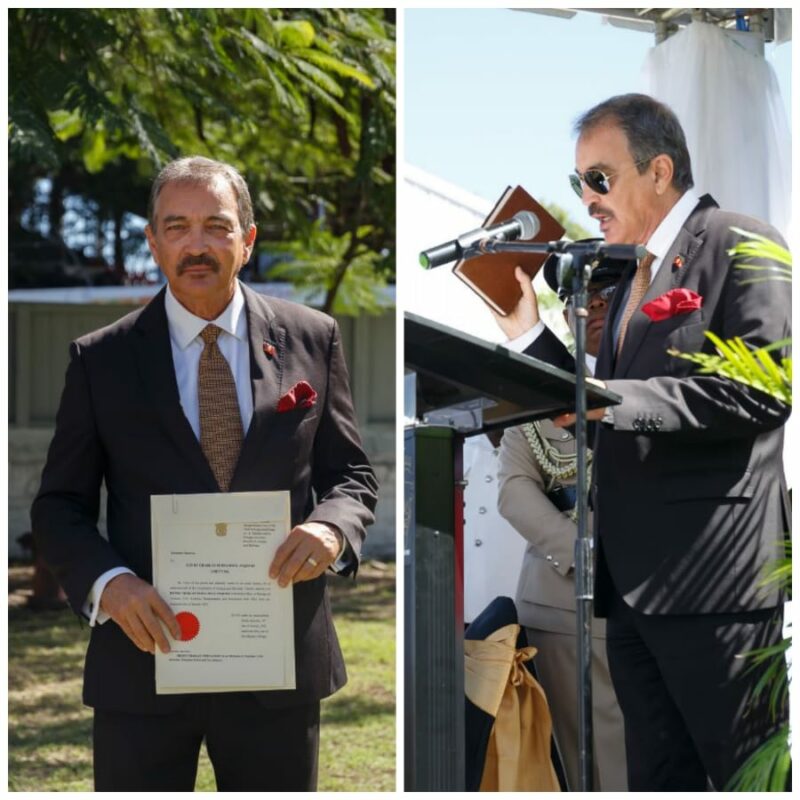
Meet your Minister-Charles Fernandez
Published January 20, 2023, 5:29 PM
Henry Charles Fernandez Minister for Tourism, Civil Aviation, Transportation and Investment (Photo Credit Wayne Marriott) Henry Charles Fernandez Minister for Tourism, Civil Aviation, Transportation and Investment
Ministry of Tourism Headquarters
Ministry of Civil Aviation Headquarters
Antigua and Barbuda Investment
Authority
Investment
Antigua and Barbuda Airports
Authority
Meteorology
John’s Development Corporation
Antigua and Barbuda Tourism Authority
Overseas Tourism Offices
Economic Development & National Economic & Social Council
Deep Bay Development Corporation
Antigua Isle Limited ▪ New Port (Antigua) Limited ▪ Antigua Pier Group Ltd.
FCCA, CHTA, CTO & Yachting
Beach Protection
Vendors
Small Business Development Centre SBDC
National Parks Authority & Heritage Sites
Antigua and Barbuda Hospitality
Training Institute
Vehicular Control
Transport Board
Dispatching Facilities
This story was first published by Antigua News on January 20, 2023:
antigua.news/2023/01/20/meet-your-minister-charles-fernandez . © 2023 Antigua News. Republication without permission is not allowed.
Add Antigua.news to your Home Screen ✕ antigua.news ⋯ Open in Safari Copy link Share… First, open this page in Safari You are reading inside another app (Instagram, Facebook…). Tap ⋯ at the top right and choose Open in Safari (or Open in browser ).
No such option? Copy the link, open Safari and paste it in the address bar.
Copy the link ⚙️ Settings General › Software Update Update your iPhone first Alerts need iOS 16.4 or newer. Open Settings → General → Software Update and install the update. You can still add the icon now: tap Next .
‹ antigua.news ⋯ Tap the ⋯ button It is at the bottom right of Safari, next to the address bar. Don't see the bar? Scroll up a little.
Share Add Bookmark New Tab Find on Page Tap Share It is the first option of the menu, with a square-and-arrow icon.
antigua.news ‹ › ▢ ⧉ Tap the Share button The square with an arrow pointing up, in the middle of the bar at the bottom (on iPad: at the top right).
antigua.news Tap the Share button The square with an arrow, at the right of the address bar at the top. (Firefox: tap ☰ at the bottom, then Share.)
Copy Add to Reading List Add to Home Screen Tap Add to Home Screen Scroll down the list to find it (icon: a square with a +). Not there? Tap Edit Actions or View More at the bottom.
Cancel Add to Home Screen Add Antigua.news Open as Web App Keep Open as Web App on, then tap Add The switch must be green — without it, alerts can't work. Then tap Add at the top right.
Cancel Add to Home Screen Add Antigua.news An icon will be added to your Home Screen so you can quickly access this website. Tap Add At the top right . If you see an Open as Web App switch, leave it on (green).
Antigua.news Close the browser and open Antigua.news from its new icon Go to your Home Screen : the Antigua.news icon is there now (swipe left if you don't see it). Alerts only work when you open us from this icon .
“Antigua.news” Would Like to Send You Notifications Notifications may include alerts, sounds and icon badges. Don’t Allow Allow Tap 🔔 Turn on alerts , then Allow In the app you will see a red box asking to turn on alerts: choose your sections, tap the button, then tap Allow . That's it — breaking news will reach you even with the phone locked.
‹ Back Next ›
About the author
The Editorial Staff refers to all reporters employed by Antigua.news. When an article is not an original creation of Antigua.news—such as when it is based on a press release, other media articles, letters to the editor, or court decisions—one of our staff members is responsible for overseeing its publication.
Read our editorial standards
and corrections policy .
Spotted an error? Contact the newsroom .





Comments
Be the first to comment.