
T&T Parliament approves appointment of first female top cop

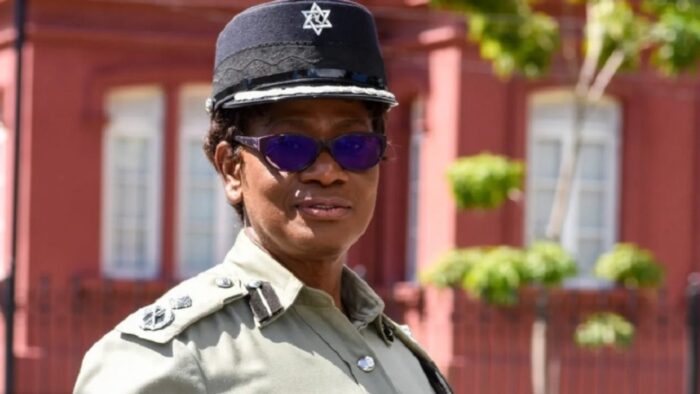
Deputy Police Commissioner, Erla Harewood-Christopher has been appointed Trinidad and Tobago’s first female police commissioner. Her nomination was approved in Parliament on Friday.
All 36 members of the Parliament, voted in her favour . She replaced Gary Griffith, whose tenure ended on August 18, 2018.
According to reports from Loop news, during the debate, Prime Minister Dr Keith Rowley rejected claims from the Opposition that there was political interference in the selection of Christopher, who is due to retire from the Trinidad and Tobago Police Service in May when she reaches the age of 60.
“However, he told legislators that the Police Service Act makes provisions for her to be in the post on a contract basis. Rowley had during his contribution, said that the PSC had nominated Harewood-Christopher, who had been acting in the post since December last year, “as the highest-grade candidate”.
The new deputy commissioner has been described as “very well qualified through training and academia” and told legislators that his administration was not surprised that the PSC would have listed her as the top applicant at this time.
Meanwhile Opposition legislator, Dr Roodal Moonilal, “the only opposition legislator to speak during the debate, said that he had no problem with her qualifications.
But he said it was regrettable that she did not have any history of crime-fighting on the field”
“Whether that is an advantage or a disadvantage one could never tell,” he said, adding also that it was unfortunate that the names of those who were listed by the PSC as second and third, were not made public.

This story was first published by Antigua News on : antigua.news/2023/02/04/tt-parliament-approves-appointment-of-first-female-top-cop. © 2023 Antigua News. Republication without permission is not allowed.

About the author
The Editorial Staff refers to all reporters employed by Antigua.news. When an article is not an original creation of Antigua.news—such as when it is based on a press release, other media articles, letters to the editor, or court decisions—one of our staff members is responsible for overseeing its publication.
Read our editorial standards and corrections policy. Spotted an error? Contact the newsroom.
More from Caribbean
View section
BREAKING | Dominica Heads to the Polls on December 16
Nomination Day is November 30 as Prime Minister Roosevelt Skerrit seeks a fresh mandate for the Dominica Labour Party.
By Shermain Bique-Charles

DOMINICA: Relief as Three Missing Men Are Found Alive at Sea Near Aves Islands
Davel Baron, Ryan Royer and a third man were rescued by a cargo vessel after being found drifting at sea, bringing relief following days of uncertainty over their whereabouts.
By Cory Wayland

Two Men Vanish at Sea in Dominica, Sparking Growing Fears for Their Safety
Police issue missing-person alerts for Davel Baron and Ryan Royer as concerns grow over their whereabouts.
By Cory Wayland

Saint Lucia Makes Decision on Citizenship by Investment Programme Amid EU Pressure
Prime Minister Philip J. Pierre confirms his government has formally responded to the European Union but says the decision will remain confidential until Brussels acknowledges receipt of the correspondence.
By Cory Wayland
Comments
Be the first to comment.