
Statement by the Government of Antigua and Barbuda regarding the Alfa Nero

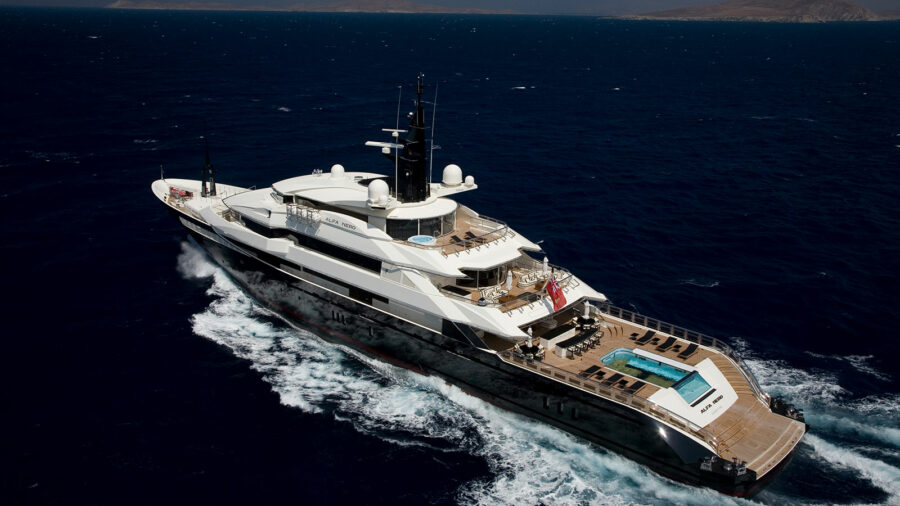
St John’s, March 27…. Given that there are currently misleading stories, appearing in online news portals of dubious journalistic standard, which quote deceptive remarks from members of the United Progressive Party (UPP), the Government of Antigua and Barbuda makes the following statement.
Regarding the current ownership of the Superyacht, Alfa Nero, which has been abandoned in Falmouth Harbour for several months, leaving its crew unpaid and numerous bills unsettled, international law enforcement agencies have advised the Government that the beneficial owner of the vessel is the Russian Oligarch, Andrey Grigoryevich Guryev and his daughter, Yulia Guryeva-Motlokhov.
The suggestion that the vessel is owned by a Mr. Alexander Mavrodi is unsubstantiated, indicating that it is either a hoax by which senior members of the UPP have been duped, or it is a deliberate fabrication. Certainly, no such claim has been made to the competent authorities in Antigua and Barbuda.
Under the laws of Antigua and Barbuda, the Port Manager gave the beneficial owner of the Alfa Nero, ten days’ public notice from 21 March to present documents of ownership, and to remove the vessel from the territory of Antigua and Barbuda. If a Mr. Alexander Mavrodi exists and, contrary to the evidence available to international law enforcement agencies, he is the verifiable beneficial owner and can substantiate his claim, he is free to advance his claim by 31 March.
If by March 31, no person declares themselves to be the beneficial owner, producing verifiable documents of ownership, by law, the Port Manager will regard the Alfa Nero as abandoned and also as a threat to the safety or security of the harbour and the wellbeing of the country. Consequently, the vessel will be seized and offered for sale by auction in the interest of the safety of the harbour and the well being of the economy and the people of Antigua and Barbuda. (ends)

This story was first published by Antigua News on : antigua.news/2023/03/27/statement-by-the-government-of-antigua-and-barbuda-regarding-the-alfa-nero. © 2023 Antigua News. Republication without permission is not allowed.

About the author
The Editorial Staff refers to all reporters employed by Antigua.news. When an article is not an original creation of Antigua.news—such as when it is based on a press release, other media articles, letters to the editor, or court decisions—one of our staff members is responsible for overseeing its publication.
Read our editorial standards and corrections policy. Spotted an error? Contact the newsroom.
More from Antigua and Barbuda
View section
Browne Promises Consequential CHOGM as Antigua and Barbuda Marks Independence
PM Gaston Browne urges meaningful action at CHOGM 2026 as Antigua and Barbuda celebrates 45 years of independence and welcomes Commonwealth delegates.
By Shermain Bique-Charles

Akeyjah Nibbs Identified as Victim of Fatal Ottos Shooting
Family and friends mourn the 24-year-old, who died after reportedly being shot while travelling in a vehicle with a female companion.
By Shermain Bique-Charles

Royal Reception Marks Antigua and Barbuda’s 45th Independence Anniversary and Welcomes Commonwealth Delegates
Government House reception marks the nation’s independence milestone and welcomes Commonwealth delegates with calls for partnership, resilience and opportunity.
By Shermain Bique-Charles

Halo Art Workshop Nears Finale, With Royal Drawing School Scholarships on Offer
Free classes at Government House bring generations together, with two participants set to earn Royal Drawing School online scholarships.
By Shermain Bique-Charles
Comments
Be the first to comment.