
Astaphan says removing Monarchy as head of state ‘long overdue’

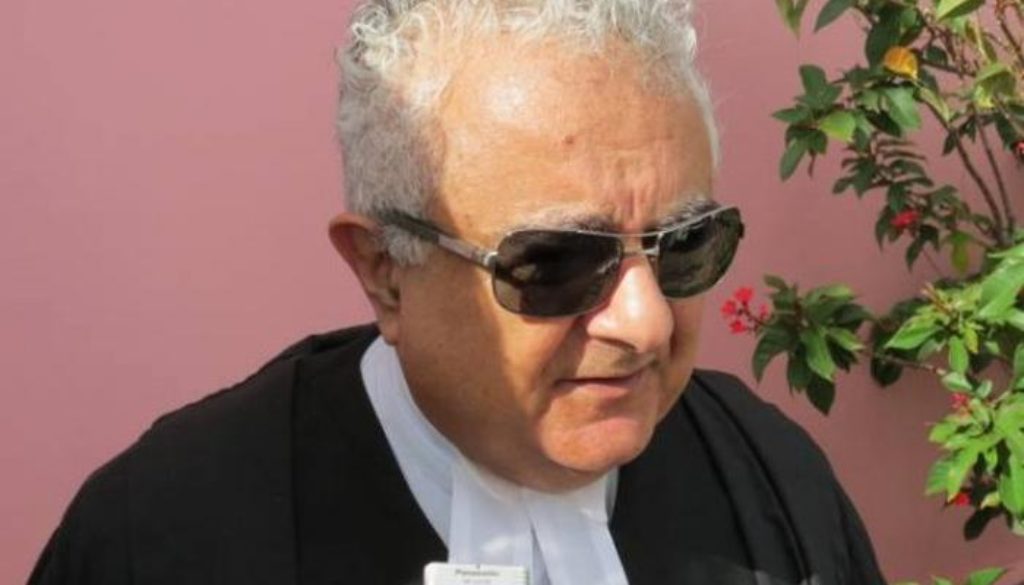
“It’s long overdue”. That’s how Senior Counsel Anthony Astaphan is responding to questions about a decision by Antigua and Barbuda to remove King Charles III as the symbolic head of state.
Prime Minister Gaston Browne has said that Antigua and Barbuda will hold a referendum on whether to remove King Charles III as the head of state within the next three years
And this is one of the situations that needs to have the fullest national consensus of political parties and NGOs, because what’s the political interest in keeping the King as the head of state? What is the benefit, other than a reminder of our colonial past?” Astaphan said
Astaphan said he is a Republican at heart and the time is ripe, to get rid of the King as the head of state
“Why can’t we have a citizen, an elder statesman, a city that has done great public service to the country like what we have in Dominica…rather than having the queen and the queen’s pictures in the courts?” he said in an interview recently
King Charles III who took over the reign after his mother Queen Elizabeth died, has been facing the prospect that the territories will grow smaller.
Although Antigua and Barbuda became independent in 1981 it remained part of the Commonwealth of Nations
If the referendum is passed, the proposed change would see the country become a republic, which would remove the British monarch from being head of state.
Prime Minister Gaston Browne has said that his “does not represent any form of disrespect to the monarch” but rather, “it is a final step to complete the circle of independence to become a truly sovereign nation.”
Several Caribbean countries have removed the monarchy as their head of state and it will not be surprising if other countries soon cut their ties as well.

This story was first published by Antigua News on : antigua.news/2023/06/01/astaphan-says-removing-monarchy-as-head-of-state-long-overdue. © 2023 Antigua News. Republication without permission is not allowed.

About the author
The Editorial Staff refers to all reporters employed by Antigua.news. When an article is not an original creation of Antigua.news—such as when it is based on a press release, other media articles, letters to the editor, or court decisions—one of our staff members is responsible for overseeing its publication.
Read our editorial standards and corrections policy. Spotted an error? Contact the newsroom.
More from Antigua and Barbuda
View section
Emergency Response Teams to Stage Mass Casualty Drill at Scotts Hill Ahead of CHOGM
Emergency personnel will simulate a serious vehicle crash to test hospital readiness, while a separate evacuation exercise is planned for the CHOGM opening ceremony venue.
By Cory Wayland

Karim Edwards’ Trial Over Fatal Friars Hill Road Crash Postponed Until December
More than four years after the collision that claimed the life of medical student Kenneth Mathew and left Priyanjana Das with life-altering injuries, the accused driver is still awaiting trial.
By Cory Wayland

Jury Rejects Self-Defence Claim And Finds Kareem Simon Guilty Of Dennis Edwards’ Murder
Jury rejects Simon’s self-defence claim after video footage reveals details of the fatal confrontation on Lower All Saints Road.
By Cory Wayland

Tourism Ministry and ABTA Working with Bert Kirchner on Proposed Louis Tomlinson Campaign
Minister Michael Freeland has held talks on the project, which aims to turn international exposure into visitor interest and bookings.
By Shermain Bique-Charles
Comments
Be the first to comment.