
Antigua’s Digital Nomad Program to be Extended

The Digital Nomad program is to be extended until October 2025 to give more people interested in traveling while working remotely in Antigua and Barbuda the opportunity to remain here, up to 2027.
Antigua and Barbuda is looking to the Digital Nomad Programme as an alternative to the Citizenship by Investment Program.
A new category of stamp may also be developed for visitors who are now expressing an interest in remaining in Antigua and Barbuda.
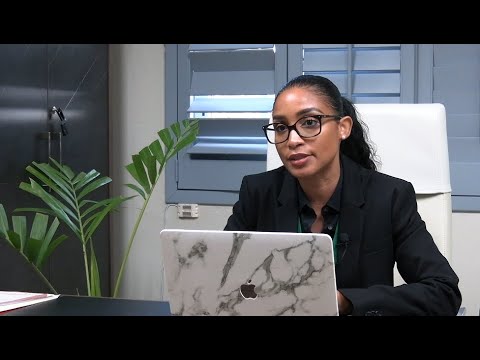
Chief Immigration Officer Katrina Yearwood hinted at this possibility during a State Media interview Saturday night. She provided the update as another group of people prepared to depart the island.
The program, introduced during the height of the COVID pandemic gives people the freedom to travel and remain in the country for at least two years while working remotely
“There is a strong consideration for reviewing it. It has not been announced yet but that is a possibility for them to remain here,”
“When we had the function, we got the sense that most of them are ready to call Antigua and Barbuda home whether they wish to remain here or remain working remotely or a few of them have set their eyes on higher heights,” she said.
The Immigration boss said an option is being made to the Nomad residents as it relates to their continued stay.
Those wishing to work or open a business will receive a different kind of stamp. The matter is also being reviewed. The country’s program has been ranked the best in the world by Human Resources Director America, HRD.
The government has decided to look into ways in which the Digital Nomad Programme could be used as an alternative to the CBI.
Antigua and Barbuda has proposed that CARICOM sets up a regional regulatory body that will look at the CBI programs to provide some level of comfort to the EU and OECD.
A similar initiative is in place in several other Caribbean islands.

This story was first published by Antigua News on : antigua.news/2023/06/19/antiguas-digital-nomad-program-to-be-extended. © 2023 Antigua News. Republication without permission is not allowed.

About the author
The Editorial Staff refers to all reporters employed by Antigua.news. When an article is not an original creation of Antigua.news—such as when it is based on a press release, other media articles, letters to the editor, or court decisions—one of our staff members is responsible for overseeing its publication.
Read our editorial standards and corrections policy. Spotted an error? Contact the newsroom.
More from Antigua and Barbuda
View section
VIDEO: Two Hospitalised After Vehicle Overturns in Valley Road Collision
An elderly person is reportedly among two individuals taken for medical attention following a two-vehicle crash that left one vehicle overturned and another badly damaged.
By Cory Wayland

Antigua and Barbuda Senior Advisor Vicki Ting Meets ABAA CEO Kurt Menal for Talks on Aviation Development
Discussions at V.C. Bird International Airport focus on airport capacity, infrastructure development and opportunities to strengthen aviation connectivity and economic cooperation.
By Cory Wayland

Geoffrey Robertson to Deliver Sir Aziz Hadeed Memorial Lecture at UWI Five Islands
Barrister and human rights advocate Geoffrey Robertson will deliver the Sir Aziz Hadeed Memorial Lecture on October 30.
By Shermain Bique-Charles

Schoolchildren’s Bus Fare Subsidies Under Review as Families Face Cost Pressures
The review will examine support for primary pupils travelling in uniform on public buses, while the free National School Bus System offers another transport option.
By Cory Wayland
Comments
Be the first to comment.