
Pubic Holiday for CARICOM Day to be Discussed in Cabinet

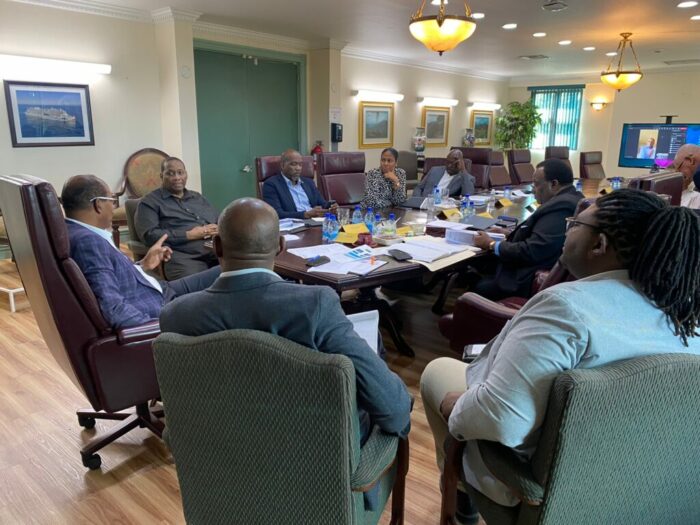
When the Cabinet meets Wednesday morning, discussions will be held on the possibility of declaring CARICOM Day a public holiday in Antigua and Barbuda
CARICOM member states have been asked to consider making July 4 a holiday in celebration of the 50th anniversary of the regional integration movement.
St Kitts and Nevis and Grenada have already declared that day a public holiday
However, Prime Minister Gaston Browne has his reservations about the request but told State Media Monday that he would bring the matter to the Cabinet to be further discussed.
“We have not decided to that effect. Truth be told, we have had so many public holidays. Our calendar is replete with public holidays and it is always difficult to add more holidays”,
“This is no disrespect or contempt or lack of commitment to CARICOM if we decide not to, it is just a matter of not exacerbating an already difficult situation in which we already have too many public holidays
Browne believes that adding another public holiday to the list that already exists will affect the productivity of the country
“We will consider it but I am not very hopeful we would want to add another holiday at this point…There may be a case for a one-off restoration but again I cannot say that I am extremely hopeful that this would happen”, he added
CARICOM Day was once a holiday in Antigua and Barbuda but was discontinued because of its negative impact on productivity.
Browne’s regional counterpart, Dominica’s Prime Minister Roosevelt Skerrit also has his reservations about declaring July 4th a public holiday.
He said Dominica is unlikely to declare that day as a public holiday but claimed that he would discuss it with the public sector there.

This story was first published by Antigua News on : antigua.news/2023/06/27/pubic-holiday-for-caricom-day-to-be-discussed-in-cabinet. © 2023 Antigua News. Republication without permission is not allowed.

About the author
The Editorial Staff refers to all reporters employed by Antigua.news. When an article is not an original creation of Antigua.news—such as when it is based on a press release, other media articles, letters to the editor, or court decisions—one of our staff members is responsible for overseeing its publication.
Read our editorial standards and corrections policy. Spotted an error? Contact the newsroom.
More from Antigua and Barbuda
View section
Nicholas Leads APUA Delegation to Regional Water Conference
Discussions in Grenada focus on water security, climate resilience and sustainable utility services across the Caribbean.
By Shermain Bique-Charles

Antigua and Barbuda to Host Caribbean Tourism Conference in 2027
Regional tourism leaders will gather from October 4–8 as the destination prepares to host CTO’s flagship industry forum.
By Shermain Bique-Charles

National Health Insurance Could Become Reality by 2028 as Antigua and Barbuda Relaunches Universal Health Coverage Programme
Government advances plans for a National Health Insurance Programme aimed at making essential healthcare more accessible and affordable while reducing the financial burden on households.
By Cory Wayland

WATCH:Appeal for Information After Alleged Attempt to Snatch Necklace on All Saints Road
Circulating appeal says a man’s necklace broke and fell to the ground during the incident near the credit union.
By Shermain Bique-Charles
Comments
Be the first to comment.