
NODS Director cautions the public to remain vigilant in Hurricane Season

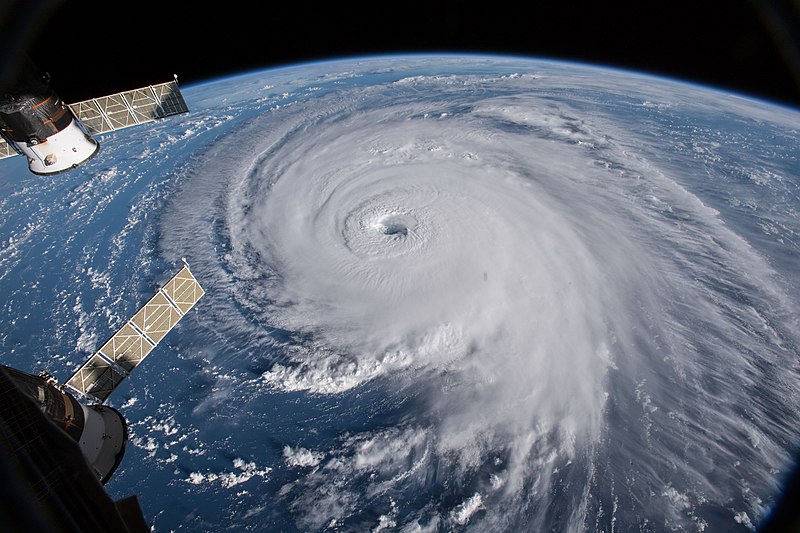
Director of the National Office of Disaster Services (NODS) Sherrod James says coming off the heels of preparedness for Tropical Storm Bret last week, NODS hopes that persons will maintain their level of preparedness and not let their guard down.
“What we are actually hoping is that persons are a bit more out of that mode of complacency, thinking that ok, I really don’t have to pay attention until August, September, October [because] that’s usually traditionally when we see most of the serious action in our neck of the woods”, James said.
He noted that NODS has always advocated that it does not matter how active or normal the forecast is for the season, “It just takes you not being prepared for one”.
“And that’s why we’ve always advocated that you can get a hurricane, a storm, in any month of the year; within or outside of the hurricane season.
We just name it the hurricane season because that is when we see the most frequent form of these things”, the NODS Director stated.
According to him, it is good that people are now going about looking at their disaster management, preparedness, and response plans with their families, community, organizations, and colleagues.
James concluded, “It is always good to have that in the forefront, cause at the end of the day it’s not just about something you do when something is happening.
It’s your lifestyle and therefore we have to make this part of our everyday living because hazards come sometimes with warning, sometimes without. So, we always have to make sure that we have a measure of vigilance”.
This story was first published by Antigua News on : antigua.news/2023/06/28/nods-director-cautions-the-public-to-remain-vigilant-in-hurricane-season. © 2023 Antigua News. Republication without permission is not allowed.

About the author
The Editorial Staff refers to all reporters employed by Antigua.news. When an article is not an original creation of Antigua.news—such as when it is based on a press release, other media articles, letters to the editor, or court decisions—one of our staff members is responsible for overseeing its publication.
Read our editorial standards and corrections policy. Spotted an error? Contact the newsroom.
More from Antigua and Barbuda
View section
Nicholas Leads APUA Delegation to Regional Water Conference
Discussions in Grenada focus on water security, climate resilience and sustainable utility services across the Caribbean.
By Shermain Bique-Charles

Antigua and Barbuda to Host Caribbean Tourism Conference in 2027
Regional tourism leaders will gather from October 4–8 as the destination prepares to host CTO’s flagship industry forum.
By Shermain Bique-Charles

National Health Insurance Could Become Reality by 2028 as Antigua and Barbuda Relaunches Universal Health Coverage Programme
Government advances plans for a National Health Insurance Programme aimed at making essential healthcare more accessible and affordable while reducing the financial burden on households.
By Cory Wayland

WATCH:Appeal for Information After Alleged Attempt to Snatch Necklace on All Saints Road
Circulating appeal says a man’s necklace broke and fell to the ground during the incident near the credit union.
By Shermain Bique-Charles
Comments
Be the first to comment.