
Victory for St. John’s Taxi Association as 20% Fare Increase Approved

By Zaya Williams
After years of persistent appeals, the St. John’s Taxi Association has achieved a significant triumph in securing a 20 percent fare increase for its members. This welcomed adjustment will be implemented in stages, marking a significant relief for taxi operators.
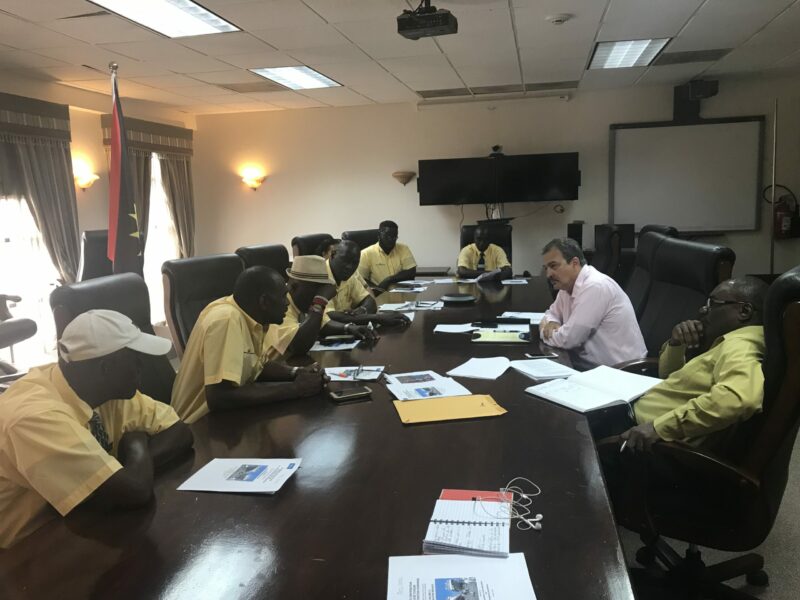
Patrick Burnette, President of the St. John’s Taxi Association, revealed that the fare increase, which has long been sought after, will be introduced in a phased manner.
He explained, “After meeting with the cruise lines, they did accept our proposal or we had agreed to a 20 percent increase. However, we made an agreement for increments which has been sent out to all the different tour agents and partners that we have. And so as of October 1, we will have a 10 percent that will be added unto the fare, and based on the time that the increase came on, we will have over a three-year period that 20 percent covered.”
This substantial fare increase will directly benefit all prepaid members operating within the St. John’s Cruise line vicinity.
In 2021, taxi operators throughout the island witnessed a transformation in the taxi fare system after extensive dialogues with the government. The previous system applied a single fare to a full load of four passengers, which has now been replaced by a fare structure determined by the number of passengers being transported.
The taxi industry, like many tourism-dependent sectors, faced severe financial challenges during the prolonged coronavirus pandemic, which lasted for over two years. The cruise industry, in particular, bore the brunt of the pandemic’s impact, facing significant disruptions as passenger operations came to a near halt, rendering it emblematic of the pandemic’s consequences.

This story was first published by Antigua News on : antigua.news/2023/09/12/victory-for-st-johns-taxi-association-as-20-fare-increase-approved. © 2023 Antigua News. Republication without permission is not allowed.

About the author
The Editorial Staff refers to all reporters employed by Antigua.news. When an article is not an original creation of Antigua.news—such as when it is based on a press release, other media articles, letters to the editor, or court decisions—one of our staff members is responsible for overseeing its publication.
Read our editorial standards and corrections policy. Spotted an error? Contact the newsroom.
More from Antigua and Barbuda
View section
VIDEO: Two Hospitalised After Vehicle Overturns in Valley Road Collision
An elderly person is reportedly among two individuals taken for medical attention following a two-vehicle crash that left one vehicle overturned and another badly damaged.
By Cory Wayland

Antigua and Barbuda Senior Advisor Vicki Ting Meets ABAA CEO Kurt Menal for Talks on Aviation Development
Discussions at V.C. Bird International Airport focus on airport capacity, infrastructure development and opportunities to strengthen aviation connectivity and economic cooperation.
By Cory Wayland

Geoffrey Robertson to Deliver Sir Aziz Hadeed Memorial Lecture at UWI Five Islands
Barrister and human rights advocate Geoffrey Robertson will deliver the Sir Aziz Hadeed Memorial Lecture on October 30.
By Shermain Bique-Charles

Schoolchildren’s Bus Fare Subsidies Under Review as Families Face Cost Pressures
The review will examine support for primary pupils travelling in uniform on public buses, while the free National School Bus System offers another transport option.
By Cory Wayland
Comments
Be the first to comment.