
ABHTA to host Hospitality Job Fair on World Tourism Day

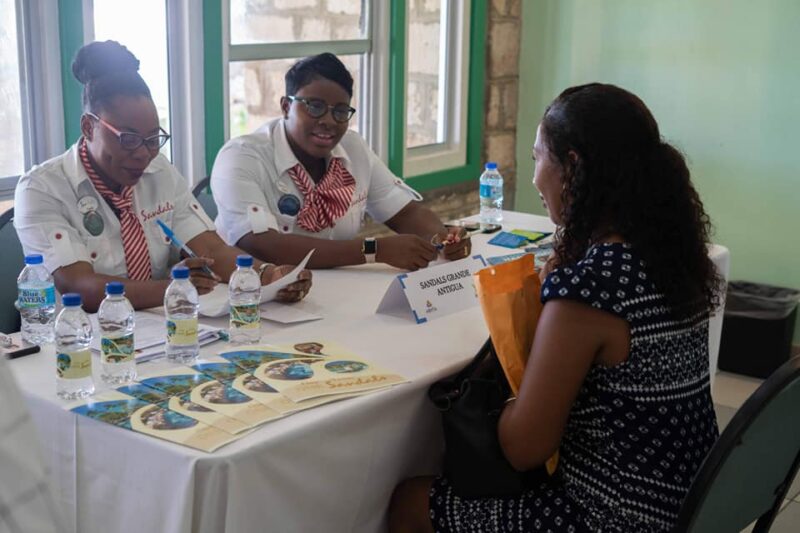
The Antigua & Barbuda Hotels and Tourism Association (ABHTA) is excited to announce that it will host a Hospitality Job Fair on Wednesday, September 27, 2023, to celebrate World Tourism Day.
The event will be held from 9:00 a.m. to 5:00 p.m. at the Multipurpose and Exhibition Centre at Perry Bay.
In line with the United Nations’ focus on investing in people for World Tourism Day 2023, the ABHTA recognizes the critical importance of human resources in the tourism industry.
According to the UN, the global tourism workforce will require millions of hospitality graduates annually until 2030, with an additional 800,000 jobs per year requiring specific vocational training.
The Chairman of the ABHTA, Craig Marshall, emphasizes the importance of this initiative, stating, “What better way to celebrate World Tourism Day than by opening up the industry to potential employees throughout
Antigua and Barbuda. This year’s event will feature 26 businesses eager to fill positions across various operations sectors. We are also delighted to welcome our partners from the Antigua and Barbuda Tourism Authority and the Antigua and Barbuda Hospitality Training Institute, who will showcase their services.”
Job seekers attending the fair will be able to explore various positions, including Culinary, Food and Beverage, Maintenance, Housekeeping, Tour Guides, Administrative Team, Watersports, Tour Guides, and Adjunct Lecturers.
To make the process easier and more efficient, job seekers are encouraged to pre-register to secure an interview time slot.
Pre-registration can be completed by contacting the ABHTA office at 462.0374/4928, by visiting their website www.antiguahotels.org, or by using the following link https://antiguahotels.org/abhta-hospitality-job-fair.

This story was first published by Antigua News on : antigua.news/2023/09/14/abhta-to-host-hospitality-job-fair-on-world-tourism-day. © 2023 Antigua News. Republication without permission is not allowed.

About the author
The Editorial Staff refers to all reporters employed by Antigua.news. When an article is not an original creation of Antigua.news—such as when it is based on a press release, other media articles, letters to the editor, or court decisions—one of our staff members is responsible for overseeing its publication.
Read our editorial standards and corrections policy. Spotted an error? Contact the newsroom.
More from Antigua and Barbuda
View section
Emergency Response Teams to Stage Mass Casualty Drill at Scotts Hill Ahead of CHOGM
Emergency personnel will simulate a serious vehicle crash to test hospital readiness, while a separate evacuation exercise is planned for the CHOGM opening ceremony venue.
By Cory Wayland

Karim Edwards’ Trial Over Fatal Friars Hill Road Crash Postponed Until December
More than four years after the collision that claimed the life of medical student Kenneth Mathew and left Priyanjana Das with life-altering injuries, the accused driver is still awaiting trial.
By Cory Wayland

Jury Rejects Self-Defence Claim And Finds Kareem Simon Guilty Of Dennis Edwards’ Murder
Jury rejects Simon’s self-defence claim after video footage reveals details of the fatal confrontation on Lower All Saints Road.
By Cory Wayland

Tourism Ministry and ABTA Working with Bert Kirchner on Proposed Louis Tomlinson Campaign
Minister Michael Freeland has held talks on the project, which aims to turn international exposure into visitor interest and bookings.
By Shermain Bique-Charles
Comments
Be the first to comment.