
Antigua and Barbuda turns down loan offer from African Ex-Im Bank.

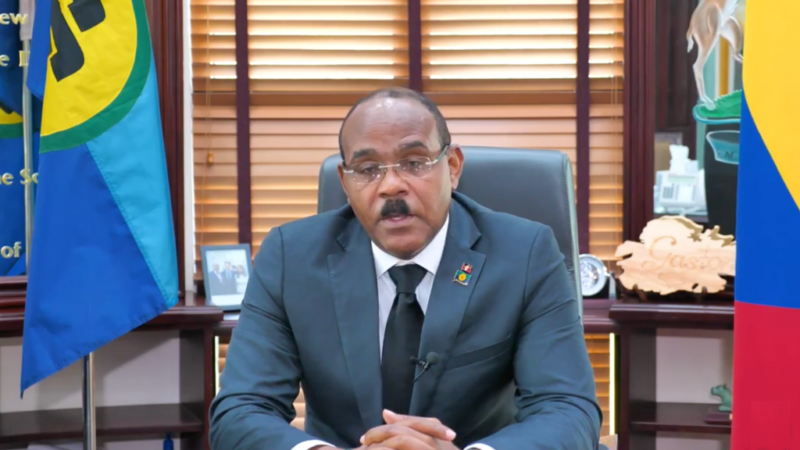
Prime Minister Gaston Browne of Antigua and Barbuda says the government would not be pursuing any loan arrangements with the African Export-Import Bank due to the high interest rates offered.
The decision was made in the best interest of the people of Antigua and Barbuda. The Prime Minister explained that his administration is known for being quick to act on various issues within the Caribbean.
When the African Ex-Im Bank approached the Caribbean two years ago, Antigua and Barbuda signed on to explore the possibility of doing business with them. However, during the negotiations, the government discovered that the bank’s “concessionary rates” were not as favorable as expected.

However, during the negotiations, the government discovered that the bank’s “concessionary rates” were not as favorable as expected.
The government had been in talks with the African Ex-Im Bank to secure a loan of US$100 million on behalf of the Antigua and Barbuda Airport Authority to fund major upgrades and expansion at the VC Bird International Airport.
However, the terms offered by the bank were a concessional interest rate of 12 percent and a 4 percent negotiations fee, which the government deemed too high. In comparison, companies such as Air Peace borrow at up to 25 percent interest rate.
The African Ex-Im Bank’s interest rate model did not work for Antigua and Barbuda, and as a result, the government declined to move forward with the discussions. Instead, the government has turned to a consortium involving Oppenheimer (Investment bankers) and FCIB to do the loan, and negotiations are nearing conclusion.
The negotiation fees will be around two percent and the interest rate will not exceed eight percent. Prime Minister Browne emphasized that his government always seeks the “best value” for the people of Antigua.
This story was first published by Antigua News on : antigua.news/2023/09/19/antigua-and-barbuda-turns-down-loan-offer-from-african-ex-im-bank. © 2023 Antigua News. Republication without permission is not allowed.

About the author
The Editorial Staff refers to all reporters employed by Antigua.news. When an article is not an original creation of Antigua.news—such as when it is based on a press release, other media articles, letters to the editor, or court decisions—one of our staff members is responsible for overseeing its publication.
Read our editorial standards and corrections policy. Spotted an error? Contact the newsroom.
More from Antigua and Barbuda
View section
Antigua and Barbuda Honours War Dead at National Remembrance Service
National leaders, veterans and uniformed organisations gather at the War Memorial for wreath-laying, military honours and two minutes of silence.
By Shermain Bique-Charles

Five Islands Feeder Fault Causes Power Outage in Several Communities
APUA dispatches technicians to address the fault affecting Bolans, Valley Church, Christian Valley and surrounding areas.
By Shermain Bique-Charles

APUA Reports Unplanned Power Outage Affecting Several Communities
Technicians dispatched following an issue with the Cassada Gardens #3/#9 Feeder.
By Shermain Bique-Charles

“Let’s Talk, Richard”: Browne Leaves Door Open for Lewis to Join ABLP
Prime Minister renews his invitation for Richard Lewis to join the ABLP, with no indication the former UPP MP intends to accept.
By Shermain Bique-Charles
Comments
Be the first to comment.