
Antigua and Barbuda’s Director of International Trade amongst Global Experts Gathered at the United Nations- Geneva.

The 10th Session Multi-year Expert Meeting on Investment, Innovation and Entrepreneurship for Productive Capacity-building and Sustainable Development took place on September 27-28, 2023, in Geneva, Switzerland.
The United Nations Committee on Trade and Development organized the meeting to bring together experts who assessed the recent developments, challenges, and opportunities in sustainable economic diversification. The meeting addressed the following areas:
Diversification of economies in developing countries towards sectors with lower carbon emissions.
Policies, instruments, and institutional reforms are required at the national and international levels to promote more sustainable diversification and innovation.
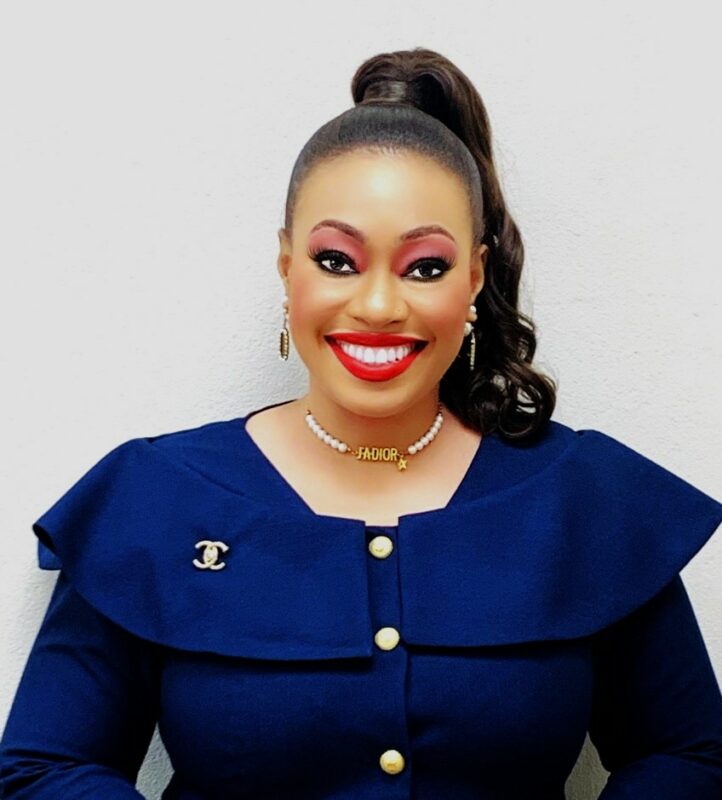
Miss Joy-Marie King, Director of International Trade, SDGs and UNCTAD Focal Point within the Ministry of Foreign Affairs, represented Antigua and Barbuda at the meeting.

She emphasized the need for small states to implement the Sustainable Development Goals (SDGs) to achieve sustainable economic diversification and innovation.
For instance, SDG 9-Industry, Innovation and Infrastructure aims to build resilient infrastructure, promote inclusive and sustainable industrialization, and support innovation. Industrialization positively correlates with SDG progress and has the potential to bridge the digital divide faced by small states due to its high innovation content.
King highlighted the need to design a national industrial policy that is SDG-oriented, supports public-private coordination, is future-ready propelled by digitalization, is context-based, and addresses regional priorities, challenges, and opportunities.
This story was first published by Antigua News on : antigua.news/2023/09/28/antigua-and-barbudas-director-of-international-trade-amongst-global-experts-gathered-at-the-united-nations-geneva. © 2023 Antigua News. Republication without permission is not allowed.

About the author
The Editorial Staff refers to all reporters employed by Antigua.news. When an article is not an original creation of Antigua.news—such as when it is based on a press release, other media articles, letters to the editor, or court decisions—one of our staff members is responsible for overseeing its publication.
Read our editorial standards and corrections policy. Spotted an error? Contact the newsroom.
More from Antigua and Barbuda
View section
Karim Edwards’ Trial Over Fatal Friars Hill Road Crash Postponed Until December
More than four years after the collision that claimed the life of medical student Kenneth Mathew and left Priyanjana Das with life-altering injuries, the accused driver is still awaiting trial.
By Cory Wayland

Jury Rejects Self-Defence Claim And Finds Kareem Simon Guilty Of Dennis Edwards’ Murder
Jury rejects Simon’s self-defence claim after video footage reveals details of the fatal confrontation on Lower All Saints Road.
By Cory Wayland

Tourism Ministry and ABTA Working with Bert Kirchner on Proposed Louis Tomlinson Campaign
Minister Michael Freeland has held talks on the project, which aims to turn international exposure into visitor interest and bookings.
By Shermain Bique-Charles

Your Child Is Safe at Home, But Are They Safe Online?
Games, chats and social media are where our children play and make friends. Here is what every parent and guardian needs to know to keep them safe there.
By Editorial Staff
Comments
Be the first to comment.