
Final defendant sentenced in 2018 All-Saints Secondary School break-in

By Zaya Williams
The last defendant involved in the 2018 break-in at All-Saints Secondary School has now been sentenced.
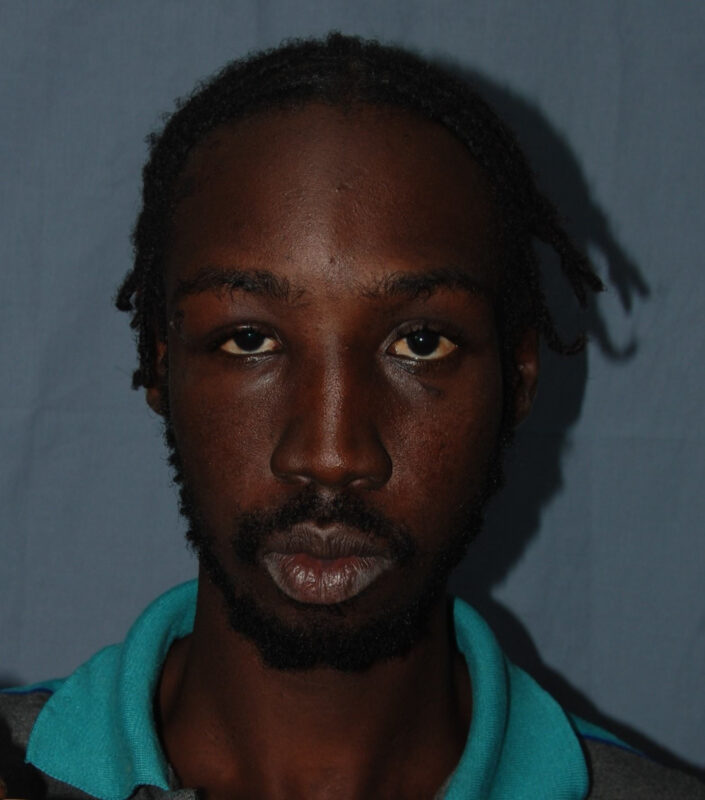
Ansonie Benjamin received a prison term of 5 years and 6 months as of yesterday.
Nearly five years ago, the police jointly charged three individuals in connection with this case.
Among them were the then 24-year-old Jarvania Simon from Freemans Village, 24-year-old Ansonie Benjamin, and 19-year-old Tyrike John, both residents of All Saints.
John and Simon faced additional charges related to firearm and ammunition possession.
On December 12, 2018, the police responded to a report of a break-in at All Saints Secondary School. Upon arriving at the scene, officers conducted a thorough search of the premises and discovered the men inside the cafeteria, where they were in the midst of loading food items into backpacks.
As the police announced their presence, the men swiftly fled from the building. During the pursuit, one of the security officers discharged a shot, and gunshots were heard emanating from another direction.
Later on, the officers heard the assailants making an attempt to scale the fence in a desperate bid to escape capture.
An officer managed to catch up to John and later found Benjamin in nearby bushes.
Subsequent searches yielded the discovery of a knapsack and two pistols.
The third defendant could not be located at the scene of the incident. However, after conducting surveillance on his residence, law enforcement eventually located him walking on a road in the village.
John and Simon had previously been sentenced in 2020, with John receiving a 10-year prison sentence and Simon an 8-year sentence.
Benjamin’s sentencing was concluded yesterday, resulting in a 5-and-a-half-year prison term.

This story was first published by Antigua News on : antigua.news/2023/10/07/final-defendant-sentenced-in-2018-all-saints-secondary-school-break-in. © 2023 Antigua News. Republication without permission is not allowed.

About the author
The Editorial Staff refers to all reporters employed by Antigua.news. When an article is not an original creation of Antigua.news—such as when it is based on a press release, other media articles, letters to the editor, or court decisions—one of our staff members is responsible for overseeing its publication.
Read our editorial standards and corrections policy. Spotted an error? Contact the newsroom.
More from Antigua and Barbuda
View section
Browne Criticises Land Banking as Tourism Plots Remain Undeveloped
Prime Minister urges landowners to turn investment properties into income-generating accommodation.
By Shermain Bique-Charles

PM Browne Says CIP Suspension Likely by November 12 to Preserve Schengen Access
Cabinet is leaning towards suspension as years of European scrutiny place increasing pressure on citizenship by investment programmes across the Eastern Caribbean.
By Shermain Bique-Charles

Fernandez Eyes Visitor Shows at New Performing Arts Centre
Charles Fernandez sees visitor performances at the National Performing Arts Centre as a way to showcase culture and support the venue’s upkeep.
By Shermain Bique-Charles

Antigua and Barbuda First in Eastern Caribbean to Sign UN Development Framework for 2027–2031
The agreement will guide cooperation on economic diversification, climate resilience, social protection and other development priorities.
By Shermain Bique-Charles
Comments
Be the first to comment.