
Israel at war; hundreds killed in unprecedented attack

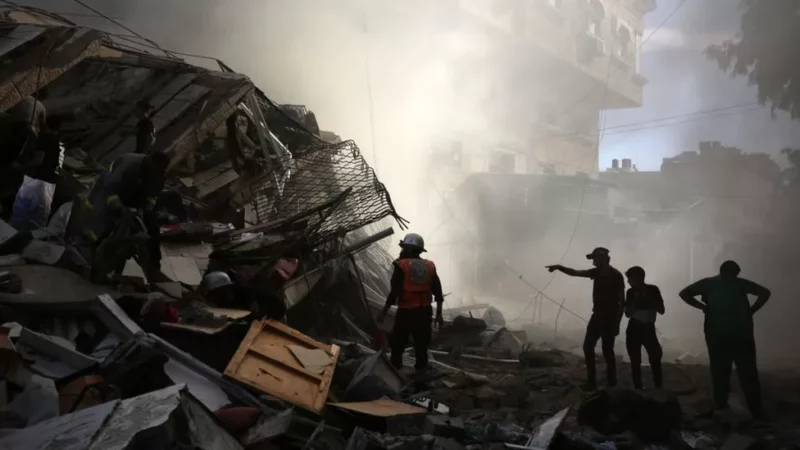
Source BBC
Israel was surprised by the most ambitious operation Hamas has ever launched from Gaza.
The scale of what’s been happening is unprecedented. In the most severe cross-border attack Israel has faced in more than a generation, Hamas breached the wire that separates Gaza from Israel in multiple places.
It came a day after the 50th anniversary of the surprise attack by Egypt and Syria in 1973 that started a major Middle East war.
The date’s significance will not have been lost on the Hamas leadership.
Israel’s Prime Minister Benjamin Netanyahu says his country is at war and will exact a heavy price from its enemies.
Videos and photos of dead Israelis, civilians as well as soldiers, are all over social media.
Other videos of armed men from Hamas hauling soldiers and civilians into captivity in Gaza have enraged and alarmed Israelis.
Within hours, Israel responded with air strikes into Gaza, killing many Palestinians.

Its generals will be planning a ground operation next.
The presence of Israeli hostages there means it will be even more complicated than previous incursions.
More than 230 people have been killed in retaliatory Israeli strikes in the Gaza strip, officials there say
Tel Aviv and other central Israeli cities have been hit by a new barrage of rockets launched on Saturday evening
Hamas commander Mohammed Deif says the Palestinian militant group had “decided to say enough is enough”
US support for Israel is “rock solid”, says President Joe Biden, pledging to make sure “they can continue to defend themselves”
In his statement, the Israeli PM says what has happened today has never been seen in Israel, and Israel will take “mighty vengeance for this black day”, news agency Reuters reports.
This story was first published by Antigua News on : antigua.news/2023/10/07/israel-at-war-hundreds-killed-in-unprecedented-attack-2. © 2023 Antigua News. Republication without permission is not allowed.

About the author
The Editorial Staff refers to all reporters employed by Antigua.news. When an article is not an original creation of Antigua.news—such as when it is based on a press release, other media articles, letters to the editor, or court decisions—one of our staff members is responsible for overseeing its publication.
Read our editorial standards and corrections policy. Spotted an error? Contact the newsroom.
More from World
View section
Kenyan Preacher Paul Mackenzie Convicted of Murdering 191 People in Shakahola Massacre
Former church leader found guilty alongside 28 others in a case involving the deaths of 190 children and one adult who were allegedly subjected to deadly religious fasting.
By Cory Wayland

Priest Speaks About Life and Death in Final Sermon Before Falling Crucifix Kills Him During Mass
Father Patricio Sánchez urged worshippers to cherish their time with God and loved ones before a large wooden crucifix fell and fatally struck him during a church service in Ecuador.
By Cory Wayland

Florida Attorney General James Uthmeier Announces Arrest Warrant for Former Cuban Leader Raúl Castro Over 1996 Aircraft Shootdown
James Uthmeier confirms murder conspiracy charge against the 95-year-old former president over the 1996 shootdown of two civilian aircraft that killed four men.
By Cory Wayland

France and Italy Count the Cost as Protests Turn Violent Across Europe
Burned public buildings and looted shops have overshadowed demands for better schools and relief from living costs, as unrest takes different forms across Europe.
By Editorial Staff
Comments
Be the first to comment.