
The Ministry of Creative Industries Apologizes Governor General for Mishaps During Parade

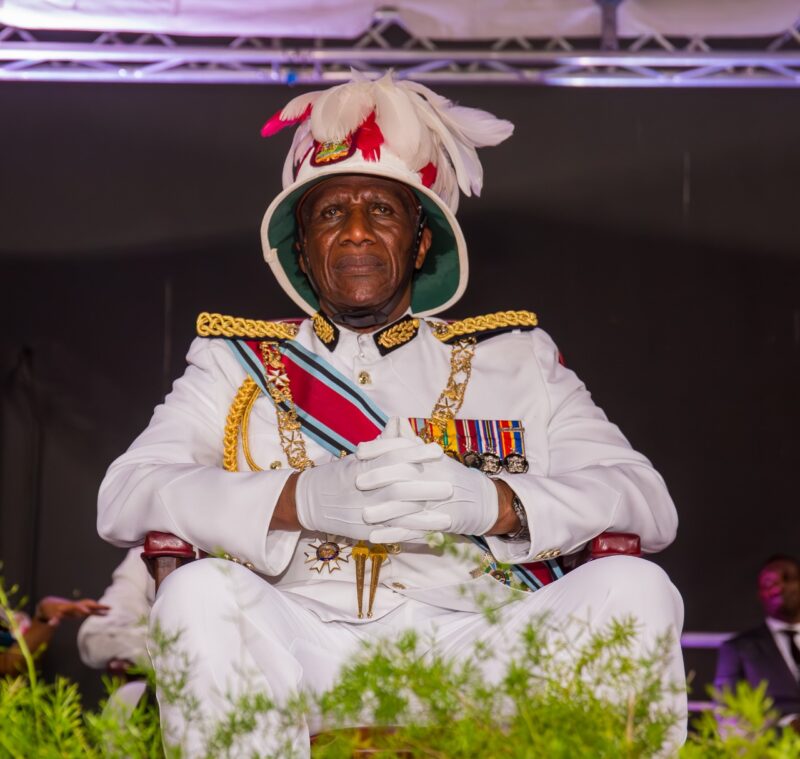
The Ministry of Education, Sports, and the Creative Industries, along with the Antigua and Barbuda Festivals Commission, has issued an apology to His Excellency Sir Rodney Williams, Governor General of Antigua and Barbuda.
The apology is in response to the recent incident that occurred during the announcement of the National Awards and Drone show at the Ceremonial Parade.
In their statement, the Ministry expressed deep regret for the lack of a seamless transition between the National Awards and the highly anticipated Drone Show, which had replaced the traditional fireworks display.
The incident was attributed to time-sensitive constraints imposed by Air Traffic Control, which endangered the designated show window for the drones as approved by Air Traffic.
The Ministry said it acknowledged that the occurrence of such an incident during the most significant segment of the program was regrettable.
Daryll Matthew, the Minister responsible for the Ministry of Education, Sports, and Creative Industries, and the Antigua and Barbuda Festivals Commission, expressed his most sincere apologies to His Excellency Sir Rodney Williams, the office of the Governor General, and all of the Awardees.

In collaboration with the Antigua and Barbuda Festivals Commission, the Ministry of Education, Sports, and the Creative Industries said it was committed to conducting a comprehensive review of the protocols and logistics for future events.
The goal is to ensure that such unfortunate occurrences do not repeat themselves.
The Ministry will take all necessary measures to prevent any disruptions in future programs, providing a smoother and more enjoyable experience for all attendees and participants.
The Ministry recognizes the importance of upholding the integrity and prestige of His Excellency’s Office.
They are unwavering in their commitment to upholding the highest standards of professionalism and excellence in all future endeavors.
The Ministry pledges to make every effort to rectify this unfortunate incident.
This story was first published by Antigua News on : antigua.news/2023/11/02/the-ministry-of-creative-industries-apologizes-governor-general-for-mishaps-during-parade. © 2023 Antigua News. Republication without permission is not allowed.

About the author
The Editorial Staff refers to all reporters employed by Antigua.news. When an article is not an original creation of Antigua.news—such as when it is based on a press release, other media articles, letters to the editor, or court decisions—one of our staff members is responsible for overseeing its publication.
Read our editorial standards and corrections policy. Spotted an error? Contact the newsroom.
More from Antigua and Barbuda
View section
Chinese Embassy Welcomes Caribbean Youth Parliamentarians for Cultural Exchange
Ambassador Jiang Wei calls for greater understanding through dialogue, while House Speaker Osbert Frederick praises the young leaders.
By Shermain Bique-Charles

LETTER: A Safe Reunion Should Not End Questions About a Child’s Welfare
Delores Harris calls for greater accountability and child protection measures following the safe reunion of a young child found wandering alone.
By Editorial Staff

Browne Demands Climate Finance and Action to Protect Small Island States
Speaking in Australia, the Prime Minister urged major emitters and financial institutions to turn climate commitments into practical support for vulnerable nations.
By Shermain Bique-Charles

Three-Year-Old Girl Found in Nut Grove Safely Reunited with Family
Police thank the public for responding to an appeal and urge parents and guardians to remain vigilant.
By Shermain Bique-Charles
Comments
Be the first to comment.