
VC Bird International all set for another weekend of Homeporting

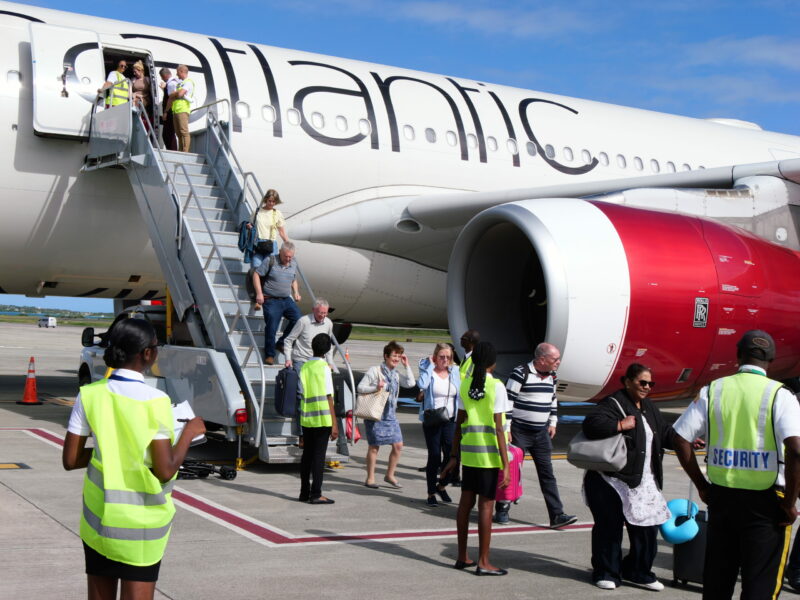
Preparing to receive hundreds of visitors arriving by specially chartered flights, the VC Bird International Airport will be a busy hub this weekend. The Heritage Quay Port will serve as the starting point for their cruise excursions around the island.
The airport’s management and staff played a pivotal role in ensuring a seamless operation during the first Homeporting experience which took place a few months ago.
Travelers were able to board buses immediately after landing, which transported them directly to the Heritage Quay port without any disruption to the regularly scheduled flights or routine operations of the airport. The same smooth experience was provided for the return flights to the United Kingdom.
Working together with the Antigua and Barbuda Tourism Authority and the Antigua Cruise Port, the extended second iteration of the collaborative exercise will firmly establish the island as a homeporting destination.
This will take place over a period that will begin this weekend on scheduled days until March next year.

Joseph Samuel, the Director of Operations of the Antigua and Barbuda Airport Authority, confirmed that all the necessary systems are in place for the upcoming weekend homeporting operations.
The kinks from the previous operation have been ironed out and the airport is fully mobilised to execute it seamlessly.
The Homeporting schedule starts with this Saturday, followed by December 2nd, 16th, and 30th. There will be two Saturdays in January, the 13th and the 27th. In February, it will be the 10th and the 24th, followed by the final one on March 9th.
The Antigua and Barbuda Airport Authority is encouraging travelers and the general public to stay informed about the Homeporting days, in case they need to make personal adjustments, particularly if they plan to travel.
This story was first published by Antigua News on : antigua.news/2023/11/16/vc-bird-international-all-set-for-another-weekend-of-homeporting. © 2023 Antigua News. Republication without permission is not allowed.

About the author
The Editorial Staff refers to all reporters employed by Antigua.news. When an article is not an original creation of Antigua.news—such as when it is based on a press release, other media articles, letters to the editor, or court decisions—one of our staff members is responsible for overseeing its publication.
Read our editorial standards and corrections policy. Spotted an error? Contact the newsroom.
More from Antigua and Barbuda
View section
Chinese Embassy Welcomes Caribbean Youth Parliamentarians for Cultural Exchange
Ambassador Jiang Wei calls for greater understanding through dialogue, while House Speaker Osbert Frederick praises the young leaders.
By Shermain Bique-Charles

LETTER: A Safe Reunion Should Not End Questions About a Child’s Welfare
Delores Harris calls for greater accountability and child protection measures following the safe reunion of a young child found wandering alone.
By Editorial Staff

Browne Demands Climate Finance and Action to Protect Small Island States
Speaking in Australia, the Prime Minister urged major emitters and financial institutions to turn climate commitments into practical support for vulnerable nations.
By Shermain Bique-Charles

Three-Year-Old Girl Found in Nut Grove Safely Reunited with Family
Police thank the public for responding to an appeal and urge parents and guardians to remain vigilant.
By Shermain Bique-Charles
Comments
Be the first to comment.