
Post Office to Remain Closed as Protest Continues

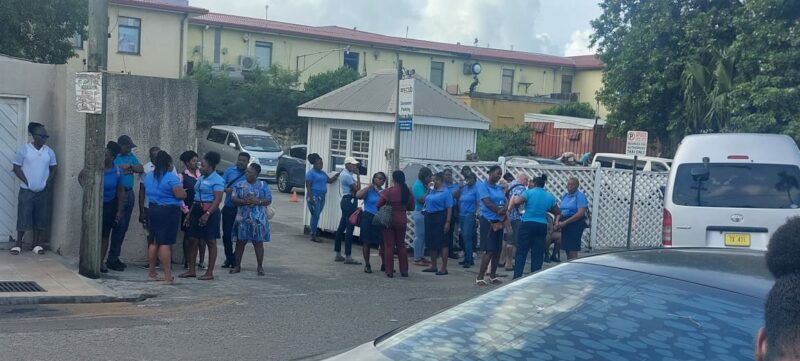
Work stoppage will continue at the General Post Office today, as over 100 workers remain off the job for the third week in a row
This comes after negotiations between their union and the government failed to yield any results on Monday.
The Post Office staff in St. Johns have been protesting against poor working conditions and the lack of safety in the workplace. For the past two weeks, they have been clocking into work but remaining outside the building as advised by their bargaining representative.
At a meeting held on Monday, Joan Peters, the President of the Antigua and Barbuda Public Service Association, noted that the government did not provide any assurance on when the issues would be addressed and resolved.
Consequently, the union has advised the post office staff to continue their actions until the matter is addressed.
“They just cannot continue to work. These workers want to return to work but the environment is just not conducive at this time for them to return to work. We have to do what we have to do. We met sometime last week and they promised to address the issues including a bad stench but they have not done anything much,” Peters said
She said an agreement was made at the meeting last week which included the permanent secretary and Prime Minister Gaston Browne but the work was not done to their satisfaction
“We agreed to things and we said to them once they were met staff would return to work but 90% of the things were not done. The building is stinking…we cannot continue like this,” she said
According to Peters, although some cleaning work was carried out, it was not enough to ensure the safety of the workers for their return to work.
“They did some kind of cleaning yesterday, the place is not clean, they did some kind of touch up and that was it…” she explained

This story was first published by Antigua News on : antigua.news/2023/11/21/post-office-to-remain-closed-as-protest-continues. © 2023 Antigua News. Republication without permission is not allowed.

About the author
The Editorial Staff refers to all reporters employed by Antigua.news. When an article is not an original creation of Antigua.news—such as when it is based on a press release, other media articles, letters to the editor, or court decisions—one of our staff members is responsible for overseeing its publication.
Read our editorial standards and corrections policy. Spotted an error? Contact the newsroom.
More from Antigua and Barbuda
View section
Senator Colin O’Neal Earns Political Science Degree at UWI Five Islands, Sets Sights on Law Degree
Senator Colin O’Neal graduates with a Bachelor’s Degree in Political Science from UWI Five Islands Campus and announces plans to pursue a law degree in 2027.
By Cory Wayland

Young Man Suffers Minor Scrapes After Leg Gets Trapped in St. John’s Sidewalk Grating
The incident raises fresh concerns about pedestrian safety following similar occurrences in the city.
By Cory Wayland

Mighty Sparrow’s National Funeral Set for October 16 as Trinidad and Tobago Prepares Grand Farewell
Two days of public viewing and a grand cultural procession will precede the October 16 Celebration of Life honouring the legendary entertainer whose music helped shape Caribbean culture.
By Cory Wayland

Antigua and Barbuda Art Week 2026 to Bring Folklore and Creativity to Life with Exciting New Experiences
From the legendary Jam Bull to evening gallery tours, live painting battles and interactive workshops, this year's Art Week promises an immersive celebration of Antigua and Barbuda's artistic and cultural heritage.
By Cory Wayland
Comments
Be the first to comment.