
Ambassador Sir Ramez Hadeed Officially Laid to Rest

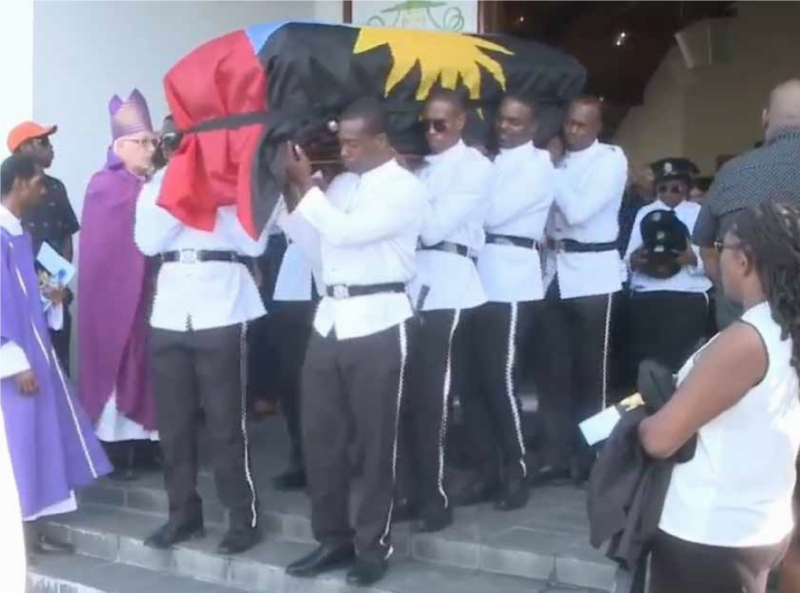
Yesterday, Antigua and Barbuda bid farewell to a remarkable man, Ambassador Sir Ramez Hadeed.
He was a successful businessman and philanthropist, a loving family man, and a respected diplomat.
He significantly impacted the foreign relations of Antigua and Barbuda and the Hadeed Group of Companies, the business conglomerate he founded.
Many people who knew Sir Ramez personally, including politicians, foreign dignitaries, and those who benefited from his goodwill, gathered at the Holy Family Cathedral to remember his life.
His nephew Francis Hadeed spoke on behalf of the entire family and shared how he was a doting uncle who always showed kindness and generosity.
As the chairman of the Hadeed Group of Companies, Sir Ramez invested in various industries such as manufacturing, construction, garment production, finance, and automotive.
He was a respected businessman and his brother Aziz Hadeed delivered his eulogy, sharing what it was like growing up with him and how they shared mutual respect in their business operations.

Sir Ramez was recently honoured by the government with the Knight Grand Cross of the Most Distinguished Order of the Nation for his outstanding contribution in diplomacy and 40 years of community service and nation-building.
Tributes from the Governor General, the Prime Minister, the Opposition Leader’s Office, former Prime Minister, the US Embassy, and others spoke to the vast number of lives he touched.
In the final procession, Sir Ramez’ body was taken from the Holy Family Cathedral through St John’s to his final resting place at St John’s Public Cemetery. He will be deeply missed by all who knew him.
This story was first published by Antigua News on : antigua.news/2023/12/14/ambassador-sir-ramez-hadeed-officially-laid-to-rest. © 2023 Antigua News. Republication without permission is not allowed.

About the author
The Editorial Staff refers to all reporters employed by Antigua.news. When an article is not an original creation of Antigua.news—such as when it is based on a press release, other media articles, letters to the editor, or court decisions—one of our staff members is responsible for overseeing its publication.
Read our editorial standards and corrections policy. Spotted an error? Contact the newsroom.
More from Antigua and Barbuda
View section
Senator Colin O’Neal Earns Political Science Degree at UWI Five Islands, Sets Sights on Law Degree
Senator Colin O’Neal graduates with a Bachelor’s Degree in Political Science from UWI Five Islands Campus and announces plans to pursue a law degree in 2027.
By Cory Wayland

Young Man Suffers Minor Scrapes After Leg Gets Trapped in St. John’s Sidewalk Grating
The incident raises fresh concerns about pedestrian safety following similar occurrences in the city.
By Cory Wayland

Mighty Sparrow’s National Funeral Set for October 16 as Trinidad and Tobago Prepares Grand Farewell
Two days of public viewing and a grand cultural procession will precede the October 16 Celebration of Life honouring the legendary entertainer whose music helped shape Caribbean culture.
By Cory Wayland

Antigua and Barbuda Art Week 2026 to Bring Folklore and Creativity to Life with Exciting New Experiences
From the legendary Jam Bull to evening gallery tours, live painting battles and interactive workshops, this year's Art Week promises an immersive celebration of Antigua and Barbuda's artistic and cultural heritage.
By Cory Wayland
Comments
Be the first to comment.