
Calvin Ayre’s Defamation Claim Against Reuters Hits Major Setback.

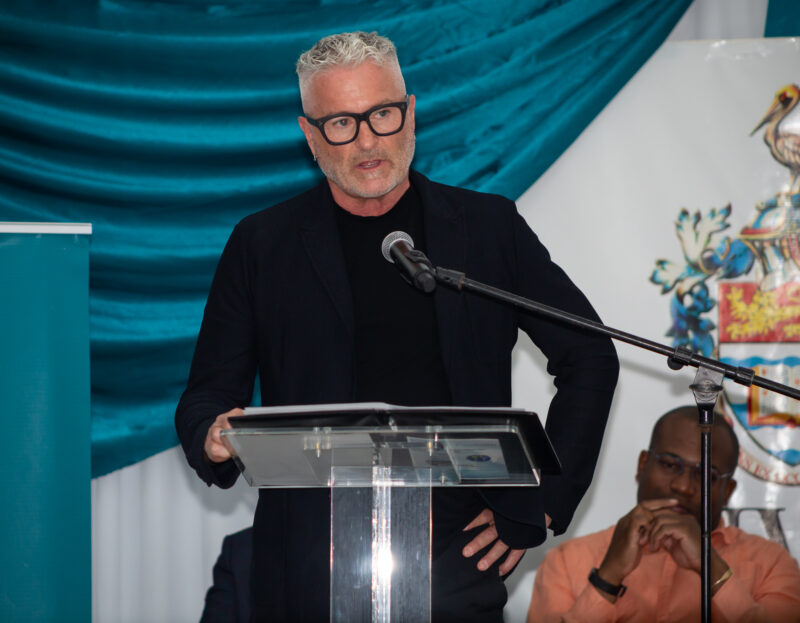
Calvin Ayre, a billionaire entrepreneur from Antigua, has faced a major setback in his defamation claim against Reuters, one of the world’s leading news agencies.
This came after the Eastern Caribbean Supreme Court rejected his interlocutory appeals application.
The defamation claim was filed by Ayre on February 28, 2020, in connection with a 2017 article published on a Reuters website titled ‘Bitcoin’s creditor races to patent technology with gambling tycoon’.
Ayre alleged that the article contained defamatory statements about him and sought to hold Reuters accountable.
Ayre’s legal team initially sent the claim to Reuters UK via the court’s E-Litigation portal.
However, as the case progressed, it was revealed that Reuters UK was not the correct defendant.
Ayre then attempted to substitute Reuters USA as the correct defendant, but the court found that the claim form’s validity had expired.
The court also noted that the three-year limitation period for defamation claims had lapsed, and Ayre had not taken any other permissible step to put matters right or extend the continued validity of the claim form.
As a result, Ayre has been ordered to pay Reuters USA’s costs for appealing the court’s initial decision to dismiss the claim.

The judges rejected all four issues and eleven grounds of appeal presented by Ayre’s attorneys, emphasizing disagreement with the legal propositions put forth in the appeal.
This ruling marks a significant setback for Ayre in his pursuit of defamation remedies against Reuters.
Ayre had sought an injunction against further publication of the article, a ‘correction order’ under the Defamation Act 2015, and damages for defamation.
However, with the court’s latest ruling, it remains to be seen what the future holds for his claim against Reuters.
This story was first published by Antigua News on December 27, 2023: antigua.news/2023/12/27/calvin-ayres-defamation-claim-against-reuters-hits-major-setback. © 2023 Antigua News. Republication without permission is not allowed.

About the author
The Editorial Staff refers to all reporters employed by Antigua.news. When an article is not an original creation of Antigua.news—such as when it is based on a press release, other media articles, letters to the editor, or court decisions—one of our staff members is responsible for overseeing its publication.
Read our editorial standards and corrections policy. Spotted an error? Contact the newsroom.
More from Antigua and Barbuda
View section
Hundreds Caught In Miles-Long Gas Lines As Dealers Protest Increased Margins
Motorists are scrambling for fuel as leading service stations shut their pumps for the second time in weeks, while WIOC’s Friars Hill station reportedly remains the only WIOC location still dispensing gasoline.
By Cory Wayland

Four-Country CARICOM Free Movement Scheme Reports 939 Processed as Antigua Maintains Separate Conditions for TCN Transfers
Antigua and Barbuda remains outside the four-country scheme, while proposing strict limits and safeguards for temporary transfers of third-country nationals from the US.
By Shermain Bique-Charles

Elderly Man Found Dead Inside Ovals Home
Police are investigating after an elderly man was discovered unresponsive at his home in Ovals on Wednesday morning, with no indication of foul play at this stage.
By Cory Wayland

WATCH: Taxi Operators Call for Proper Policing as Minister Freeland Reviews Concerns in St. John’s
Taxi association representatives say vehicles occupying designated spaces and soliciting cruise passengers are affecting operations around Heritage Quay.
By Shermain Bique-Charles
Comments (1)
Jane December 27, 2023, 3:43 PM