
Dr Joey John is interested in buying the closed Cancer Centre.

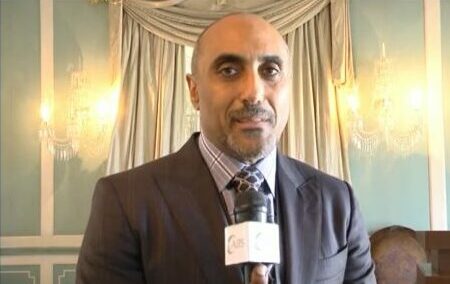
Dr Joey John, a local medical practitioner, has been identified as an “interested party” during discussions with investors reportedly interested in purchasing the Cancer Centre, which has been closed since last April.
The investors have a vision that goes beyond simply reopening the center. They propose to introduce an innovative anti-cancer treatment method that could usher in a new era of cancer care, according to Cabinet notes.
Central to their approach is a surgical technique called quadrant excision, or quadrantectomy, which is most commonly used for breast cancer treatment but can also be used for dermatological procedures, soft tissue tumors, plastic and reconstructive surgery, and gastrointestinal surgery.

The investors claim that their method has the potential to cure various types of cancer without relying on radiation and chemotherapy, offering a more holistic approach to healing.
They have proposed treating Antigua and Barbuda nationals and residents at a significantly reduced cost compared to international clients.
Additionally, they have committed to repairing the center’s existing machines for those opting for traditional cancer treatments.
The Cabinet is set to reconvene on Wednesday to make a final decision, as other offers have been made to refurbish the facility’s equipment.
If the acquisition and refurbishment proceed as planned, the Cancer Centre could potentially reopen before the end of the first quarter of this year.
The Cancer Centre Eastern Caribbean was originally established in June 2015 to cater to cancer patients across the OECS, offering radiotherapy to both private patients and those covered by the Medical Benefits Scheme. Private patients could also pay for chemotherapy.
This story was first published by Antigua News on : antigua.news/2024/01/12/dr-joey-john-is-interested-in-buying-the-closed-cancer-centre. © 2024 Antigua News. Republication without permission is not allowed.

About the author
The Editorial Staff refers to all reporters employed by Antigua.news. When an article is not an original creation of Antigua.news—such as when it is based on a press release, other media articles, letters to the editor, or court decisions—one of our staff members is responsible for overseeing its publication.
Read our editorial standards and corrections policy. Spotted an error? Contact the newsroom.
More from Antigua and Barbuda
View section
HIGH SCHOOL STUDENTS CONTINUE TO BENEFIT FROM SANDALS FOUNDATION’S CARE FOR KIDS SCHOLARSHIP PROGRAMME
Kyrah Edwards and Erwin Christopher receive third annual scholarship payments, supporting their education while encouraging community service.
By Shermain Bique-Charles

Chinese Embassy Welcomes Caribbean Youth Parliamentarians for Cultural Exchange
Ambassador Jiang Wei calls for greater understanding through dialogue, while House Speaker Osbert Frederick praises the young leaders.
By Shermain Bique-Charles

LETTER: A Safe Reunion Should Not End Questions About a Child’s Welfare
Delores Harris calls for greater accountability and child protection measures following the safe reunion of a young child found wandering alone.
By Editorial Staff

Browne Demands Climate Finance and Action to Protect Small Island States
Speaking in Australia, the Prime Minister urged major emitters and financial institutions to turn climate commitments into practical support for vulnerable nations.
By Shermain Bique-Charles
Comments
Be the first to comment.