
American Airlines hikes bag fees.

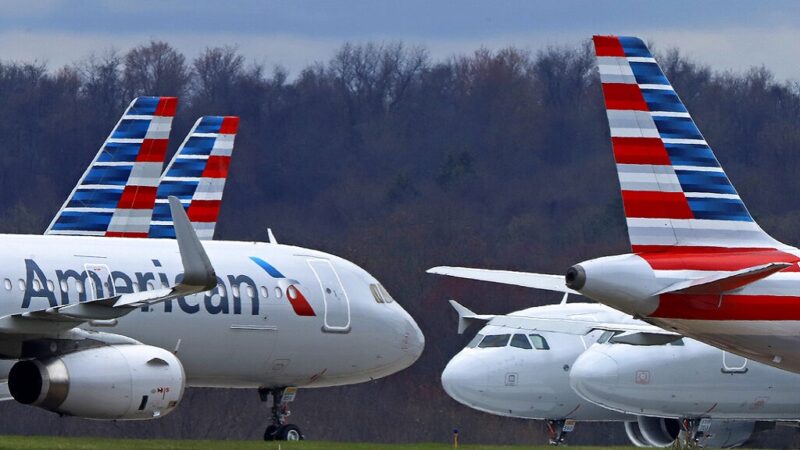
American Airlines has recently announced an increase in its baggage fees to encourage customers to buy tickets directly from the airline.
According to the airline, checking a bag on a domestic flight will now cost $35 when purchased online and $40 if purchased at the airport.
These fees are up from $30. The fee for a second checked bag will increase from $40 to $45 both online and at the airport. American Airlines had previously raised its bag fees in 2018.
American Airlines introduced bag fees in 2008 to cope with the rising cost of jet fuel. These fees have since become a steady revenue source for most major US carriers.
In fact, in 2022, American Airlines raised $1.4 billion in bag fees alone, leading the industry in this regard.
The airline is also raising bag fees by $5 for short international flights to Canada, Mexico, and the Caribbean.
The fees for these flights will now be $35 for the first checked bag and $45 for the second. However, customers who hold elite status in American’s loyalty program, buy premium-class tickets, or use an American-branded credit card can still check at least one bag for free.
In addition to the changes in baggage fees, American Airlines is also cutting the cost of transferring points between frequent-flyer accounts.
The airline is also changing the way it rewards points in its AAdvantage loyalty program. Starting from May 1, 2021, customers will have to buy tickets directly from the airline or its partner carriers or from preferred online travel agencies if they want to earn points in the program. Corporate travelers, however, will not be affected.

According to Scott Chandler, the vice president of revenue management at American Airlines, the changes are part of a long shift by airlines away from using travel agents. American Airlines wants to bring ticket sales in-house to explain things more clearly and introduce new products more easily.
The airline will list its preferred travel agencies in late April to give customers ample time to adjust to the new policy.
This story was first published by Antigua News on : antigua.news/2024/02/21/american-airlines-hikes-bag-fees. © 2024 Antigua News. Republication without permission is not allowed.

About the author
The Editorial Staff refers to all reporters employed by Antigua.news. When an article is not an original creation of Antigua.news—such as when it is based on a press release, other media articles, letters to the editor, or court decisions—one of our staff members is responsible for overseeing its publication.
Read our editorial standards and corrections policy. Spotted an error? Contact the newsroom.
More from World
View section
Paraguay President Santiago Peña Impeached and Arrested Amid Massive Banking Scandal
Lawmakers unanimously remove Peña from office following the collapse of Ueno Bank, which has left millions struggling to access their money, as Vice President Pedro Alliana assumes the presidency.
By Cory Wayland

New Evidence Emerges in Florida Plane Crash That Killed Nine, Including Two Young Children
Investigators have recovered pieces of a Learjet 60's tail section miles from the crash site as they examine the aircraft's final moments and the possible role of severe weather.
By Cory Wayland

Democrats Win Congress in Major Setback for Donald Trump
Victories in Republican strongholds hand Democrats control of the House and Senate.
By Shermain Bique-Charles

Nine Killed as Learjet 60 Crashes Into Florida Neighbourhood
The Learjet 60 crashed near Cresthaven in Palm Beach County while travelling from Texas to the Bahamas, prompting mass evacuations and an investigation by US aviation authorities.
By Cory Wayland
Comments
Be the first to comment.