
Antigua and Barbud and the EU discuss blacklisting

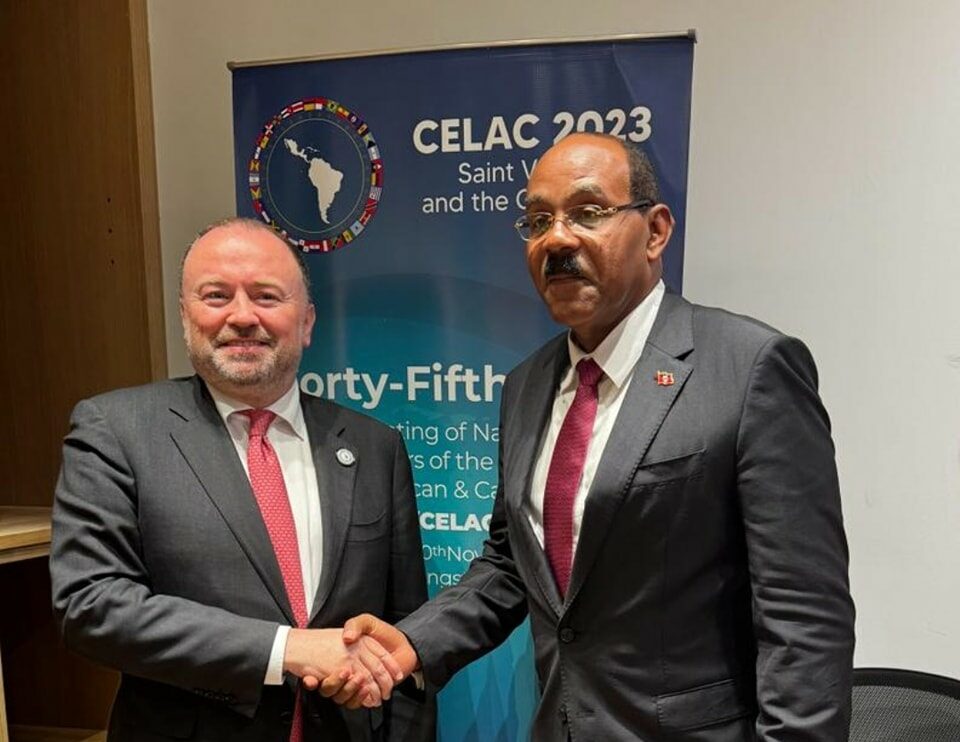
During a recent meeting between Antigua and Barbuda and representatives of the European Union, the issue of ‘blacklisting’ was discussed.
The EU has been pursuing a policy to punish countries for ‘non-cooperation’ on tax policy, and Antigua and Barbuda was among twelve countries named on a list issued on February 20, 2024.
The EU has maintained a list of non-cooperative jurisdictions for tax purposes, which includes countries that have either failed to comply with tax good governance criteria or refused to do so within a specific timeframe.
The meeting between Prime Minister Gaston Browne and EU Representative Brian Glynn, Managing Director for Americas in the EU Foreign Service, included discussions on the blacklisting issue, although no details have been released on the outcome of the talks.
The two also discussed the upcoming Small Island Developing States fourth conference, which is scheduled to take place in Antigua and Barbuda from May 27 to 30, 2024.
The EU official expressed excitement about the opportunity to participate in the conference and stated that in addition to providing support, the EU would also be sending a high-level delegation to launch additional support programmed for the Caribbean to highlight their commitment to the event.
The meeting also covered other matters, including increased cooperation between Antigua and Barbuda and the EU.
Prime Minister Browne was accompanied by Permanent Secretary in the Ministry of Foreign Affairs, Amb. Anthony Liverpool, and Senior Foreign Affairs Officer, Kurt Williams.

This story was first published by Antigua News on March 4, 2024: antigua.news/2024/03/04/antigua-and-barbud-and-the-eu-discuss-blacklisting. © 2024 Antigua News. Republication without permission is not allowed.

About the author
The Editorial Staff refers to all reporters employed by Antigua.news. When an article is not an original creation of Antigua.news—such as when it is based on a press release, other media articles, letters to the editor, or court decisions—one of our staff members is responsible for overseeing its publication.
Read our editorial standards and corrections policy. Spotted an error? Contact the newsroom.
More from Antigua and Barbuda
View section
‘They Can’t Dictate That’: Freeland Rejects Player Pressure Over National Coach
Freeland defends the coaching staff and says players should demonstrate their value through training and performance.
By Shermain Bique-Charles

Search Ends as All Four Juveniles Who Escaped Bolans Police Station Return to Police Custody
Police apprehended three of the juveniles during a search operation in Liberta on Thursday morning, less than a day after the fourth surrendered to authorities.
By Cory Wayland

Farmers Given 90 Days to Plant as Government Launches 102-Acre Land-Clearing Programme
Antigua launches a 102-acre agricultural land-clearing programme requiring beneficiaries to establish viable crops within 90 days of land preparation.
By Cory Wayland

Freeland Blames Poor Player Commitment for Antigua and Barbuda’s Basketball Withdrawal
Basketball president acknowledges unpaid stipends but says repeated low practice attendance drove the decision to withdraw.
By Shermain Bique-Charles
Comments
Be the first to comment.