
Antigua and Barbuda prepares to host major Gender Forum in the lead up to SIDS4 Conference

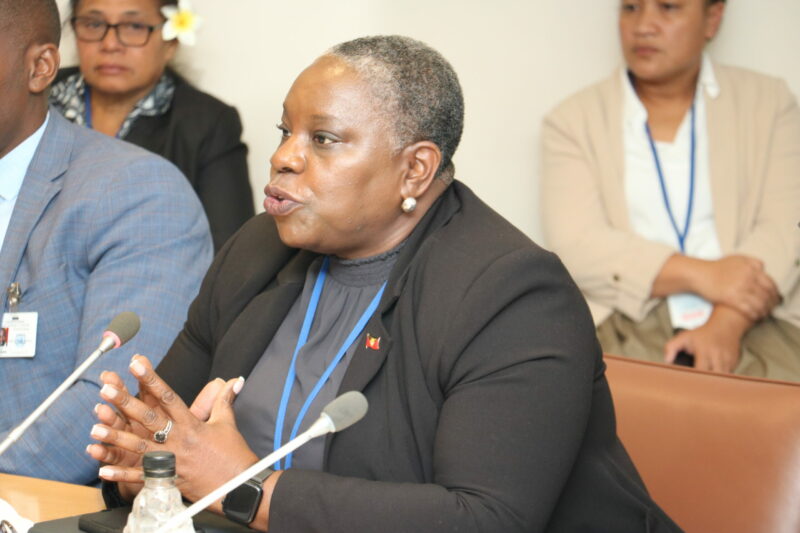
The Government of Antigua and Barbuda has held important engagements at the United Nations, jointly sponsored by the governments of Canada, the Kingdom of the Netherlands, and UN Women Multi-country offices from the Eastern Caribbean and Fiji.
The side event, held on the margins of the 68th session of the Commission on the Status of Women, addressed some of the most pressing issues affecting women in all Small Island Developing States (SIDS).
The event was held under the theme “SIDS and Gender Equality—Charting the Course Toward Resilient Prosperity for All Using a Gender Lens.”
This timely and productive exercise aimed to ensure that gender equality is placed at the center of progress review processes in SIDS.
The country will also host a SIDS Gender Equality Forum on May 25 and 26, which will provide a dedicated space for people from various stakeholder groups and multiple sectors across all SIDS regions to explore gender equality and SIDS from a broad range of perspectives.

The event was led by Samantha Marshall, Antigua and Barbuda’s Minister of State for Social Transformation and Gender Affairs.
The challenges that SIDS faces in achieving its sustainable development goals are complex and multifaceted.
From persistent inequalities ingrained in individual mindsets to the alarming prevalence of violence against women, especially in the digital realm, our communities grapple with challenges that impede the march towards true gender equality and women’s empowerment.
One of the major objectives of the event was to identify key considerations and areas that can be included in the 10-year action plan that will be developed from the 4th SIDS Conference.
The action plan will ensure the sustainability of actions towards gender equality in SIDS and will help devise a new decade of partnerships and solutions geared at achieving a resilient and prosperous future.
This story was first published by Antigua News on March 13, 2024: antigua.news/2024/03/13/antigua-and-barbuda-prepares-to-host-major-gender-forum-in-the-lead-up-to-sids4-conference. © 2024 Antigua News. Republication without permission is not allowed.

About the author
The Editorial Staff refers to all reporters employed by Antigua.news. When an article is not an original creation of Antigua.news—such as when it is based on a press release, other media articles, letters to the editor, or court decisions—one of our staff members is responsible for overseeing its publication.
Read our editorial standards and corrections policy. Spotted an error? Contact the newsroom.
More from Antigua and Barbuda
View section
Search Ends as All Four Juveniles Who Escaped Bolans Police Station Return to Police Custody
Police apprehended three of the juveniles during a search operation in Liberta on Thursday morning, less than a day after the fourth surrendered to authorities.
By Cory Wayland

Farmers Given 90 Days to Plant as Government Launches 102-Acre Land-Clearing Programme
Antigua launches a 102-acre agricultural land-clearing programme requiring beneficiaries to establish viable crops within 90 days of land preparation.
By Cory Wayland

Freeland Blames Poor Player Commitment for Antigua and Barbuda’s Basketball Withdrawal
Basketball president acknowledges unpaid stipends but says repeated low practice attendance drove the decision to withdraw.
By Shermain Bique-Charles

High Street to Lead Major St. John's Transformation as Cabinet Appoints Three Ministers to Oversee Redevelopment
Cabinet has established a ministerial team to coordinate improvements to roads, drainage, utilities, sidewalks and public spaces across the capital.
By Cory Wayland
Comments
Be the first to comment.