
Media literacy workshop for youth organizations held by UNESCO and Ministry of Education

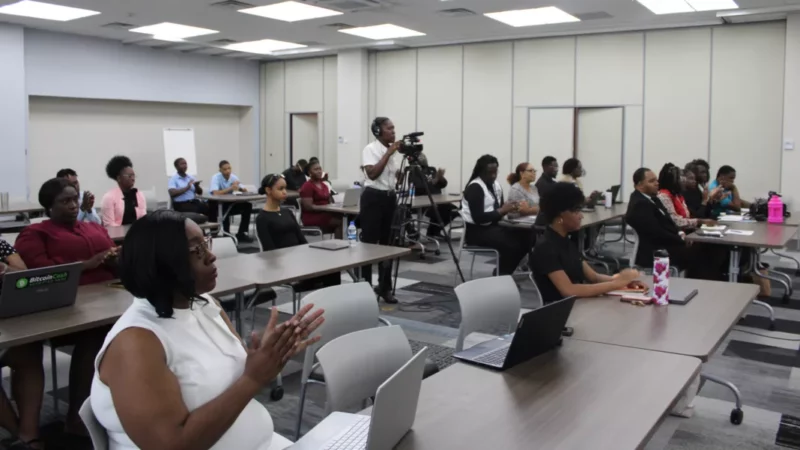
A two-day media workshop on Media and Information Literacy organized by the Ministry of Education is continuing today
The workshop is aimed at engaging youth-led organizations and young people in general in navigating the digitalized information ecosystem through media literacy, which is considered a lifelong learning tool for assessing and verifying information.
The concept of media and information literacy has been promoted by UNESCO since 2007 and has become vital as the media landscape evolves.
The project seeks to promote competency in media and information among citizens, particularly young people, to use digital technology responsibly.
The workshop’s objective is to improve media competency among citizens, with a focus on the necessary competencies, awareness, crucial results, and important engagements that must be materialized.

The Director of Education, Clare Browne, expressed gratitude to UNESCO for the organization’s efforts in advancing and advocating for media and information literacy worldwide.
Andrea Andrew, the UNESCO country coordinator for Antigua and Barbuda, emphasized the importance of adapting citizens to the use of digital technology to achieve the Sustainable Development Goals.
Digital technologies such as mobile devices, digital public services, imaging innovations including artificial intelligence, are transforming governments, economies, and societies, and have the potential to support the global community.
The workshop’s agenda included a panel discussion on Education, Information, and Trust; strengthening resilience against online hate speech, discrimination, racism, and dis- and misinformation; digital media and mental health management; and managing organizational brand and communication strategy.
This story was first published by Antigua News on : antigua.news/2024/04/09/media-literacy-workshop-for-youth-organizations-held-by-unesco-and-ministry-of-education. © 2024 Antigua News. Republication without permission is not allowed.

About the author
The Editorial Staff refers to all reporters employed by Antigua.news. When an article is not an original creation of Antigua.news—such as when it is based on a press release, other media articles, letters to the editor, or court decisions—one of our staff members is responsible for overseeing its publication.
Read our editorial standards and corrections policy. Spotted an error? Contact the newsroom.
More from Antigua and Barbuda
View section
Chinese Partners Join Social Protection Board in Successful Food Distribution
Donated meals and hands-on support bring assistance to members of the public, with Operations Manager Emily Baltimore praising the partnership.
By Shermain Bique-Charles

Residents Inside CHOGM Security Zone Warned About Temporary Re-entry Restrictions
Police say people may leave their homes during the opening ceremony restrictions but could face difficulty returning before controls are lifted.
By Shermain Bique-Charles

No Nationwide Lockdown for CHOGM, Officials Assure Public
Temporary security restrictions and convoy stops will affect selected areas while businesses and essential services continue operating.
By Shermain Bique-Charles

Police Say Previous Grays Farm Investigation Led To Washington Bramble’s Arrest at Town Hall Meeting
Police say several attempts to locate Bramble for questioning had been unsuccessful before officers arrested him during Wednesday’s town hall meeting.
By Cory Wayland
Comments
Be the first to comment.