
Haitian Based Sunrise Airways Coming to Antigua

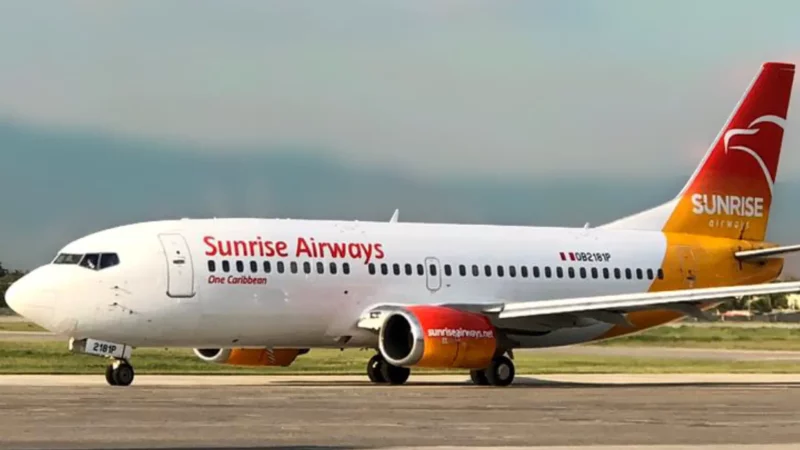
Sunrise Airways, a privately owned Haitian airline, is planning to expand its flight routes into Antigua and Barbuda and the Eastern Caribbean.
The airline is owned by a prominent Haitian businessman, philanthropist, and pilot, Philippe Bayard, and is headquartered in Port-au-Prince.
As part of its expansion, Sunrise Airways will be adding new intra-regional flights that will connect four destinations in the Eastern Caribbean – Antigua, Dominica, St Kitts, and St Lucia, providing a much-needed boost to the regional aviation industry.
Starting from May 25, 2024, Sunrise Airways will operate its new services using twin-turboprop aircraft with a maximum seating capacity of 30 passengers.
These flights will reportedly operate every day except Tuesday, with two daily flights connecting Antigua to Dominica and Antigua to St. Kitts.
The Antigua to St. Lucia service will operate once daily.
The new flights are expected to offer an efficient and convenient option for travelers looking to explore the beauty of the Eastern Caribbean.

This story was first published by Antigua News on : antigua.news/2024/05/06/haitian-based-sunrise-airways-coming-to-antigua. © 2024 Antigua News. Republication without permission is not allowed.

About the author
The Editorial Staff refers to all reporters employed by Antigua.news. When an article is not an original creation of Antigua.news—such as when it is based on a press release, other media articles, letters to the editor, or court decisions—one of our staff members is responsible for overseeing its publication.
Read our editorial standards and corrections policy. Spotted an error? Contact the newsroom.
More from Tourism
View section
Tourism Week 2026 Opens with Thanksgiving at Spring Gardens Moravian Church
Tourism Minister Charles Fernandez called for investment in the skills of Antiguans and Barbudans as AI reshapes the industry, while Michael Freeland thanked the workers who make the visitor experience possible.
By Shermain Bique-Charles

Antigua and Barbuda Art Week Wraps Up After Eight Days of Exhibitions and Performances
Antigua and Barbuda Art Week Wraps Up After Eight Days of Exhibitions and Performances
By Shermain Bique-Charles

American Airlines Expo Introduces Antigua’s Students to Aviation Careers
Flight simulators, hands-on demonstrations and conversations with industry professionals gave students a closer look at careers in aviation and tourism.
By Shermain Bique-Charles

Norwegian Prima Makes First Antigua Visit on Five-Ship Day
Norwegian Prima brought more than 3,000 passengers on its inaugural visit, joining four other cruise ships at St John’s port.
By Shermain Bique-Charles
Comments
Be the first to comment.