
Antigua and Barbuda is to establish diplomatic ties with Palestine.

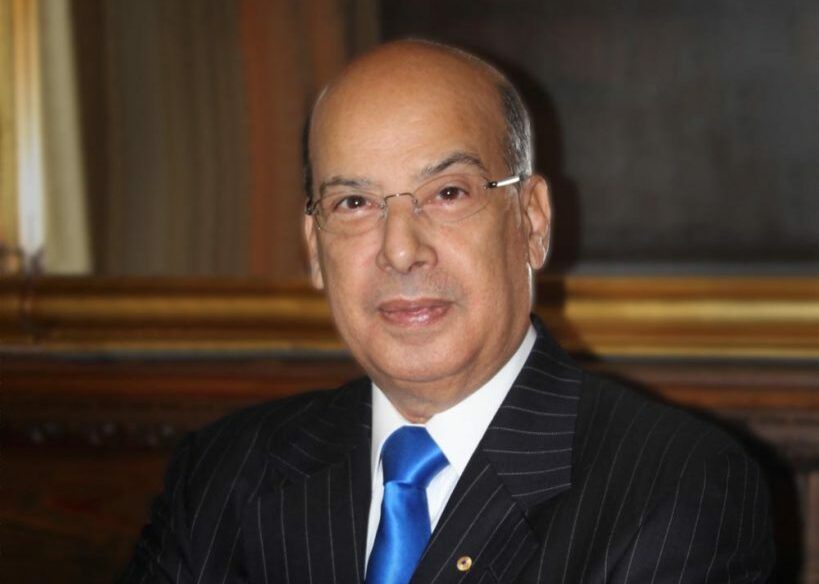
Antigua and Barbuda’s Ambassador to the Organisation of American States (OAS), Sir Ronald Sanders, has received specific instruction from the Prime Minister to establish diplomatic ties with Palestine.
Sir Ron stated that the idea goes beyond the mere recognition of Palestine as a state.
He mentioned, ‘I have started that process, and we had a positive response from Palestine in accordance with the Prime Minister’s request and in agreement with Foreign Affairs Minister EP Chet Greene.’
Recently, Antigua & Barbuda was among 143 countries that voted in favor of a resolution adopted by the United Nations General Assembly for the Security Council to reconsider Palestine’s application for membership in the United Nations.

While recognizing that the granting of membership resides with the General Assembly, on the recommendation of the Security Council, the resolution called on the council to act and expand the rights of the State of Palestine as a Permanent Observer in the General Assembly.
Nine countries voted against the resolution, while 25 countries abstained.
“Sir Ron expressed hope that the entire process could be formalized within a matter of weeks, stating, ‘The reason for that is, we want to be able to talk to Palestine as we can talk to Israel now through diplomatic channels in a formal and informal way. We can’t have diplomatic relations with one and not have diplomatic response with the other if we want to try to promote a peaceful settlement,’ the OAS ambassador explained.”
This story was first published by Antigua News on : antigua.news/2024/05/17/antigua-and-barbuda-is-to-establish-diplomatic-ties-with-palestine. © 2024 Antigua News. Republication without permission is not allowed.

About the author
The Editorial Staff refers to all reporters employed by Antigua.news. When an article is not an original creation of Antigua.news—such as when it is based on a press release, other media articles, letters to the editor, or court decisions—one of our staff members is responsible for overseeing its publication.
Read our editorial standards and corrections policy. Spotted an error? Contact the newsroom.
More from Business and Finance
View section
Liechtenstein register hack exposes the privacy risks of financial transparency
Data concerning 31,000 legal entities were stolen from the principality’s beneficial ownership register. As access moves to an identity-checked service in Vaduz, the unresolved question is whether stronger entry controls can protect the people behind the records.
By Dario Item

How much is Hormuz really adding to Caribbean fuel prices?
The disruption is raising the cost of gasoline and diesel far beyond the Gulf. But refinery shortages, shipping costs and changes to subsidies must be separated to establish what motorists are paying for.
By Dario Item

From Potters to Dallas: Antiguan and Barbudan Ryancia Henry Rises to Top Luxury Hotel Management Role
By Shermain Bique-Charles

Twenty-Three Days to Close a EUR2bn Case Built on Hundreds of Pages: The Novo Banco Judgment That Should Shock Europe’s Bond Market
By Dario Item
Comments
Be the first to comment.