
Commonwealth Secretary-General to advocate for Small States at UN SIDS4 Conference in Antigua and Barbuda

NewsCO
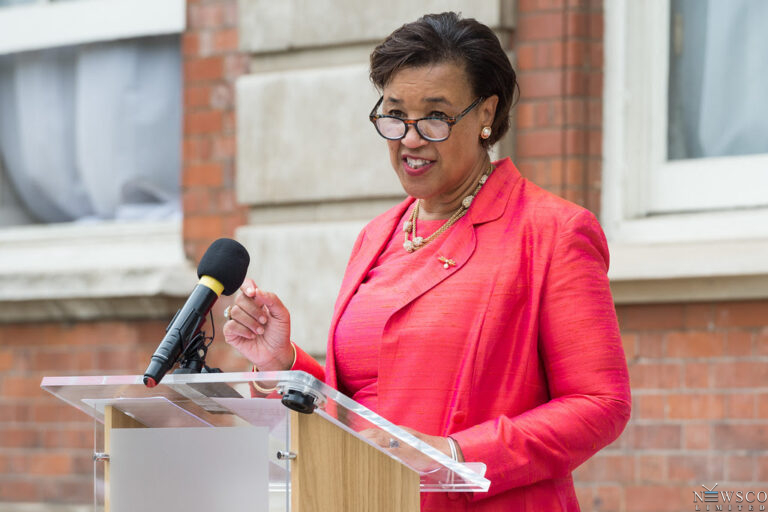
Next week, the Commonwealth Secretary-General, Rt Hon Patricia Scotland KC, will be in Antigua and Barbuda for the fourth International Conference on Small Island Developing States (SIDS4), a release from the Commonwealth Secretariat has advised.
The conference, taking place from 27-30 May 2024, aims to establish a bold new programme of action to support the sustainability and safety of Small Island Developing States (SIDS) over the next decade.
A delegation of experts led by Secretary-General Scotland will advocate for the interests of the Commonwealth’s 33 Small States, 25 of which are SIDS. They aim to amplify the concerns and needs of these nations, particularly SIDS, by addressing critical challenges such as the climate crisis, access to climate finance, biodiversity loss, and spiralling debt through practical and impactful solutions.
“The Commonwealth stands in solidarity with our Small States, and at SIDS4, we are committed to championing their needs. The path forward requires collective action, innovative solutions, and a shared commitment to reform. The Commonwealth is poised to lead this charge, leveraging our unique position to advocate for the needs of our small states on the global stage,” said Secretary-General Scotland.

The Secretary-General will deliver a plenary speech during the SIDS4 conference, and the Commonwealth team will actively participate in various events, including the SIDS Global Children and Youth Action Summit and the SIDS Global Business Network Forum. Highlights of the Secretary-General’s speaking engagements include:
Tuesday, 28 May, 12:00-13:30 (Antigua and Barbuda time): Side event on ‘Harnessing Digital Economy in Asia and Pacific’
Tuesday, 28 May, 14:00-15:30 (Antigua and Barbuda time): Side event on ‘By the SIDS, for the SIDS: Next Decade of Action on NCDs and Mental Health’
Wednesday, 29 May, 10:00-11:30 (Antigua and Barbuda time): Side event on ‘Building Resilient Economies for a Common Future’
Thursday, 30 May, 11:00-13:00 (Antigua and Barbuda time): Interactive Dialogue on ‘Investing in Human Capital: Addressing Health Crises in Small Island Developing States and Building the Potential of Youth in Small Island Developing States’
This story was first published by Antigua News on : antigua.news/2024/05/25/commonwealth-secretary-general-to-advocate-for-small-states-at-un-sids4-conference-in-antigua-and-barbuda. © 2024 Antigua News. Republication without permission is not allowed.

About the author
The Editorial Staff refers to all reporters employed by Antigua.news. When an article is not an original creation of Antigua.news—such as when it is based on a press release, other media articles, letters to the editor, or court decisions—one of our staff members is responsible for overseeing its publication.
Read our editorial standards and corrections policy. Spotted an error? Contact the newsroom.
More from Caribbean
View section
VIDEO: Doctors at Dominica China Friendship Hospital Stage Protest Outside Medical Facility
Healthcare professionals at the Dominica China Friendship Hospital gather outside the medical facility in an apparent protest, raising concerns over issues yet to be officially confirmed.
By Cory Wayland

St. Kitts DPP Seeks Antigua’s Help in Outstanding Case Involving Former Resort Clerk
By Shermain Bique-Charles

Royal Caribbean in Talks to Buy Half of Sandals in Reported $3 Billion Deal
By Shermain Bique-Charles

Four Killed in Latest US Military Strike on Suspected Drug Vessel in Caribbean
By Shermain Bique-Charles
Comments
Be the first to comment.