
Actor Donald Sutherland dies aged 88

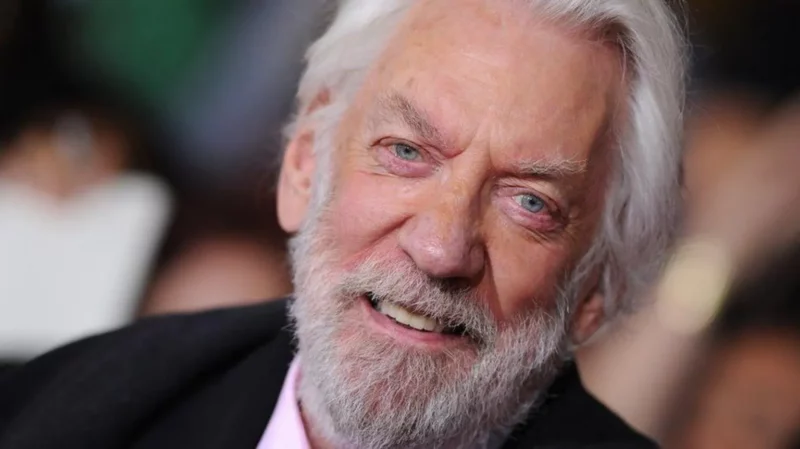
The Canadian actor Donald Sutherland, known for his roles in films such as The Hunger Games and Don’t Look Now, has passed away at the age of 88 after a long illness.
His son, actor Kiefer Sutherland, announced the news with a heavy heart and praised his father as one of the most important actors in the history of film.
Donald Sutherland had nearly 200 credits to his name in a career that spanned over 50 years, and his passing has led to an outpouring of support and tributes from colleagues and fans.
Cary Elwes, who co-starred with Sutherland in the 2001 television film Uprising, expressed devastation at the news and shared his gratitude for the opportunity to have known and worked with the late actor.
Canadian Prime Minister Justin Trudeau remembered feeling deeply star-struck when he first met Sutherland, and offered his condolences to the Sutherland family and all Canadians who are saddened by the loss.
Director Ron Howard, who worked with Sutherland on the 1991 film Backdraft, described him as one of the most intelligent, interesting, and engrossing film actors of all time.
Born in New Brunswick, Canada, Sutherland began his career as a radio news reporter before studying at the London Academy of Music and Dramatic Art.
He then took on small roles in British film and television before landing high-profile roles in war films like The Dirty Dozen, Kelly’s Heroes, and M*A*S*H. Sutherland’s co-star in the 1971 thriller Klute, Jane Fonda, also dated him for two years.

This story was first published by Antigua News on : antigua.news/2024/06/20/actor-donald-sutherland-dies-aged-88. © 2024 Antigua News. Republication without permission is not allowed.

About the author
The Editorial Staff refers to all reporters employed by Antigua.news. When an article is not an original creation of Antigua.news—such as when it is based on a press release, other media articles, letters to the editor, or court decisions—one of our staff members is responsible for overseeing its publication.
Read our editorial standards and corrections policy. Spotted an error? Contact the newsroom.
More from World
View section
Spain Votes After an Eviction Shook Its Government
An elderly tenant’s eviction helped trigger the November 29 snap election. Pedro Sánchez is recovering in some polls, but the right still has the clearer route to a governing majority.
By Dario Item

Dozens of KFC Restaurants Closing Across 10 U.S. States as Major Franchise Operator Files for Bankruptcy
Financial troubles, falling sales and millions in unpaid franchise fees have forced a major KFC operator into bankruptcy, with 72 restaurant locations affected and more closures possible.
By Cory Wayland

Robert Pattinson is the new James Bond
The Twilight and The Batman star succeeds Daniel Craig as 007 in the next James Bond film, directed by Denis Villeneuve and written by Steven Knight.
By Mick the Ram

Microsoft Outage cripples millions globally
Outlook, Teams and Copilot users reported disruptions across 74 countries as Microsoft cited increased load on its infrastructure.
By Mick the Ram
Comments
Be the first to comment.