
Defence Force Captain Awarded Significantly Lower Payout in Case Against Employer

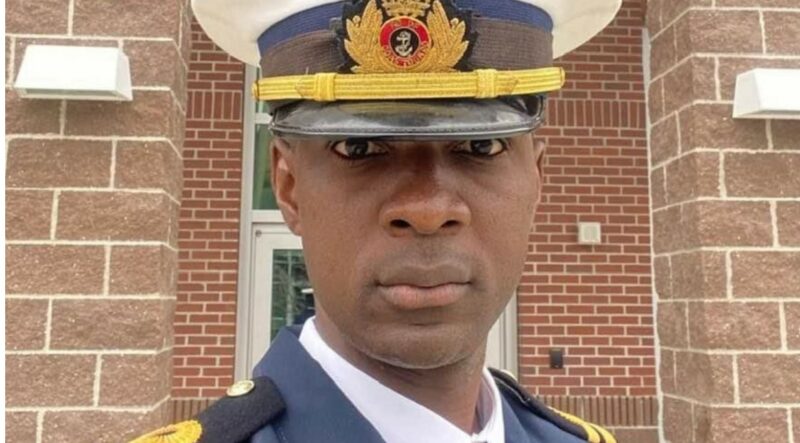
Defence Force Captain Javonson Willock was recently awarded damages worth EC$25,000 by the High Court following a case against the Chief of Defence Staff.
The dispute arose from allegations of misconduct against Willock when the ABDF sought his resignation.
The case was initially brought forward in 2021, when disciplinary proceedings were initiated against him for alleged misconduct.
The Chief of Defence Staff expressed concerns about the potential impact of the captain’s behavior on discipline within the ABDF, leading to the conclusion that his position was no longer tenable.
However, the High Court deemed these allegations invalid in 2023.
The amount awarded to the captain was significantly lower than the $380,000 he had initially sought, which included general, exemplary, aggravated, and vindicatory damages.
Justice Jan Drysdale’s decision to award him EC$25,000

While the court found insufficient evidence to support several of the captain’s claims, such as the impact on his marriage, it acknowledged the detrimental effects of the flawed disciplinary procedure, including the ridicule and the denial of legal representation and access to evidence.
In December, Justice Drysdale issued an interim injunction preventing the ABDF from altering the captain’s employment status.
Additionally, two other ABDF officers, Austin Buntin and Marlan Mathurin, have also taken legal action to prevent the ABDF from altering their ranks in a way that could result in the loss of wages and pensions. (Story Credit NewsCo)
This story was first published by Antigua News on July 3, 2024: antigua.news/2024/07/03/defence-force-captain-awarded-significantly-lower-payout-in-case-against-employer. © 2024 Antigua News. Republication without permission is not allowed.

About the author
The Editorial Staff refers to all reporters employed by Antigua.news. When an article is not an original creation of Antigua.news—such as when it is based on a press release, other media articles, letters to the editor, or court decisions—one of our staff members is responsible for overseeing its publication.
Read our editorial standards and corrections policy. Spotted an error? Contact the newsroom.
More from Antigua and Barbuda
View section
Hundreds Caught In Miles-Long Gas Lines As Dealers Protest Increased Margins
Motorists are scrambling for fuel as leading service stations shut their pumps for the second time in weeks, while WIOC’s Friars Hill station reportedly remains the only WIOC location still dispensing gasoline.
By Cory Wayland

Four-Country CARICOM Free Movement Scheme Reports 939 Processed as Antigua Maintains Separate Conditions for TCN Transfers
Antigua and Barbuda remains outside the four-country scheme, while proposing strict limits and safeguards for temporary transfers of third-country nationals from the US.
By Shermain Bique-Charles

Elderly Man Found Dead Inside Ovals Home
Police are investigating after an elderly man was discovered unresponsive at his home in Ovals on Wednesday morning, with no indication of foul play at this stage.
By Cory Wayland

WATCH: Taxi Operators Call for Proper Policing as Minister Freeland Reviews Concerns in St. John’s
Taxi association representatives say vehicles occupying designated spaces and soliciting cruise passengers are affecting operations around Heritage Quay.
By Shermain Bique-Charles
Comments
Be the first to comment.